7713395 R2 119
6.2. HMI Troubleshooting Screens
The following screens are used primarily for troubleshooting:
• ALARMS and ALARM LOG
• TROUBLESHOOTING
• PLC INPUTS STATUS
• PLC OUTPUTS STATUS
• DryerMaster STATUS and DryerMaster VALUES
• TEMP CONTROL STATUS
• BURNER CONTROL STATUS
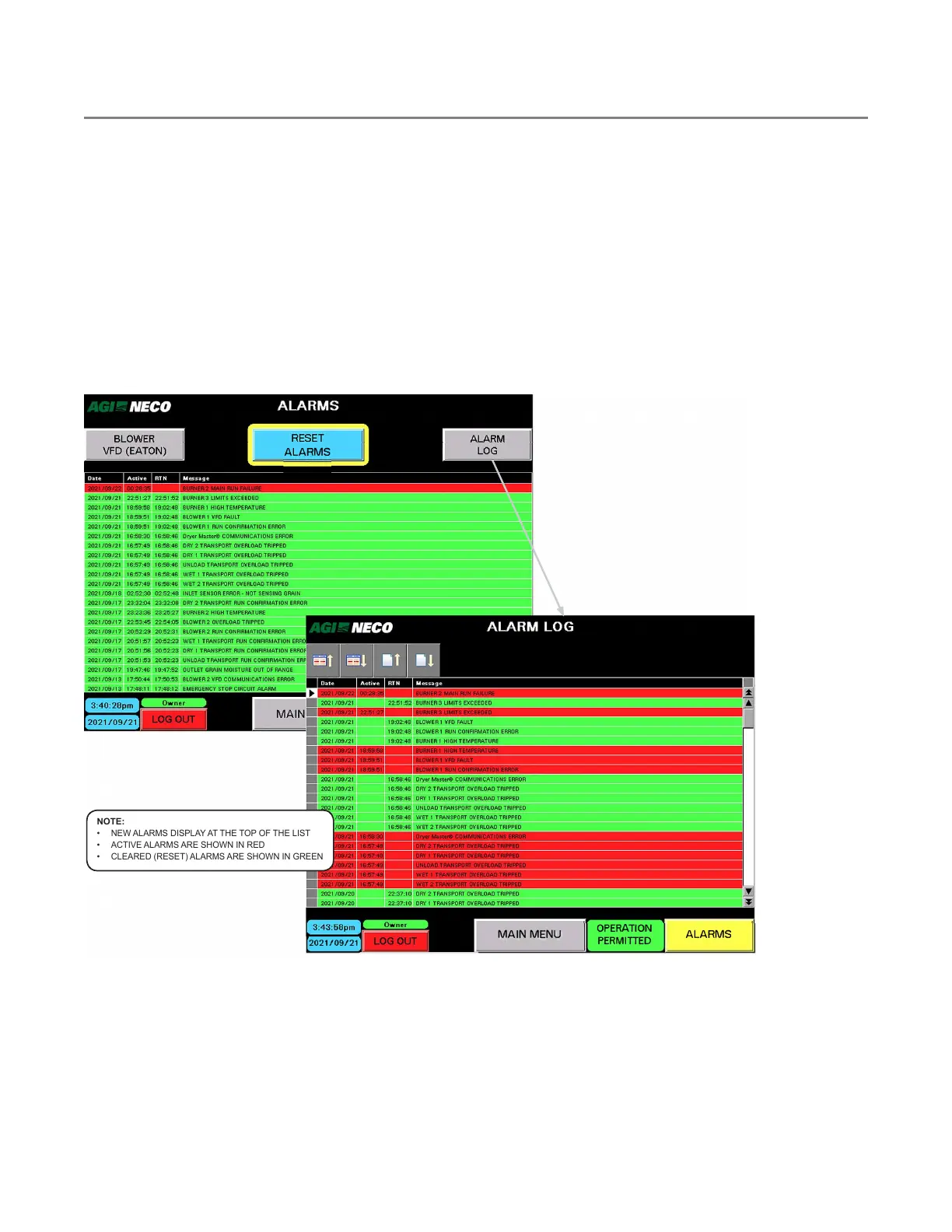
Figure 136. ALARMS and ALARM LOG screens
NOTE:
• NEW ALARMS DISPLAY AT THE TOP OF THE LIST
• ACTIVE ALARMS ARE SHOWN IN RED
• CLEARED (RESET) ALARMS ARE SHOWN IN GREEN
The Alarm Log shows alarm history. Both screens show time alarm went active and time alarm was reset (RTN).
CONTINUOUS MIXED-FLOW GRAIN DRYER WITH COMMANDER CONTROL SYSTEM 6. TROUBLESHOOTING



 To Next Page