88 7713395 R2
9. Upon correct blower and burner detection the pilot valve closes and the main run indicator changes from
OFF to ON (F).
Possible Burner Settings
Depending on whether BATCH or AUTO mode is selected, the blower/burner settings shown in (BLOWER
NUMBER) rows 1, 2, 3, and 4 of the following screenshot are possible:
Figure 103. Blower and burner indicators
• Row 1: Both blower and burner are enabled for use, so all of the remaining status indicators are visible.
• Row 2: The blower is enable, but the burner is disabled, so the status indicators are NOT visible.
• Row 3: The blower is disabled, so none of the following status indicators (including the burner status) are
visible.
• Row 4: The blower is enabled, and this section is operating WITHOUT a burner, so the blower status is
visible but the burner and related status indicators (including temperature indications) are NOT visible.
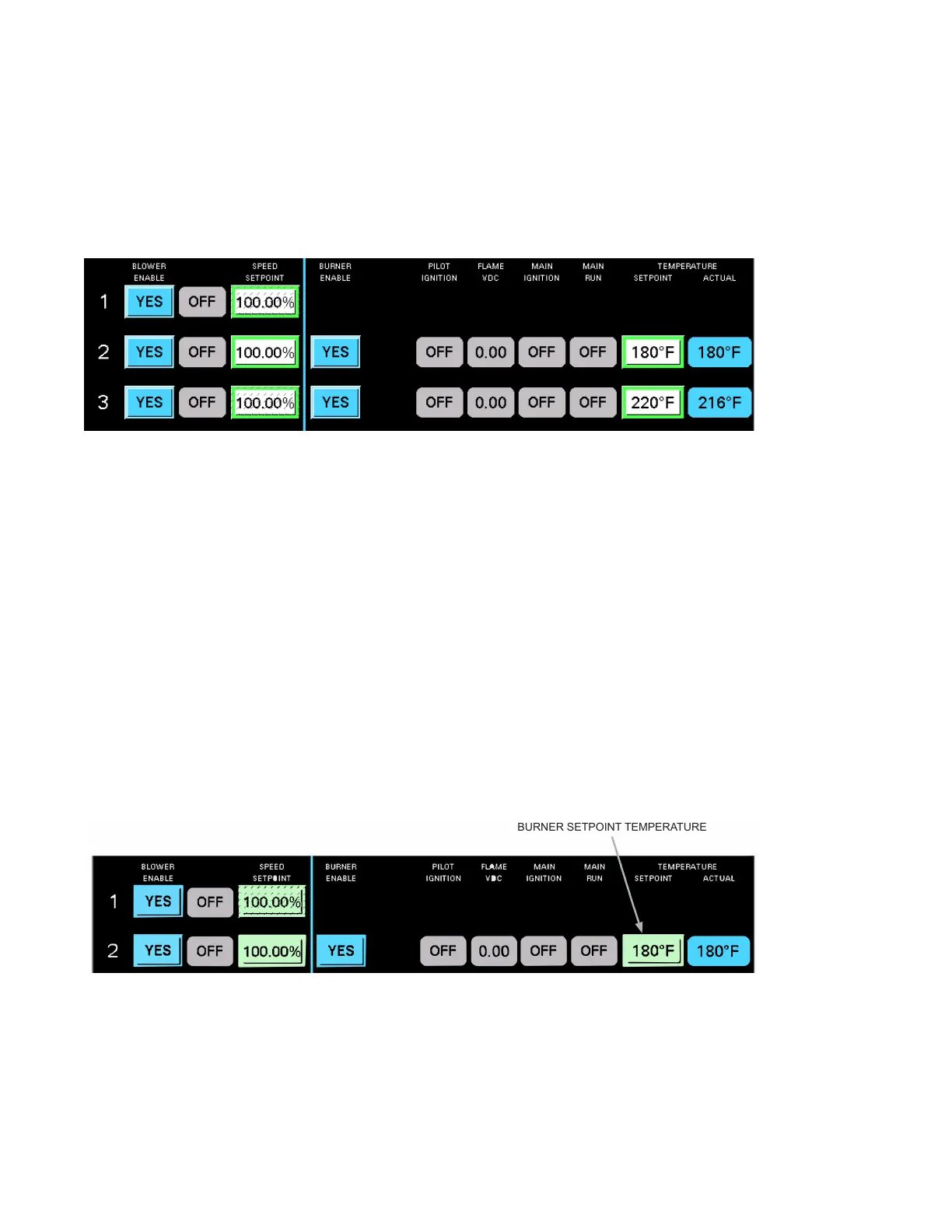
C. Set Burner Temperature
• For each burner setpoint value, once a temperature has been entered, that value stays current until
changed. Even if a dryer section burner is disabled, the setpoint value remains effective.
• Tap the setpoint field for the temperature to be entered or changed to open the numeric keypad.
• Enter a temperature setpoint value between a minimum value of 32°F and a maximum of 250°F (0°C - 121°
C).
• Tap ENTER to lock in the value.
Figure 104. Setting burner temperature
1
-
2
voe
RUN
BURNER SETPOINT TEMPERATURE
Note
The temperature setpoints can be modified at any time during the drying process.
4. OPERATION CONTINUOUS MIXED-FLOW GRAIN DRYER WITH COMMANDER CONTROL SYSTEM



 To Next Page