7713395 R2 69
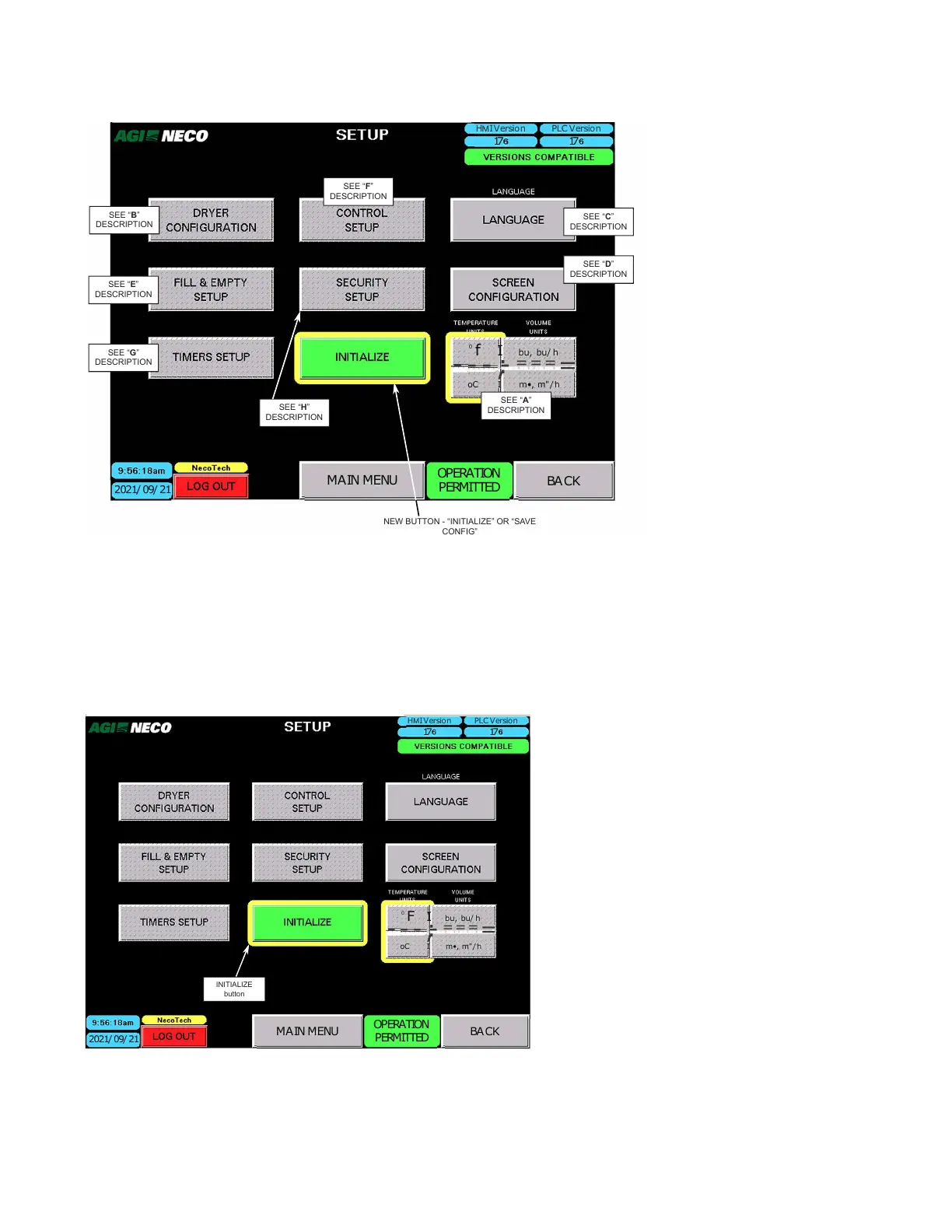
Figure 84. SETUP Main Screen
MAIN MENU
2021/ 09/ 21
H I Version
PLC Version
17 17
0
f I bu, bu/ h
- - -
,
:-
===
=
oC I m•, m"/ h
OPERATION
PERMITTED
BACK
SEE “C”
DESCRIPTION
SEE “D”
DESCRIPTION
SEE “B”
DESCRIPTION
SEE “F”
DESCRIPTION
SEE “E”
DESCRIPTION
SEE “G”
DESCRIPTION
SEE “H”
DESCRIPTION
SEE “A”
DESCRIPTION
NEW BUTTON - “INITIALIZE” OR “SAVE
CONFIG”
INITIALIZE or SAVE CONFIGURATION Button
• Starting with the Version 50 installation, the various configuration data is periodically saved to the HMI’s
USB data port.
• In the event of a battery failure, the configuration and settings can be restored by tapping the INITIALIZE
button.
Figure 85. SETUP — INITIALIZE
MAIN MENU
2021/ 09/ 21
H I Version
PLC Version
17 17
0
F I bu, bu/ h
- - -
,
:-
===
=
oC I m•, m"/h
OPERATION
PERMITTED
BACK
• Use the SAVE CONFIGURATION button to save data after making setup changes and at the end of the season
before turning power off.
CONTINUOUS MIXED-FLOW GRAIN DRYER WITH COMMANDER CONTROL SYSTEM 4. OPERATION



 To Next Page