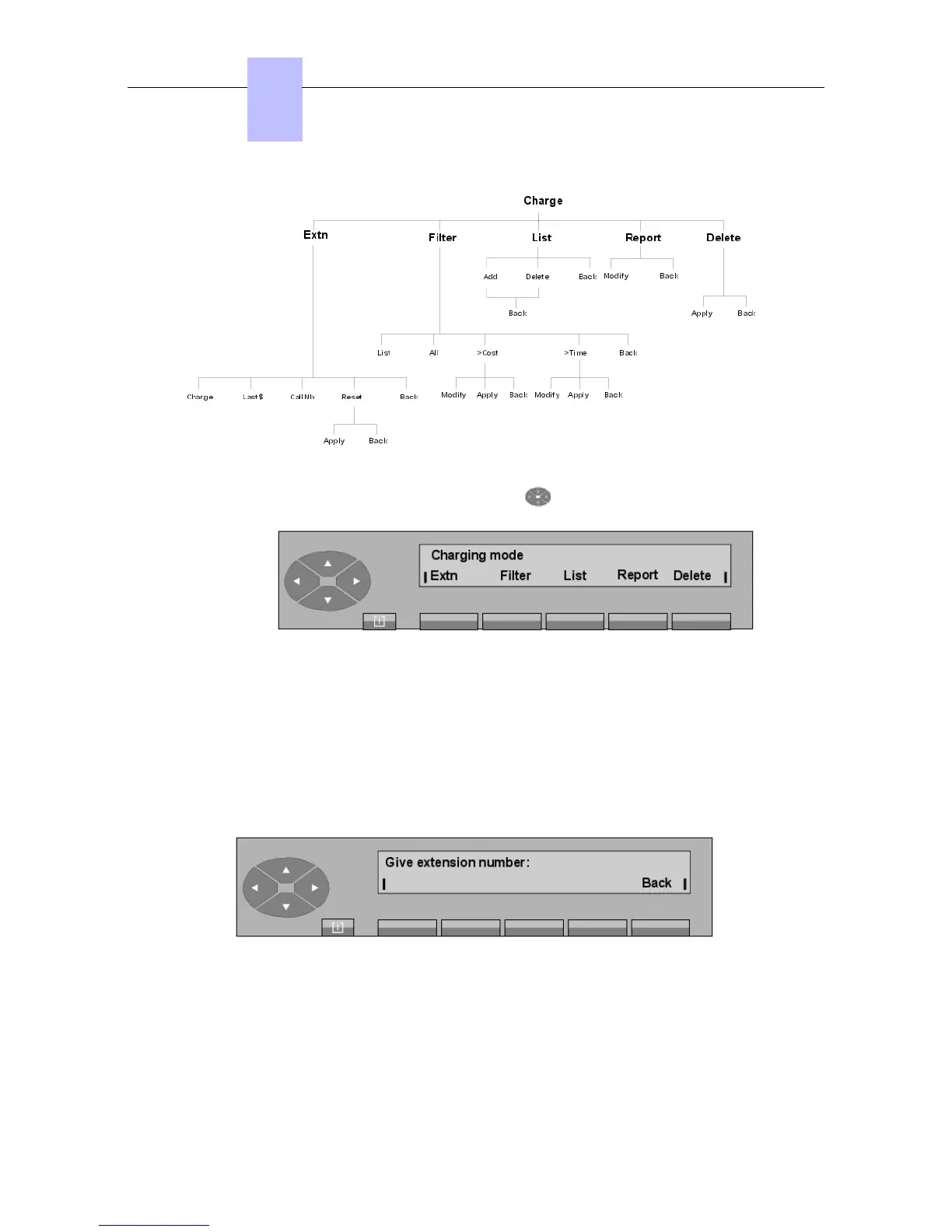
Pressing the SERVICE key, then the top of the key, then the Charge key displays:
Extn To display (on screen) the content of an individual counter.
Filter Defines the filter criteria for call detail collection.
List Used to add or withdraw the sets in the list of filtered users.
Report Used to modify the observation period of the financial report.
Delete To reset to zero all charging counters.
- Pressing the Set key displays:
After entering the directory number of the charged user (for example: 6632), the display
shows the following:
Chapter
6
"() ') % !
6-14














 To Next Page