18
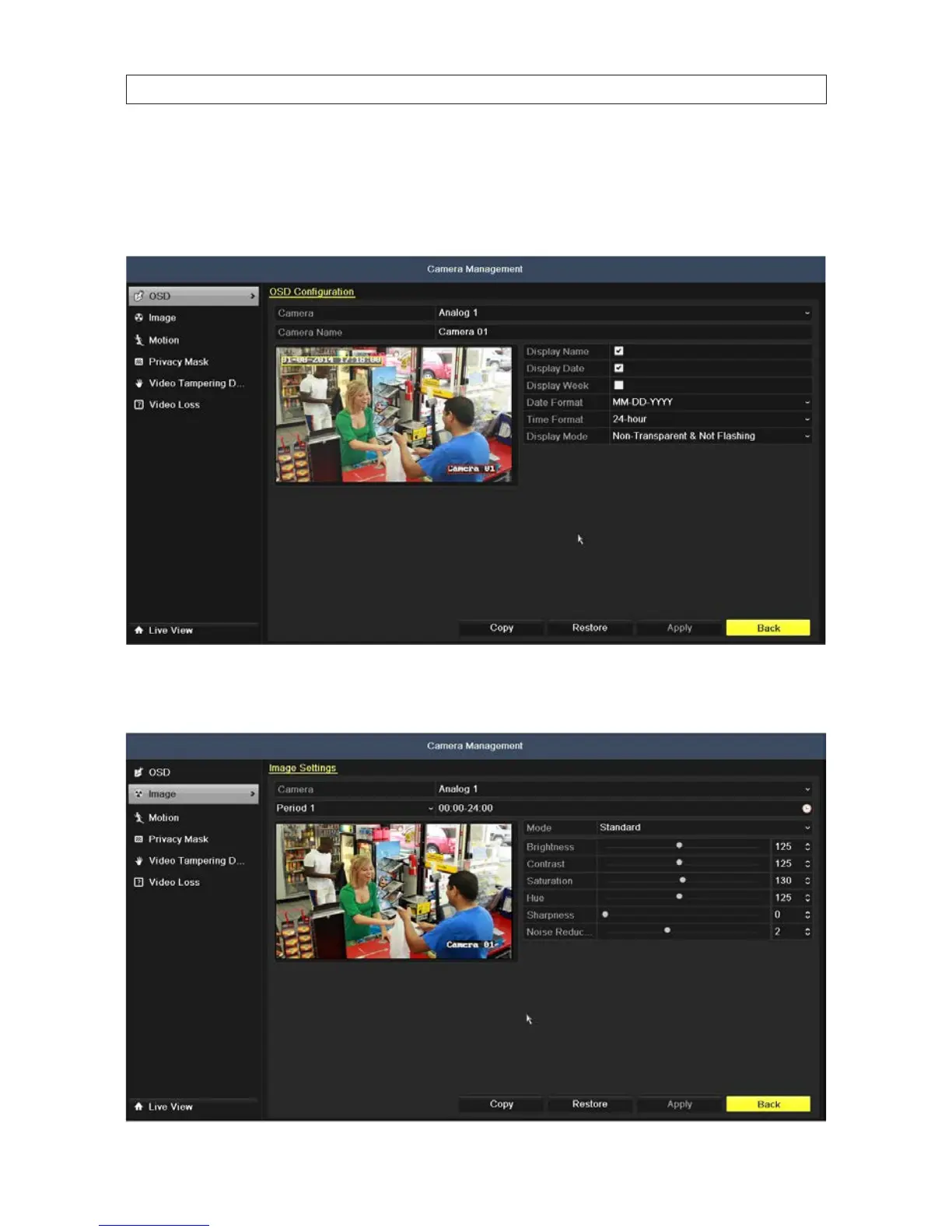
To validate the camera information, open the Camera Management menu. Go to Main menu | Camera. The Camera Management
menu opens with the OSD submenu, used to congure the on-screen display information. You can opt to display the camera name,
date and day of the week, assign the camera name, and set the format and mode for the date, time and OSD display for each camera
individually. Click Apply to save your settings. Use the Copy tool to easily apply use the settings you chose for other cameras.
Click the Image option in the left frame to open the video adjustments menu controls. Use the Mode control option, or drag the
sliders left or right to optimize the appearance of the video from each camera. Click Apply to save your settings.
SECTION 2: INSTALLING THE SYSTEM











 To Next Page