50
• Exception conditions - Video loss, illegal login, HDD full/error, network disconnected, etc.
• Information events - Start/stop recording, local/network HDD information, HDD S.M.A.R.T., etc.
• Operation events - power on, login, local operation logout, etc.
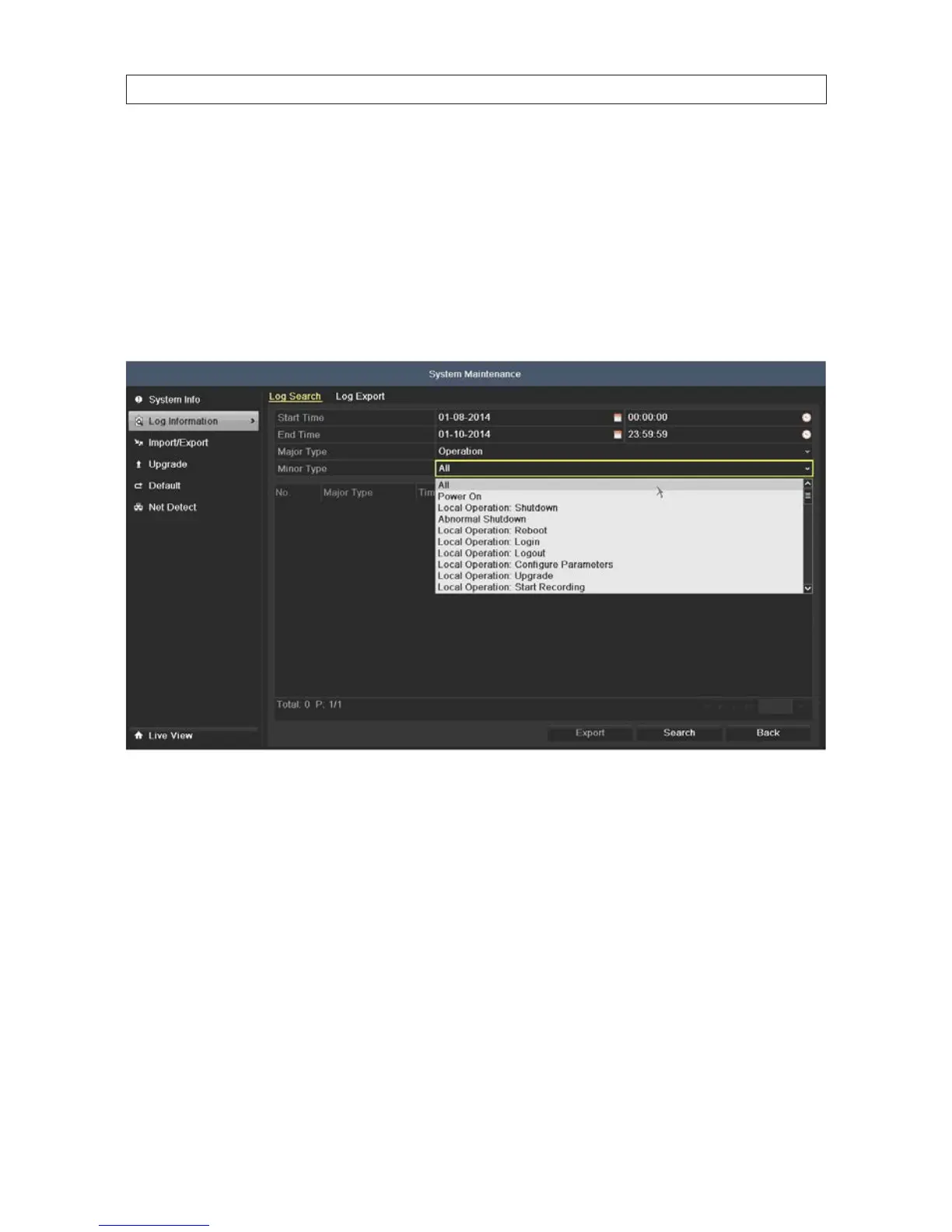
1. Open the Log Information screen. Go to Menu | Maintenance | Log Information
2. Click Log Search tab to enter Playback by System Logs.
3. Select a Start Time, End Time, Major Type and Minor Type.
4. Click Search. If the search didn’t nd a le matching your search criteria, the message No matched log le. will appear.
SECTION 5: RECORD, PLAYBACK AND VIDEO BACKUP











 To Next Page