58
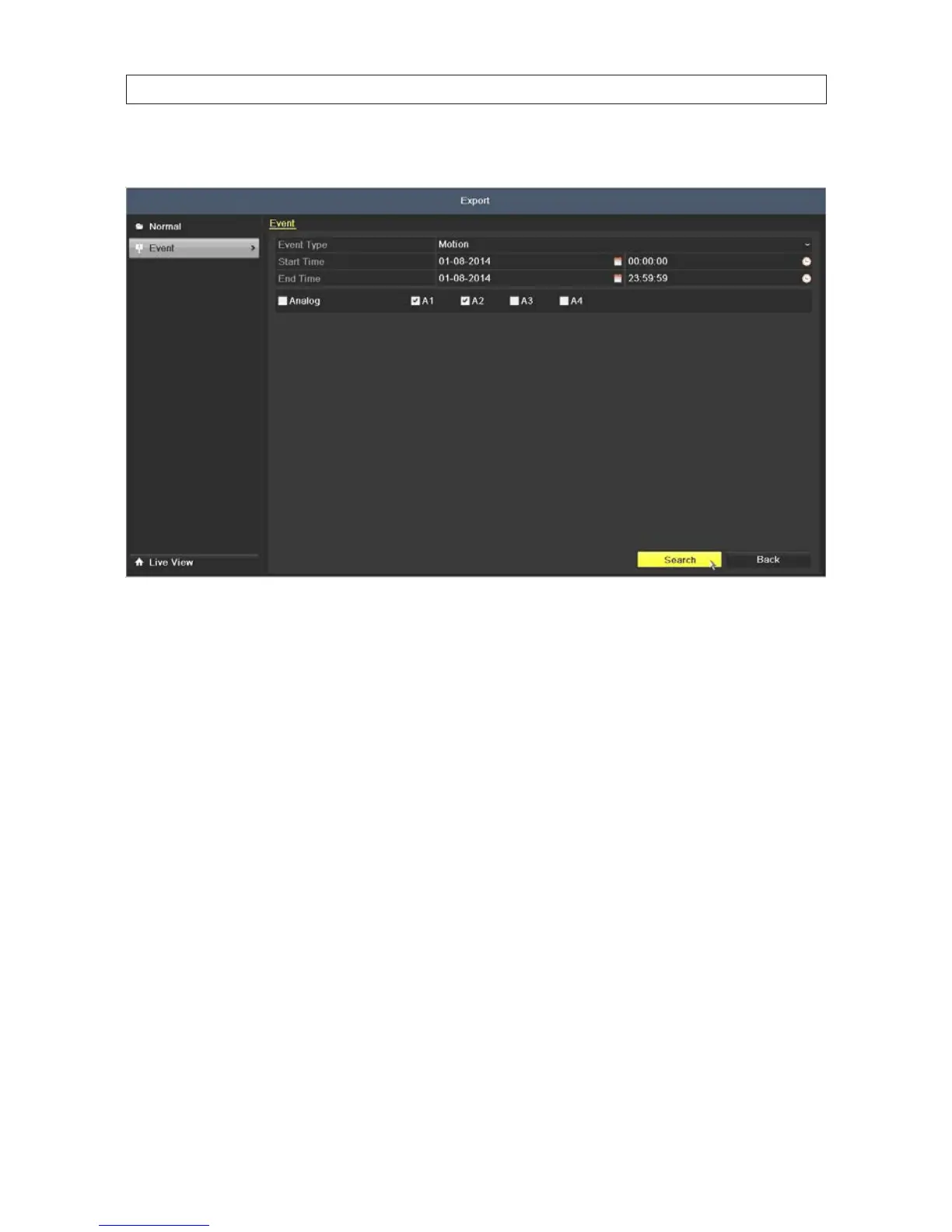
3. On the Event Type line, select open the drop down list and select, for example, Motion.
4. Check the boxes for the analog cameras you want to search. In the example above, A1 and A2, representing camera channel
input 1 and 2, are selected.
5. Select the Start Time and End Time of the period when the video clips of interest were recorded. To change the time, click
on the eld, then select the target date or time from the pop-up menu.
6. Click Search to list the video clips recorded during the selected time span.
7. To watch a video clip in the Event Details list (search result) list, click (highlight) the clip you want to watch, then click the
icon in the Play column.
SECTION 5: RECORD, PLAYBACK AND VIDEO BACKUP











 To Next Page