66
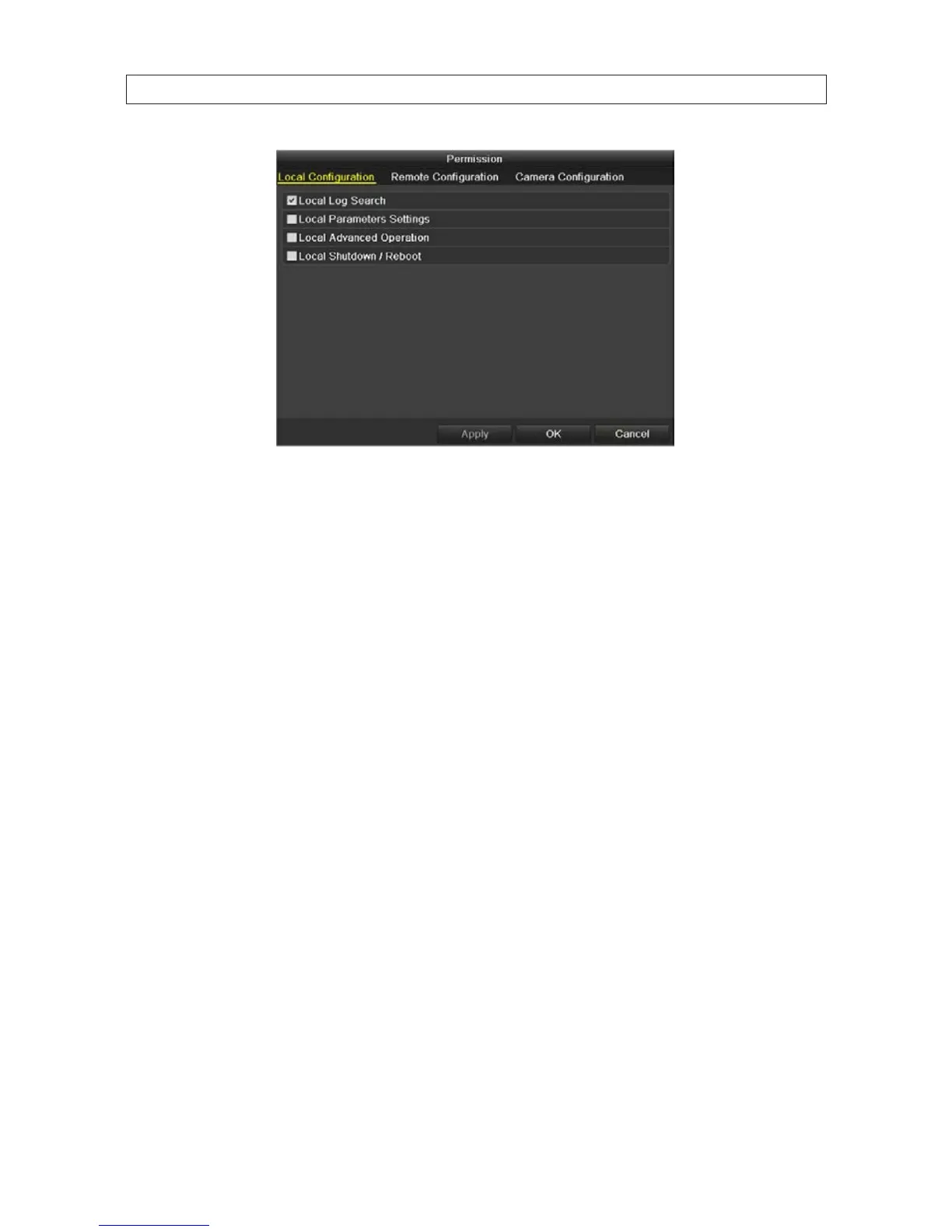
6. Set the operating permission of Local Conguration, Remote Conguration and Camera Conguration for the user.
Local Conguration options:
— Local Log Search: Searching and viewing logs and system information of DVR.
— Local Parameters Settings: Conguring parameters, restoring factory default parameters and importing/exporting
conguration les.
— Local Advanced Operation: Operating HDD management (initializing HDD, setting HDD property), upgrading system
rmware, clearing I/O alarm output.
— Local Shutdown Reboot: Shutting down or rebooting the DVR.
Remote Conguration options
— Remote Log Search: Remotely viewing logs that are saved on the DVR.
— Remote Parameters Settings: Remotely conguring parameters, restoring factory default parameters and
importing/exporting conguration les.
— Two-Way Audio: Realizing two-way radio between the remote client and the DVR.
— Remote Alarm Control: Remotely arming (notify alarm and exception message to the remote client) and controlling
the alarm output.
— Remote Advanced Operation: Remotely operating HDD management (initializing HDD, setting HDD property),
upgrading system rmware, clearing I/O alarm output.
— Remote Shutdown/Reboot: Remotely shutting down or rebooting the DVR.
Camera Conguration
— Remote Live View: Remotely viewing live video of the selected camera(s).
— Local Manual Operation: Locally starting/stopping manual recording, picture capturing and alarm output of the
selected camera(s).
SECTION 6: MANAGING USER ACCOUNTS











 To Next Page