28 Rev. 2
Operation
Using the Model 1700 Menus
When an alarm condition occurs, an audible alert will sound and visual
indication on the front panel.
Alarm №1 and №2 have relays associated with them. These relays have
Normally Open (NO) contacts. The alarm/relays can be assigned to either
the helium or nitrogen channel and the alarm/relay can each be configured
to have the alarm active when the reading is either
≤ or ≥ the setpoint. As
an example of this setup flexibility, a level channel can be configured to
have an alarm condition when the level is outside a normal operating
band.
3.5.1.2 Time-Based Fill Alarm
The Model 1700 Instrument has an alarm to indicate that there is a prob-
lem with the LN
2
autofill function. If enabled, the instrument will start a
timer when an autofill condition is initiated, and if the level has not
reached the fill stop level within the user-set period of time, an Autofill
Timeout alarm will occur.
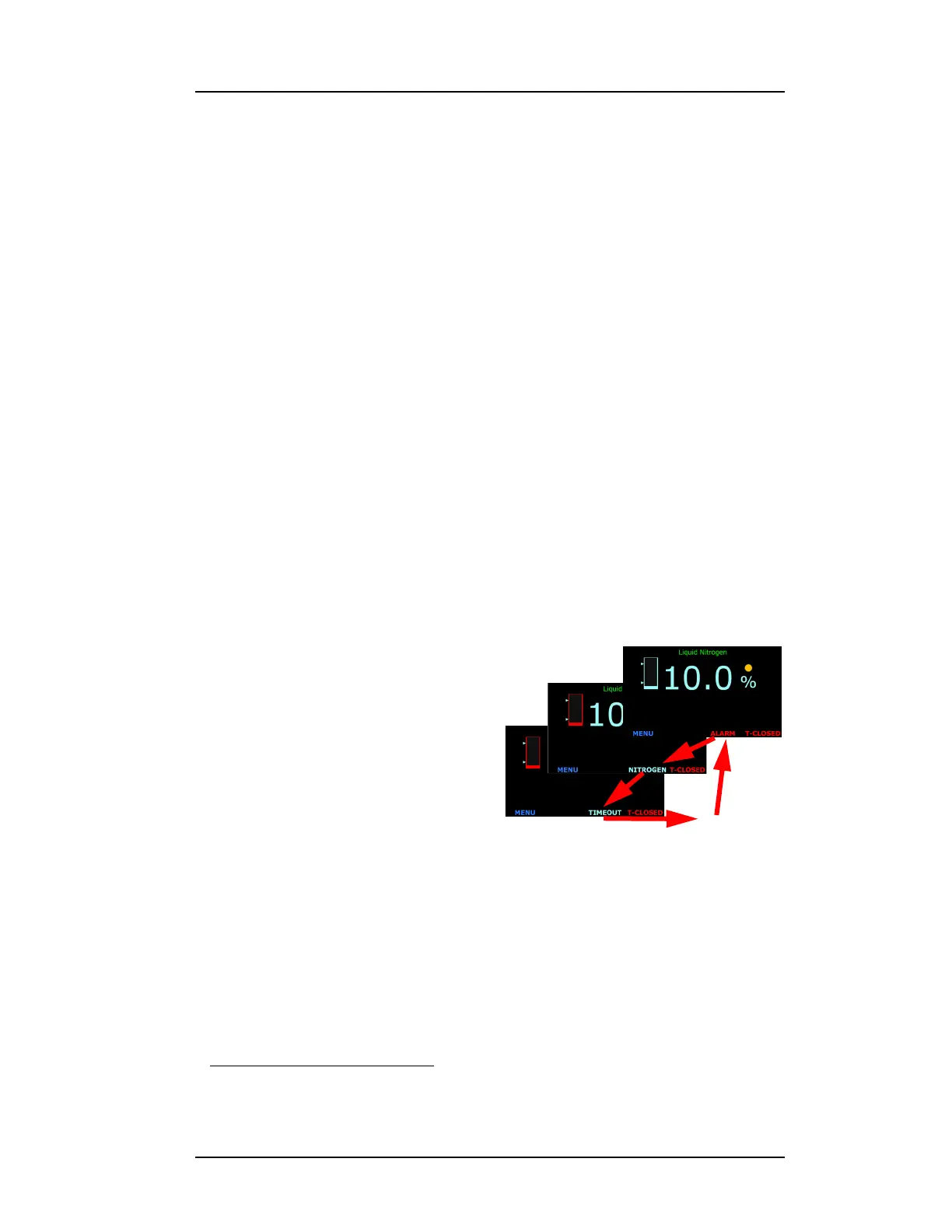
This alarm will cause three things to occur:
1. the de-energizing of the fill valve socket on the instrument rear
panel,
2. an audible alarm will sound,
3. a visual indication in the footer
of the instrument front panel
which shows repeatedly
ALARM > NITROGEN >
TIMEOUT > MUTE?
1
>
ALARM > etc.
4. The blue AUTOFILL text in the
right side of the screen footer
will turn to red T-CLOSED
indicating that the fill timeout
has automatically closed the fill valve by deenergizing the power
socket on the instrument rear panel.
This Autofill Timeout function can be disabled by setting the interval to 0
minutes.
3.5.1.3 Multiple alarms
More than one alarm condition can occur at the same time. The footer will
display the cause(s) of the alarm condition(s).
1. The MUTE? function is not applicable to the screen on a remote browser since
audible alarms are not supported remotely
Figure 3-11. Fill Timeout Alarm Screen
MUTE?



 To Next Page