Rev. 2 47
Calibration
Capacitance-Based Level Calibration : Pre-Calibration Procedure
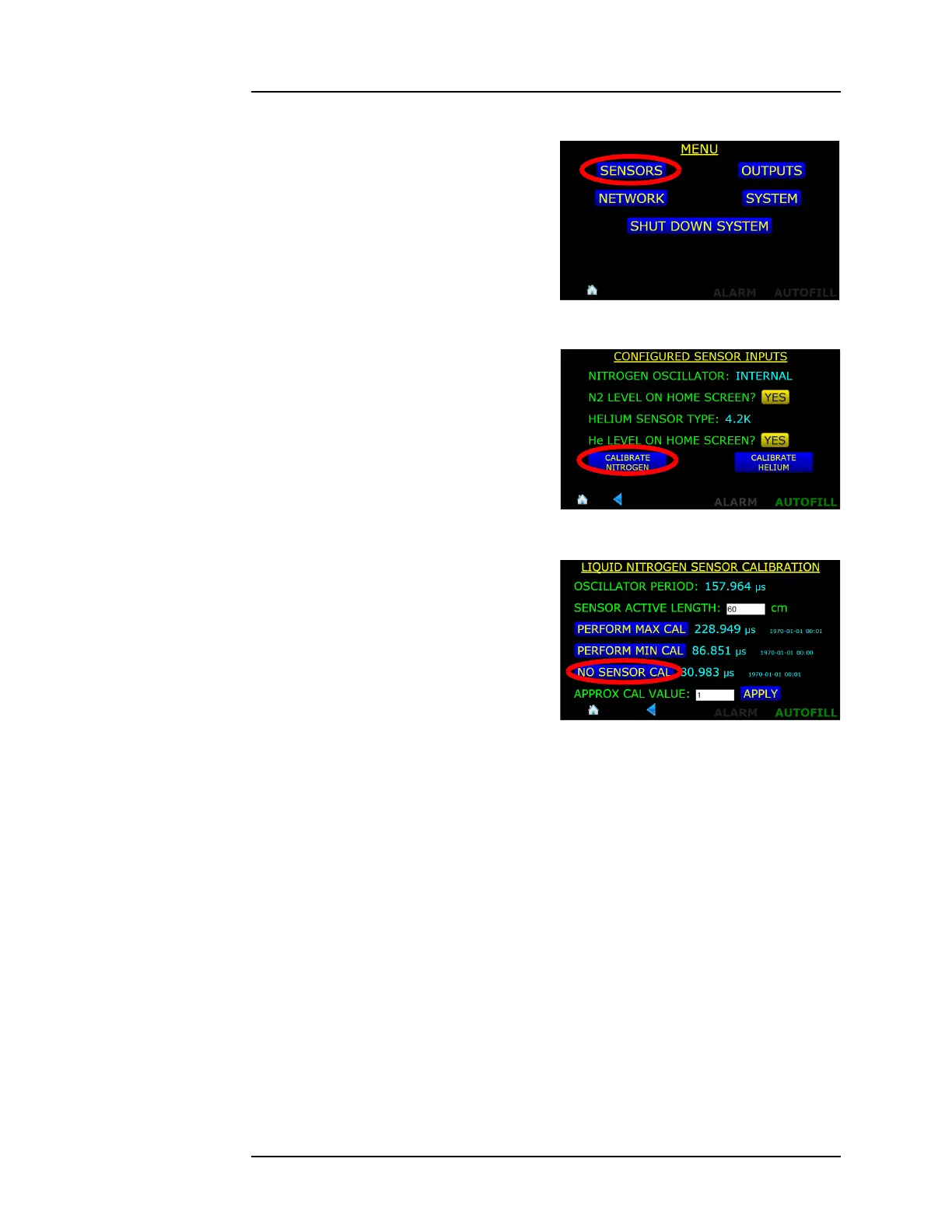
3. Choose the SENSORS
selection from the MENU
screen.
4. From the SENSORS Menu,
choose CALIBRATE
NITROGEN.
5. Select the NO SENSOR CAL
button.
6. When the calibration
procedure is completed, choose
SAVE in the footer of the
screen.
7. Press on the home icon to
return to the home screen.
8. Connect the BNC cable to the liquid level sensor.
Figure 4-18. SENSORS Selection
Button
Figure 4-19. CALIBRATE NITROGEN
Selection Button
Figure 4-20. NO SENSOR CAL button



 To Next Page