Rev. 2 57
Calibration
Capacitance-Based Level Calibration : Closed Dewar Calibration Procedure
Note
Note that the frequency listed to the right of the PERFORM MIN CAL
button is updated as well as the date and time stamp of the
calibration point.
7. Continue the transfer while observing the liquid level trace on the
strip chart recorder or computer display, whose slope is
proportional to the transfer rate. The slope of the liquid level trace
should decrease significantly when the liquid reaches the hole in
the top of the sensor.
When the break in the slope of the level trace occurs (i.e. the slope
of the level trace becomes 0 or horizontal), perform a PERFORM
MAX CAL procedure below. The level on the sensor when the
PERFORM MAX CAL procedure is finished and saved becomes the
100% level.
Note
If the instrument displayed a 100% reading before a break is
observed in the slope of the level trace, then the maximum
calibration point set prior to the current procedure has interfered. If
this occurs, the customer has two options: 1) stop the procedure,
repeatedly enter a value of 120 for C
adj
(see steps 4 and 5 of the
presetting procedure) until the current liquid level display falls
below 100%, and then continue the procedure; or 2) continue the
liquid transfer until the liquid level is determined to be 100% by
means other than feedback from the instrument and then
performing the maximum calibration procedure.
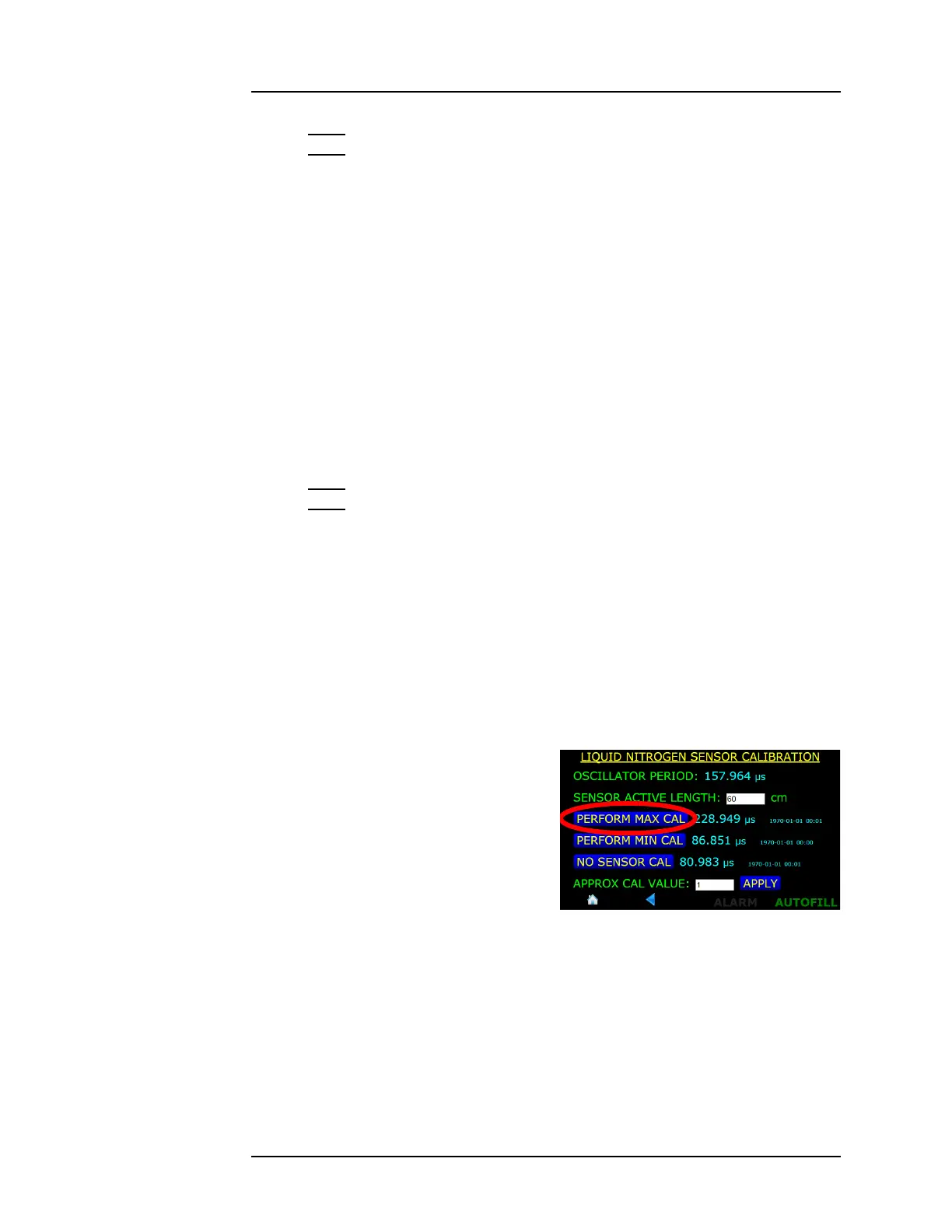
8. Perform the maximum level
calibration by invoking the
maximum calibration function
by pressing MENU >
SENSORS > CALIBRATE
NITROGEN > PERFORM MAX
CAL.
Figure 4-42. PERFORM MAX CAL.
Selection Button



 To Next Page