Rev. 2 29
Operation
Using the Model 1700 Menus
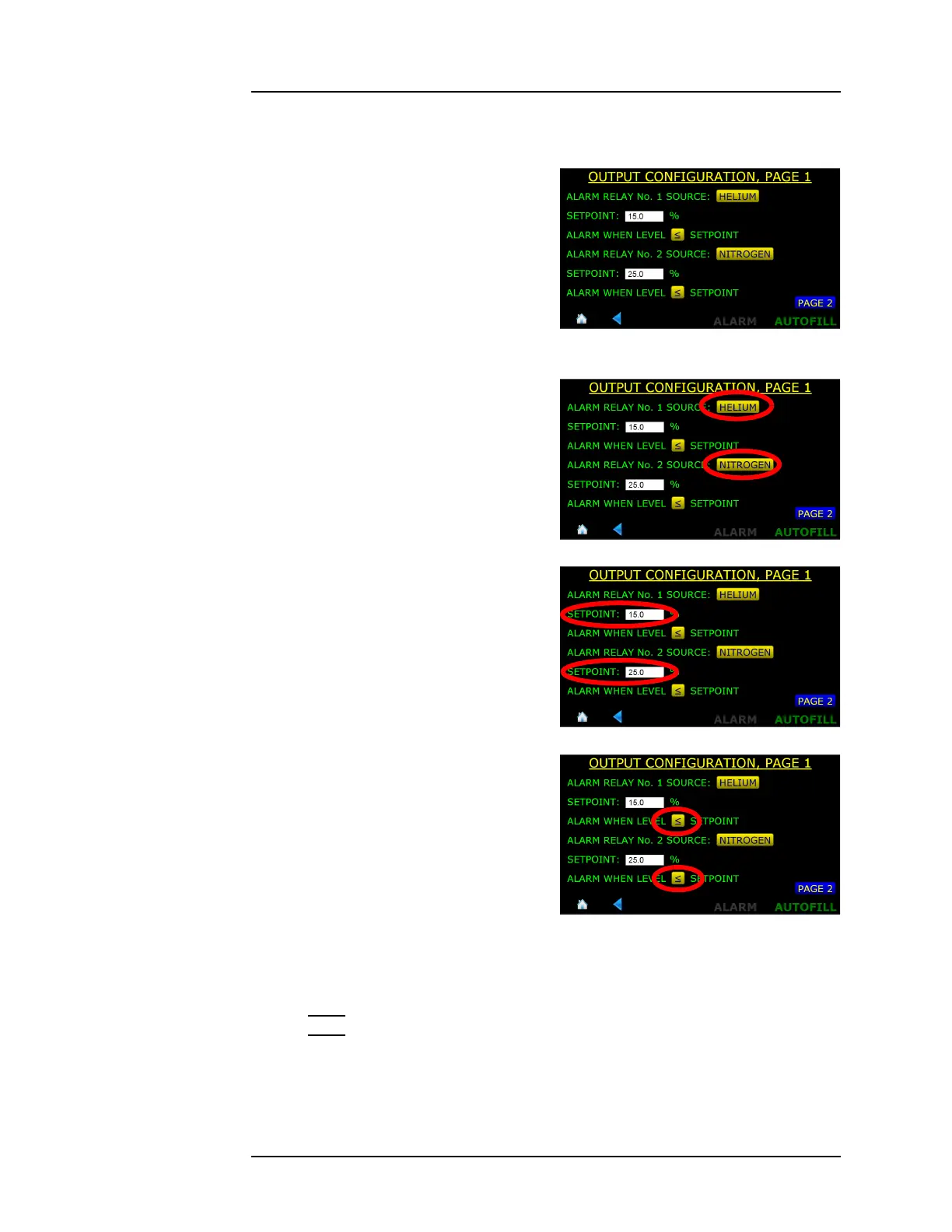
3.5.2 Configuring Alarm Setpoints
1. From the MENU choice, select
OUTPUTS and the first page of
the Output Configuration
screen will be displayed.
2. Ensure the Alarm Relay Source
fields are set to NITROGEN (or
DISABLED).
3. Set the levels at which the
alarm will be triggered in the
Setpoint fields.
4. Use the ≤ or ≥
button to toggle
between the two states of
alarm, either alarm when the
indicated level is less than or
equal to the setpoint or alarm
when the indicated level is
greater than or equal to the
alarm setpoint.
3.5.3 Acknowledging an Alarm
Note
The alarms are not “latched” so if the alarm condition clears itself, the
instrument will remove the alarm condition.
Figure 3-12. Output Configuration
Screen, Page 1
Figure 3-13. Relay Source Configuration
Figure 3-14. Relay Setpoints
Figure 3-15. Alarm Condition Above or
Below Setpoints



 To Next Page