32 Rev. 2
Operation
Using the Model 1700 Menus
To enable the autofill function:
1. Press on the M-CLOSED icon in the display footer until it reads
AUTOFILL.
2. Press SAVE to enable the autofill function.
The AUTOFILL button has three states:
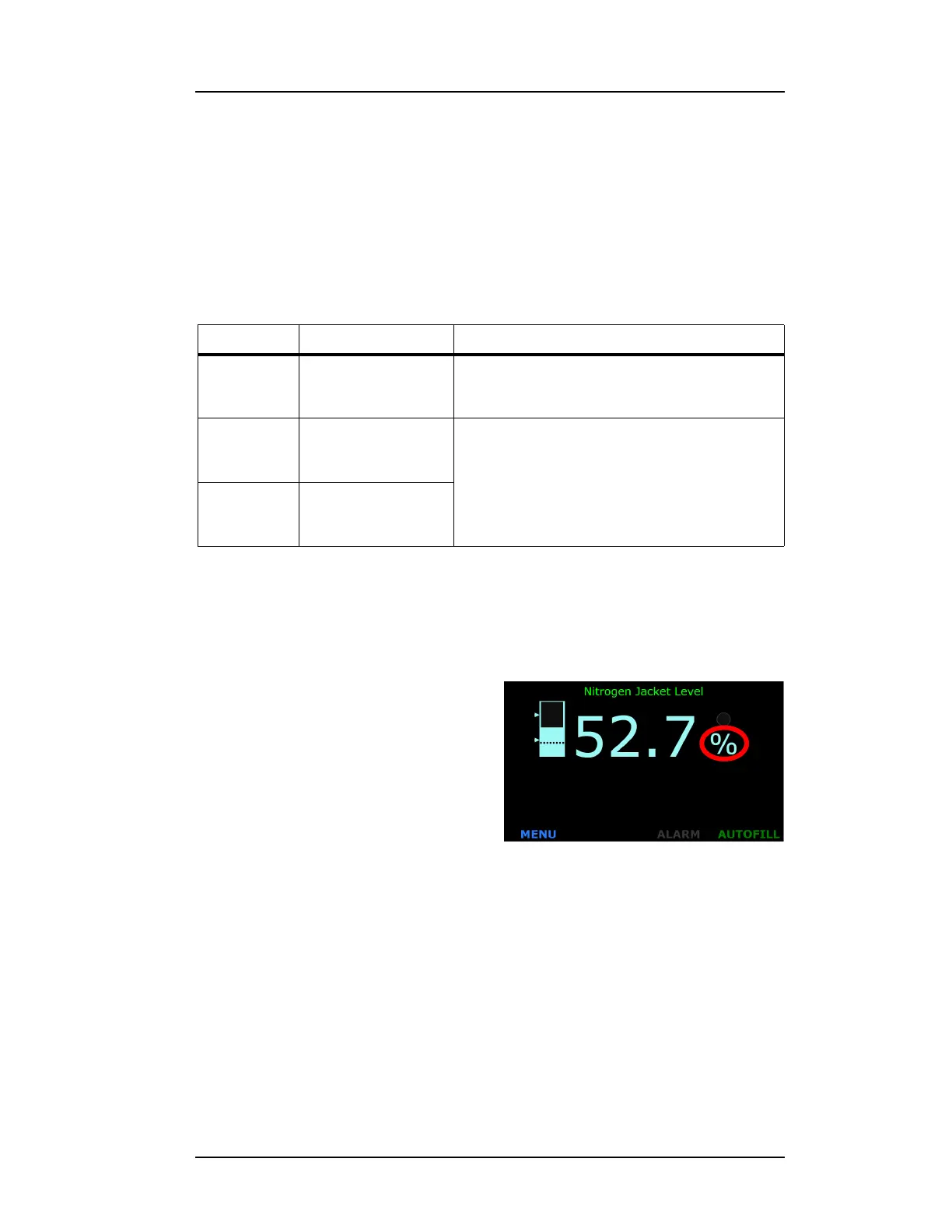
3.7 Select the appropriate units on the display
Touch the units on the display to
change the units. The available units
are percent (%), inches (in), and centi-
meters (cm).
3.8 Analog output signals
3.8.1 Connecting to the Aux Connector
Refer to “Aux I/O Connector” on page 85 of the Appendix for a connector
pin-out.
Table 3-4. Autofill Settings
Function Operation Overrides
AUTOFILL Maintains level
between fill START
and STOP setpoints.
Autofill will alarm and cease if fill valve stays
open for ≥ the FILL TIMEOUT setting (nitrogen
AUTOFILL CONTROL only).
M-OPEN
a
a. Manual Open
Energizes the valve
control socket on
the rear panel.
None
M-CLOSED
b
b. Manual Closed
De-energizes the
valve control socket
on the rear panel.
Figure 3-22. LN
2
Home Screen



 To Next Page