36 Rev. 2
Operation
Using the Model 1700 Menus
3.11 Shutting the Instrument Down
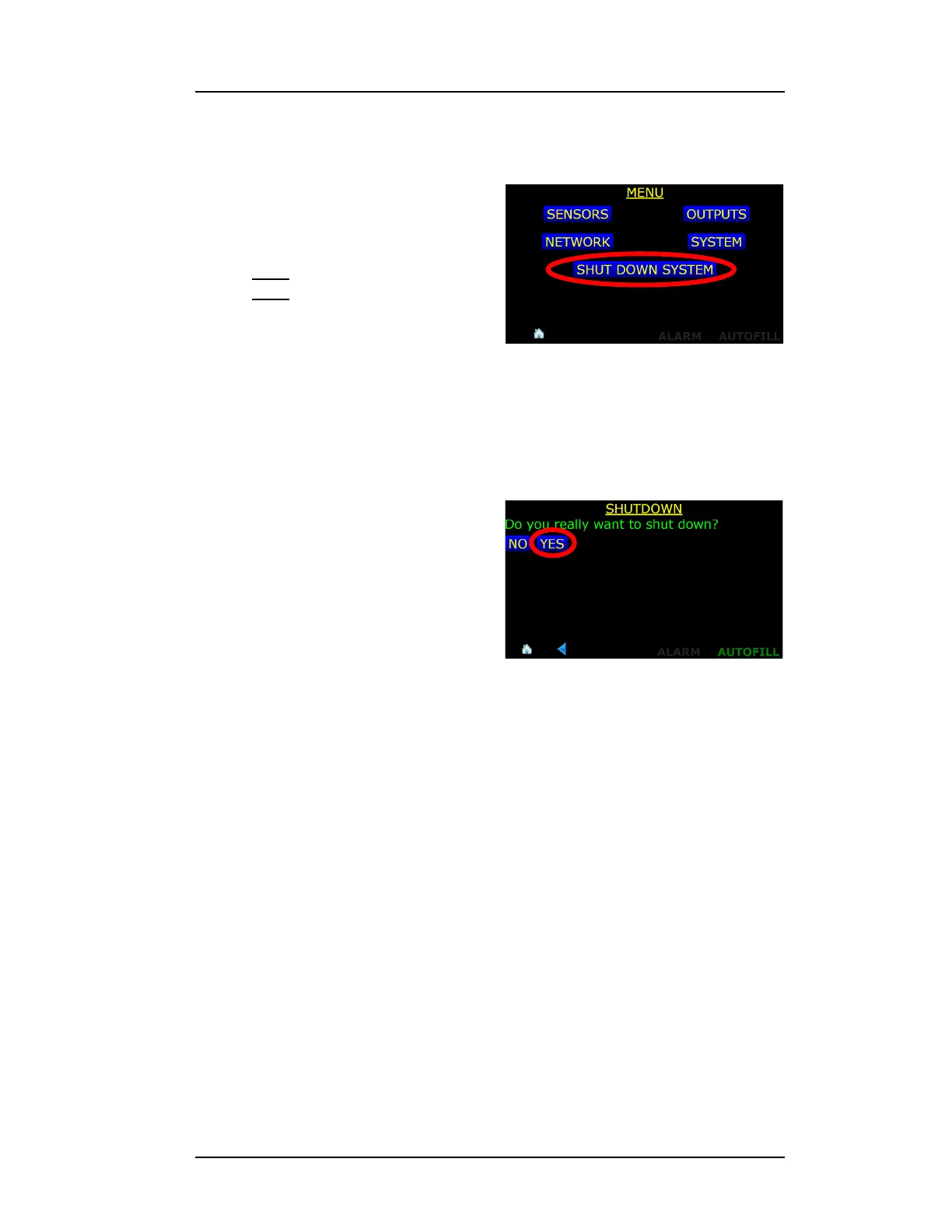
1. The instrument should be shut
down by using the menu
function SHUT DOWN
SYSTEM.
Note
The Model 1700 Instrument is a
Linux-based computer system and in
order to ensure the file system is
properly unmounted, the SHUT
DOWN SYSTEM function should be invoked. If it is not, i.e. the instrument
is shut down by removing power via the front panel power switch, the next
time the instrument boots up, it will have to scan it’s memory system to ensure
everything is in order.
2. Choose YES to confirm
shutdown.
3. When prompted, turn off the
front panel power switch.
Figure 3-30. Invoking Instrument Shut
Down
Figure 3-31. Confirming Instrument Shut
Down



 To Next Page