Rev. 2 49
Calibration
Capacitance-Based Level Calibration : Approximate Calibration Procedure
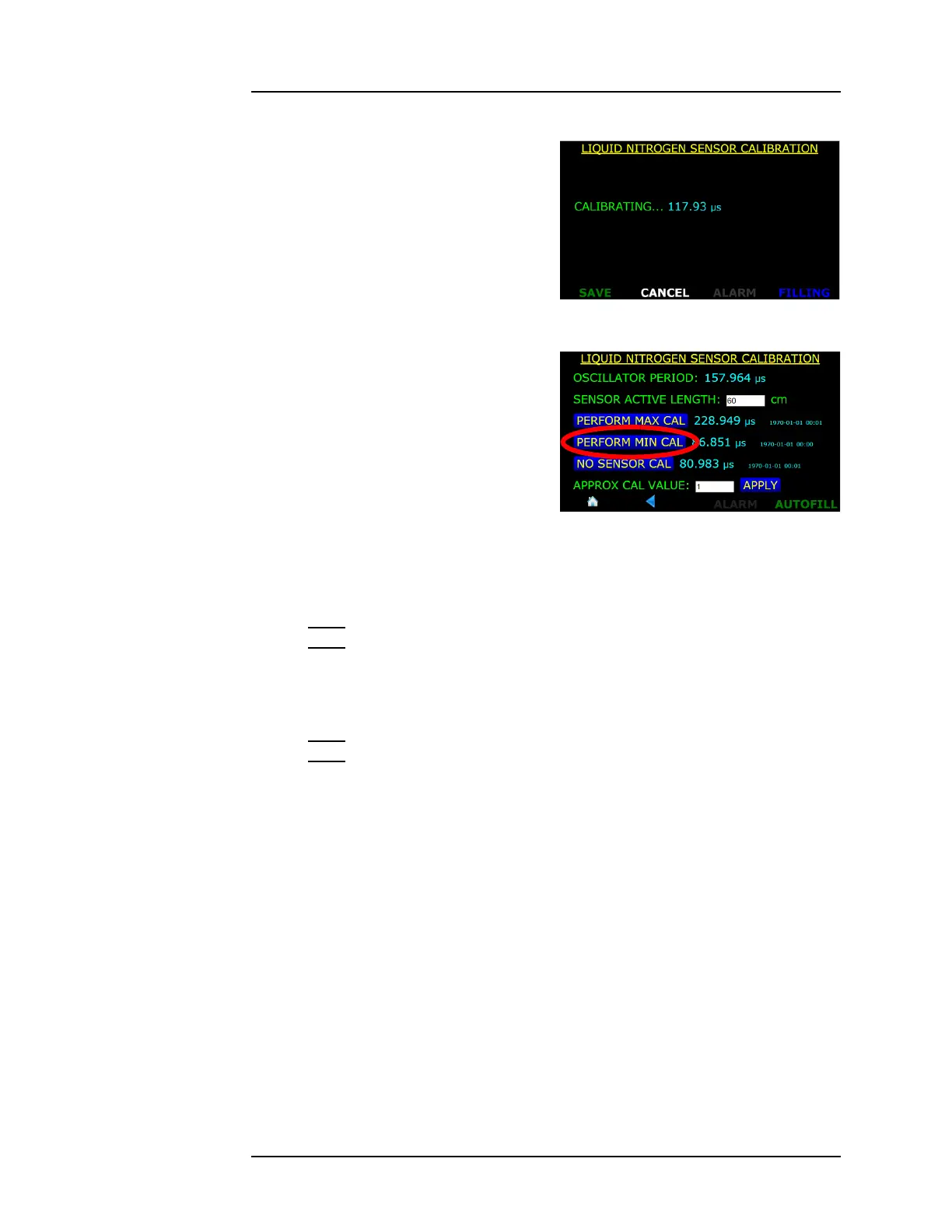
5. The instrument will display
the following screen as it takes
data for several seconds. Once
the calibration measurement
is completed, press the SAVE
button.
6. Position the capacitance
sensor in the target liquid at
the 0% level. Hold the sensor
at this level and press the
PERFORM MIN CAL button.
7. After several seconds of
displaying “CALIBRATING...”,
the instrument will complete
the calibration process. Press
the SAVE button to save the new calibration set point.
Note
Note that the frequencies listed to the right of the PERFORM MAX
and MIN CAL buttons are updated as well as the date and time
stamps of the calibration points.
Note
The Minimum and Maximum calibration can be performed in either
order. Also, either the Minimum or Maximum calibration point can
be updated without altering the other calibration point.
4.2.7 Approximate Calibration
This procedure is the least accurate form of calibration and should
be used only when the aforementioned calibration procedures are
not viable. The approximate calibration method can be used in
cases where the sensor cannot be dipped into the target liquid, the
full active length of the sensor cannot be dipped into an open
dewar, or both. Approximate calibration may also be useful for
situations where the sensor cannot be dipped into the target liquid
under the expected operating pressure.
If the target liquid is not available for dipping, a substitute non-
conducting reference liquid can be used. If the full length of the
Figure 4-25. Updated MAX CAL
Frequency
Figure 4-26. PERFORM MIN CAL.
Selection Button



 To Next Page