Rev. 2 45
Calibration
Capacitance-Based Level Calibration : Pre-Calibration Procedure
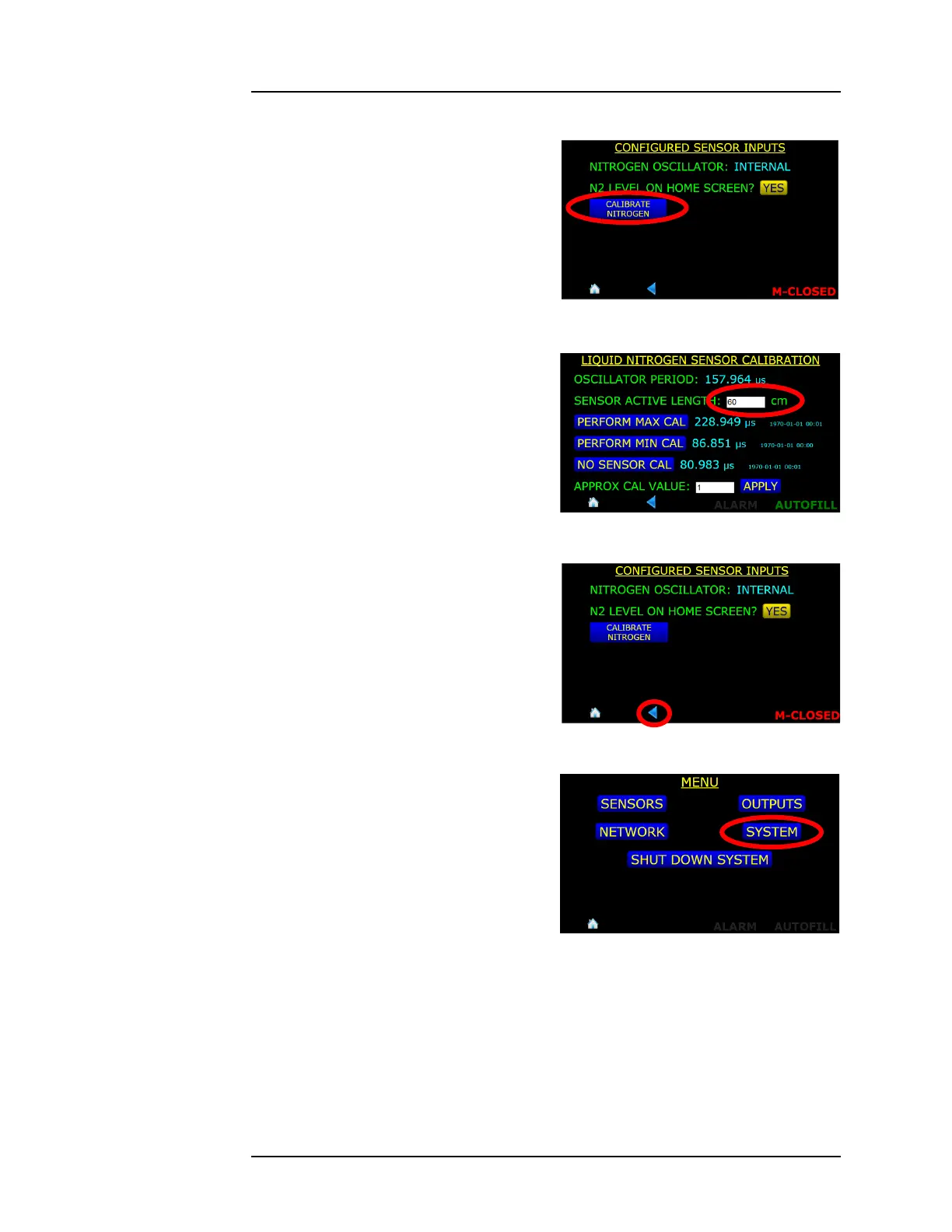
5. Press the CALIBRATE
NITROGEN button
6. Touch in the SENSOR ACTIVE
LENGTH field and using the
numerical keypad, enter the
sensor active length in cm.
Press Enter and then SAVE at
the bottom of the screen when
finished
7. Press the back button in the
screen footer twice to revert
back to the MENU screen.
8. Press the SYSTEM button.
Figure 4-11. CALIBRATE NITROGEN
Selection Button
Figure 4-12. SENSOR ACTIVE
LENGTH field
Figure 4-13. Footer BACK Button
Selection
Figure 4-14. SYSTEM Menu Selection



 To Next Page