11..55 PrecautionsPrecautions
This section contains some precautions which should be followed to avoid
damage or malfunction due to incorrect use, handling and transportation of the
Network Master.
11..55..11 InstallationInstallation
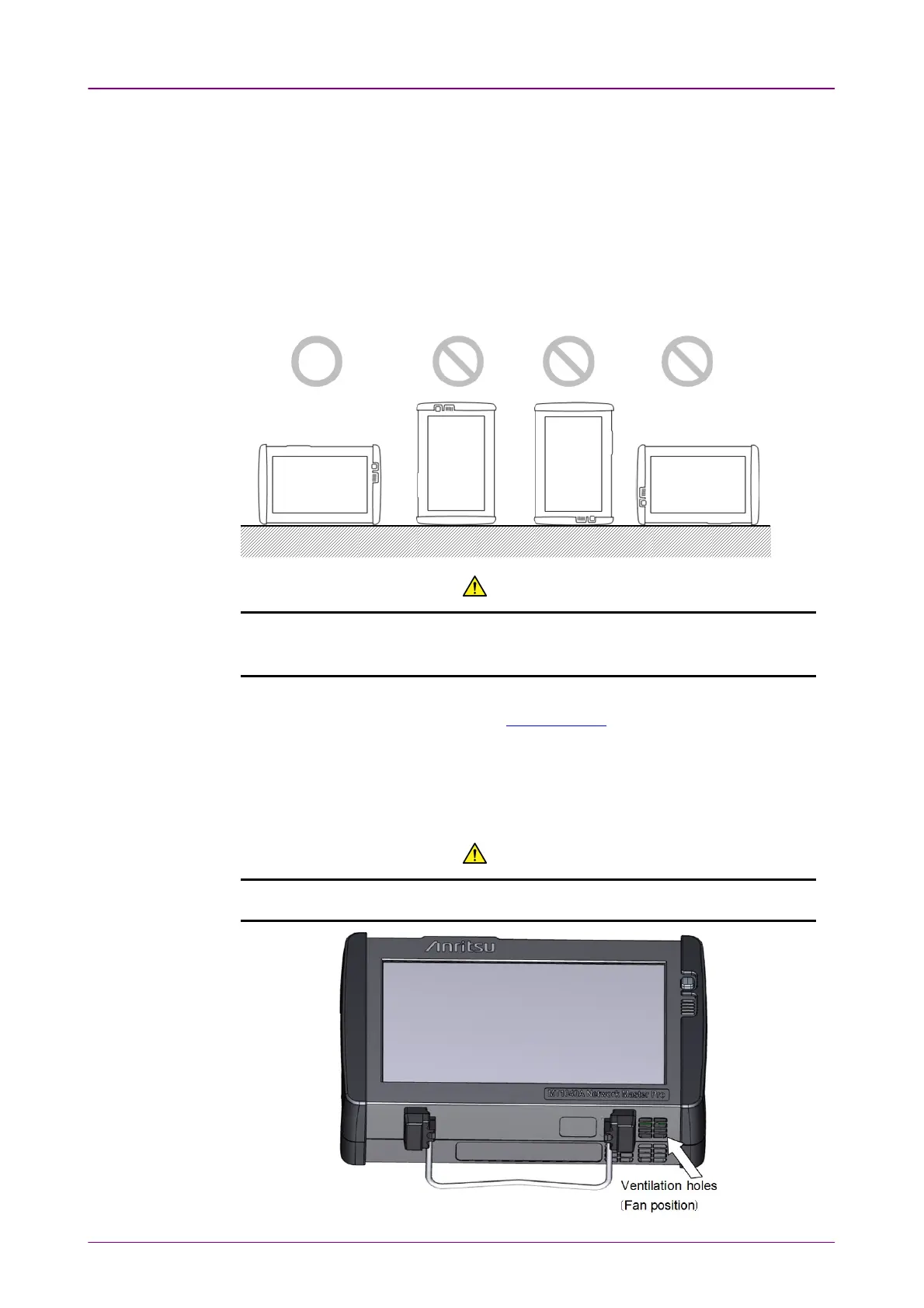
Install MT1040A horizontally in a stable place.
CAUTIONCAUTION
If the MT1040A is not installed in the "correct" orientation as above, a small
shock may turn it over and harm the user.
MT1040A equips the support stand on the rear panel and bottom panel. When
using MT1040A on a desk, open the support stand.
11..55..22 VentilationVentilation
The Network Master has built-in fans, to prevent the temperature to rise inside
the instrument.
CAUTIONCAUTION
Be sure not to block the ventilation holes.Be sure not to block the ventilation holes.



 To Next Page