In the Network Master, cooling air is taken in through the bottom panel, and
hot air is exhausted through the top panel. When using MT1040A on a desk,
open the support stand on the rear panel or the bottom panel.
11..55..33 Connecting AC AdapterConnecting AC Adapter
Before Connecting AC AdapterBefore Connecting AC Adapter
Check the DC plug of the AC adapter and the Network Master power connector
for dust. Dust buildup on connecter pins may cause a contact failure.
The AC adapter to be used differs depending on whether MT1040A-x06 High
Power Supply is installed or not.
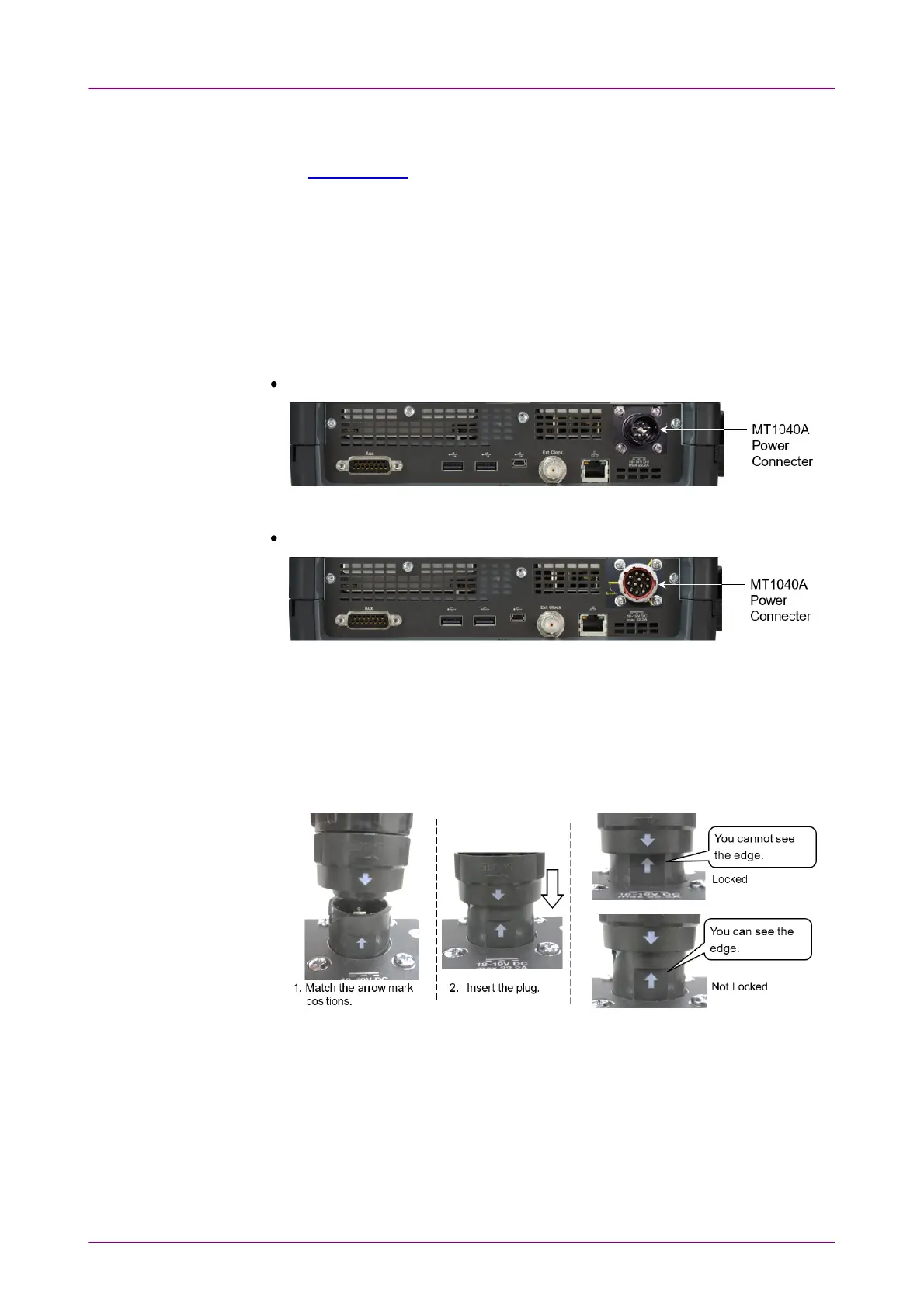
When MT1040A-x06 is installed.
Product that connects the G0418A AC adapter or G0419A AC adapter (400W)
When MT1040A-x06 is not installed.
Product that connects the G0409A AC adapter
How to Connect AC AdapterHow to Connect AC Adapter
To connect the G0418A AC adapter or G0419A AC adapter (400W), follow the
steps below.
1. With the arrow mark on the DC plug aligned to the arrow mark on the power
connecter, insert the DC plug into the power connecter.
2. Connect the AC plug of the AC adapter to the wall outlet.
To connect the G0409A AC adapter, follow the steps below.
1. With the guides on the DC plug aligned to the grooves on the power connecter,
insert the DC plug into the power connecter.
2. Turn the DC plug ring in the direction of the arrow until the DC plug is locked.



 To Next Page