66..11 Ethernet Setup and StatusEthernet Setup and Status
Ethernet is globally used for data communication. Ethernet transmits variable length
frames up to 1500 bytes in length, each containing a header with the source and
destination addresses and a trailer that contains error correction data.
When setting an Ethernet application on OTN, in the navigation area of the
Ports SetupPorts Setup screen, the Ethernet layer may initially be shown as a single
EthernetEthernet button which will change into a row of buttons when you touch it.
Each button represents an aspect of Ethernet port setup and gives you access
to the related setup options.
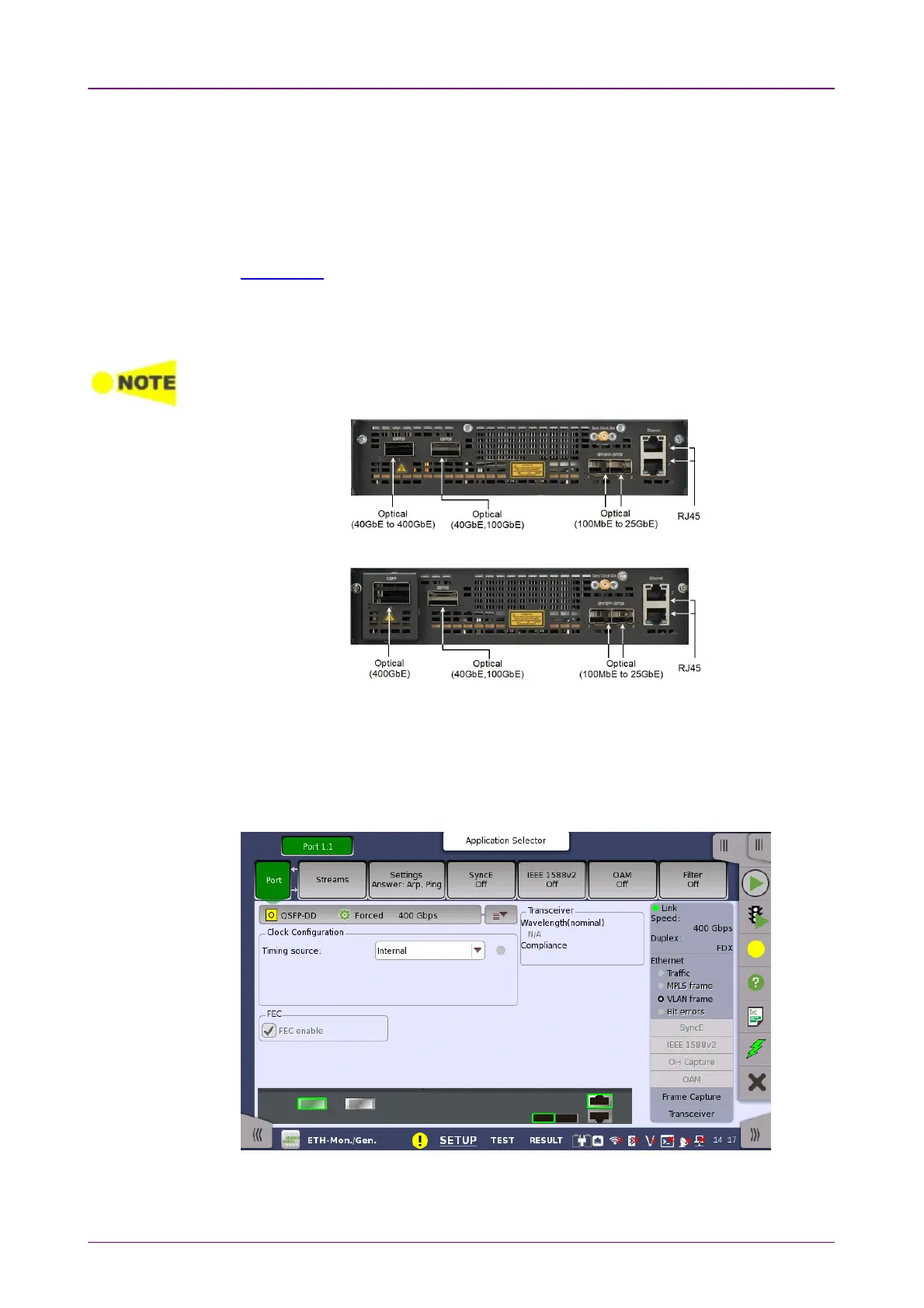
The Ethernet interface uses the Electrical RJ45 connectors or the optical ports.
MU104011A and MU104014A Connector PanelMU104011A and MU104014A Connector Panel
MU104015A Connector PanelMU104015A Connector Panel
66..11..11 Physical Port SetupPhysical Port Setup
When the port is set up with an Ethernet interface, touching the PortPort button in
the navigation area will display the following screen.



 To Next Page