Use of colorsUse of colors
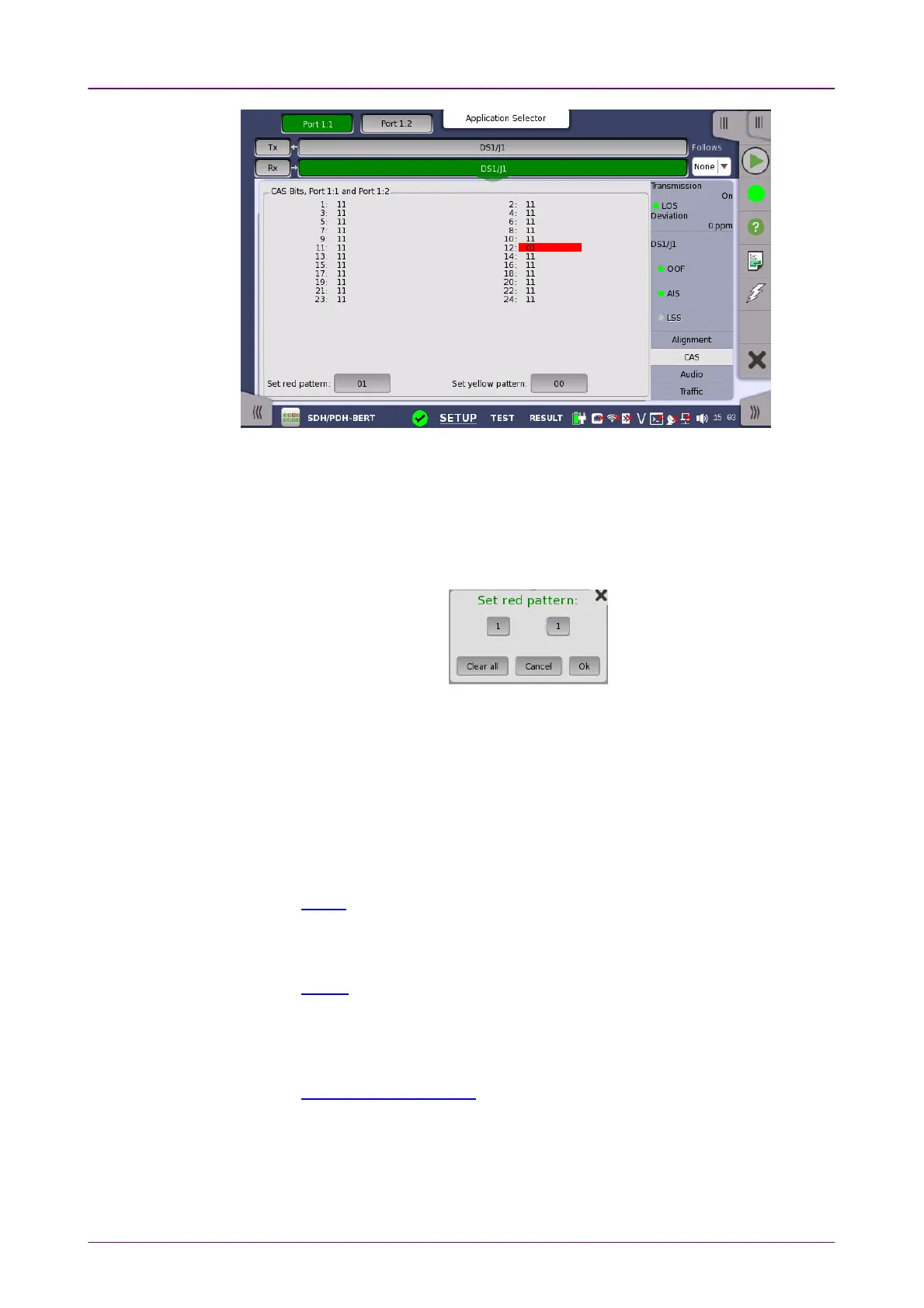
This screen gives information on the CAS (Channel Associated Signaling)
signaling when available. It displays the state of the two signaling bits in both
directions for all 24 channels. Activity is indicated with bold characters.
For easy recognition of special bit combinations, coloring is available. Use the
Set red patternSet red pattern and Set yellow patternSet yellow pattern buttons to launch the respective setup
dialog boxes.
The color pattern consists of four binary digits for ESF/J1 frame. For SF/D4
frame, it consists of two binary digits. The minimum acceptable value is 00 or
0000, and the maximum acceptable value is 11 or 1111. Touch the digit
buttons to set the relevant value and then touch OkOk.
To clear the whole word e.g. to make the line ready for new digit settings, touch
the Clear allClear all button.
55..44..33..66 AudioAudio
Refer to Audio in "E1 Setup and Status".
55..44..33..77 TrafficTraffic
Refer to Traffic in "E1 Setup and Status". In DS1/J1 Traffic status screen, the 24
traffics are displayed.
55..44..44 Errors/Alarms InsertionErrors/Alarms Insertion
Refer to Errors/Alarms Insertion in E1 Setup and Status section.



 To Next Page