CASCAS
Use the CASCAS radio buttons to enable (OnOn) or disable (OffOff) the insertion of a
CAS (Channel Associated Signaling) signaling multiframe into time slot 30 of
the transmitted signal.
Touch the ChannelChannel, BitsBits and Other bitsOther bits fields to define the contents of a
selectable CAS channel as well as the remaining channels.
55..33..22 Receiver SetupReceiver Setup
55..33..22..11 Physical SetupPhysical Setup
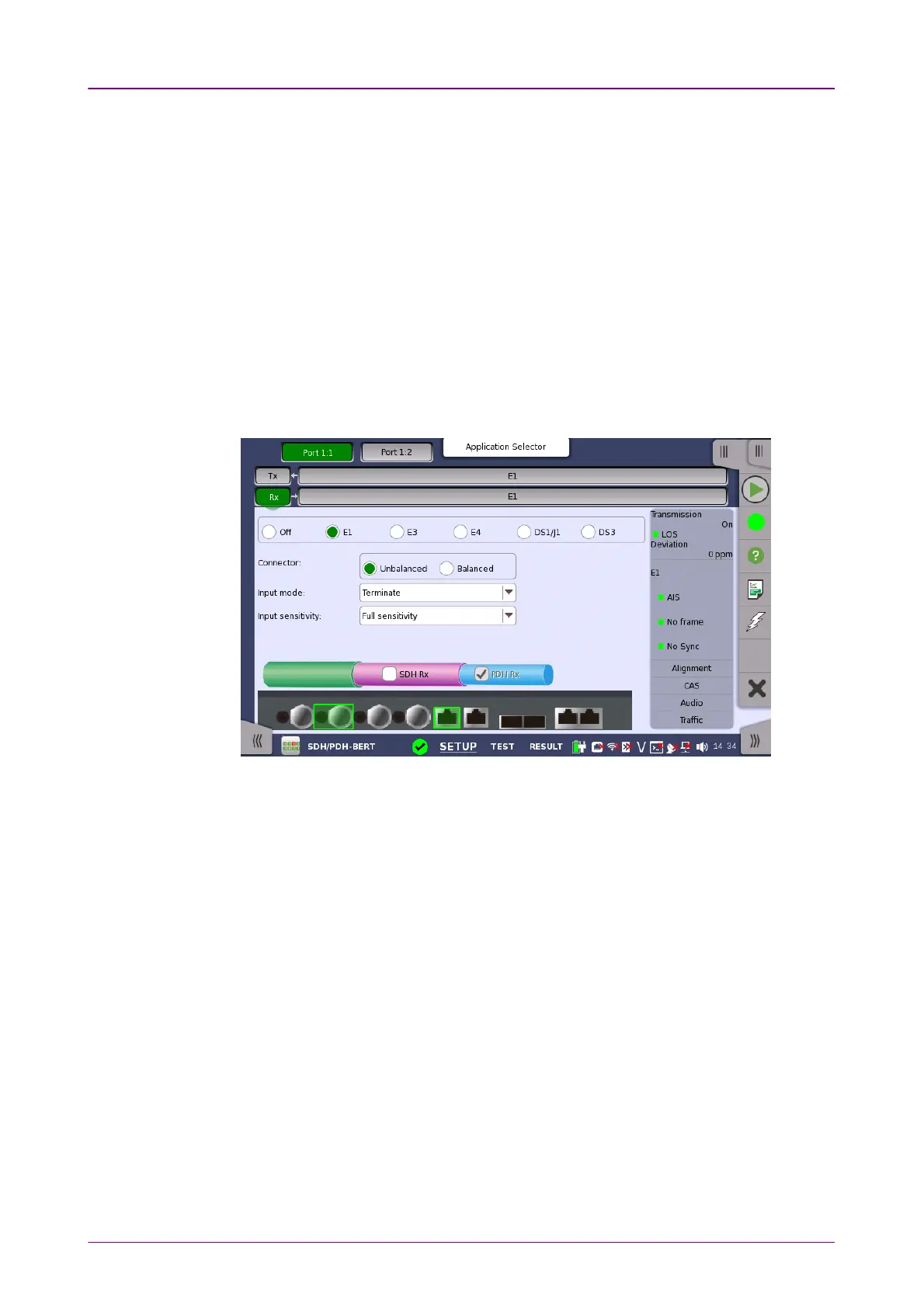
When the receiver is set up with only an E1 interface, selecting the RxRx button in
the navigation area will launch the following screen.
Switching between PDH Rx and DSn Rx is done in the SDH/SONET receiver
setup screen.
1. Select SDH RxSDH Rx or SONET RxSONET Rx check box.
2. Touch STM-xxSTM-xx, STS-xxSTS-xx, or OC-xxOC-xx button in the navigation area.
3. Use drop down menu at right bottom to switch SDH or SONET. Selecting the
SDH displays PDH RxPDH Rx on RxRx screen. Selecting the SONET displays DSn RxDSn Rx on
RxRx screen.
4. Touch RxRx button in the navigation area.
5. Select PDH RxPDH Rx or DSn RxDSn Rx check box.
6. Clear SDH RxSDH Rx or SONET RxSONET Rx check box.
7. Touch E1E1 radio button. Touching OffOff radio button disables the receiver.
This screen allows you to make the physical setup of the PDH receiver in E1
mode. It can also be used to inspect the current status of the selected port.
The configuration options available in the setup area of the screen are
described below. The status information is described in a separate section.



 To Next Page