Transmission modeTransmission mode
Stream profileStream profile
Line loadLine load
66..22..22..33 Stream - ProfileStream - Profile
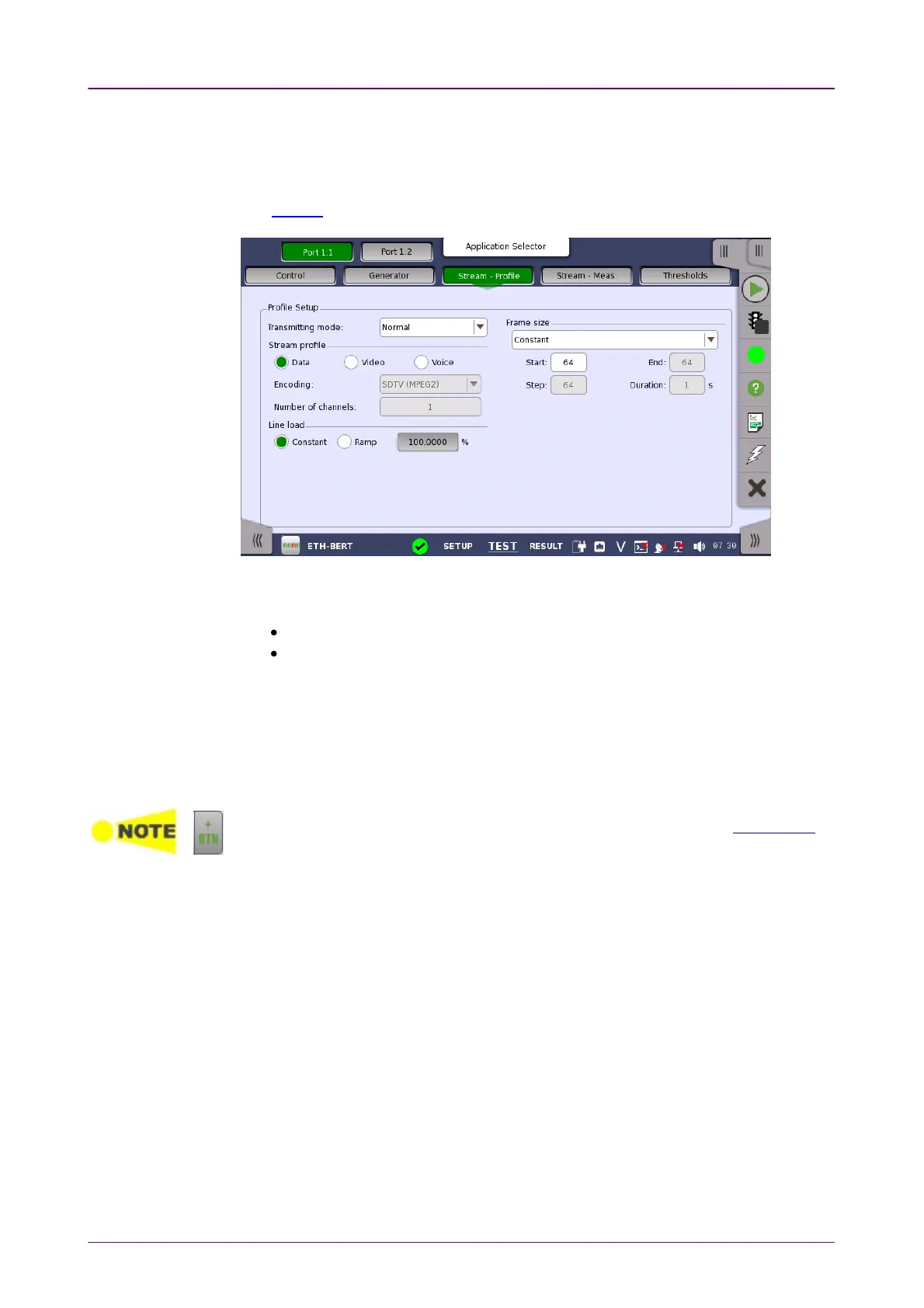
Touching the Stream - ProfileStream - Profile button in the navigation area displays the
following screen.
The FollowFollow button appears when the Port 2 settings can follow Port 1.
This screen contains the parameters for specifying a profile and pattern for
each stream and for specifying which measurements are made.
NormalNormal: Does not generate the bursts. The normal Ethernet frames are sent.
BurstBurst: Generate the bursts. This option can be set when the interface bit rate is
100 Gbps or less.
Allows you to specify and configure a profile type for the currently selected
stream. Using the radio buttons, you can select the stream profile as either
DataData, VideoVideo or VoiceVoice.
VideoVideo and VoiceVoice are available when the interface bit rate is 100 Gbps or less.
On the Ethernet application over OTN, only DataData appears depending on the Client signal
setting.
EncodingEncoding
Open the drop-down menu to select the relevant encoding type. The available
values depend on the selected profile type.
Number of channelsNumber of channels
Specify the number of stream channels selected at Encoding.
When Profile type is set to DataData, you can select the line load profile as either
ConstantConstant or RampRamp. If you select RampRamp, you can touch the adjacent button to
display the Ramp Line Load SetupRamp Line Load Setup dialog box.
When Profile type is set to VideoVideo or VoiceVoice, the line load calculated from
Encoding and Number of channels is displayed.



 To Next Page