JitterJitter
LatencyLatency
Service disruptionService disruption
66..22..22..44 Stream - MeasurementStream - Measurement
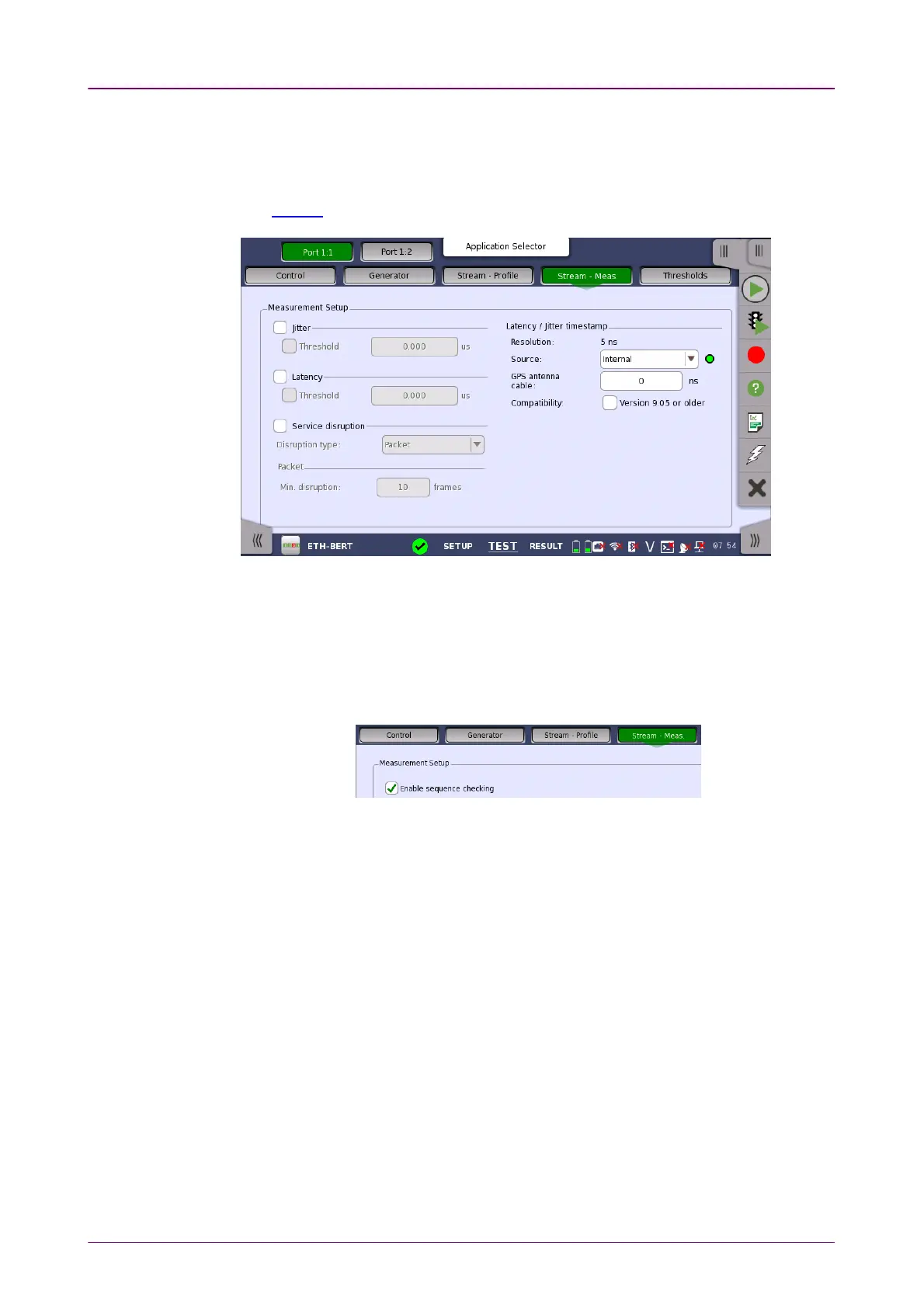
Touching the Stream - MeasurementStream - Measurement button in the navigation area displays the
following screen.
The FollowFollow button appears when the Port 2 settings can follow Port 1.
Select one or more of the measurements (JitterJitter, LatencyLatency and ServiceService
disruptiondisruption) and then specify a threshold value for each. This screen allows you
to configure JitterJitter, LatencyLatency and Service disruptionService disruption.
Enable sequence checkingEnable sequence checking
Appears when "Unframed" is selected to the protocol in Stream of
Port Setup
screen.
Select the check box if enabling the frame sequence checking.
Select the Jitter check box to measure it.
When selecting Threshold check box and enter the value, Pass/Fail is judged.
Select the Latency check box to measure it.
When selecting Threshold check box and enter the value, Pass/Fail is judged.
Select the Service disruption check box to measure it.
Select Disruption Type from PacketPacket or LOSLOS. You may not be able to select LOSLOS
depending on the interface settings.
When selecting PacketPacket, enter the number of skip of frame number to count
service disruption.
When selecting LOSLOS, service disruption is counted if one or more LOS is
detected.
Enter Error free periodError free period as time from counting the service disruption to restart it.



 To Next Page