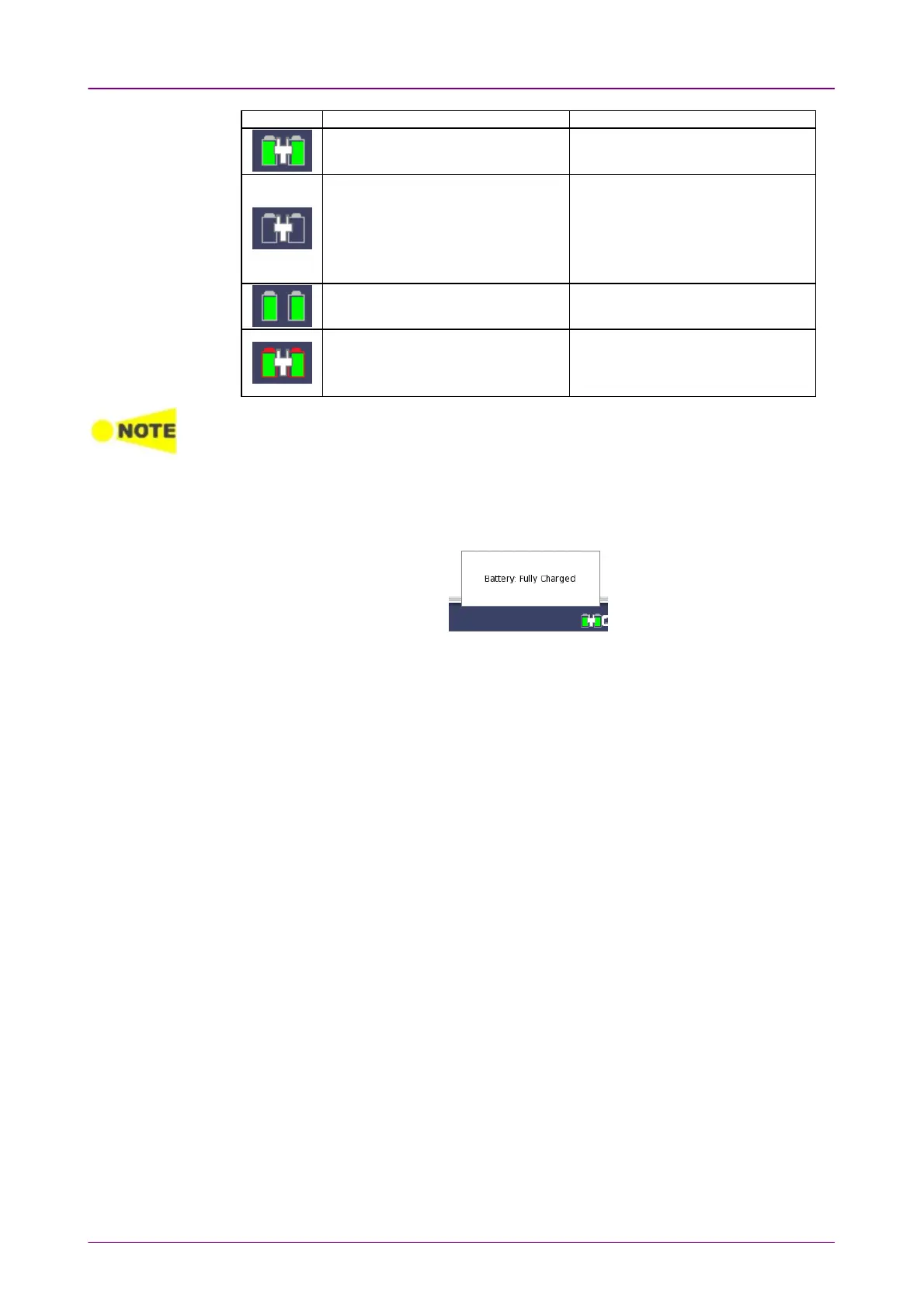
IconIcon BatteryBattery AC AdapterAC Adapter
Fully charged. Connected and the Network Master
is running on AC power.
Not installed or not working. Connected and the Network Master
is running on AC power.
This icon also appears when two
transport modules are installed in
the Network Master.
Charged and the Network Master is
running on battery power.
Not connected.
Not charging due to ambient
temperature out of the operating
temperature range.
Connected and the Network Master
is running on AC power.
There is a delay of several seconds before the battery status is updated.
More detailed battery status information is displayed when touching the battery
icon. The following example shows the battery information displayed when
fully charged.



 To Next Page