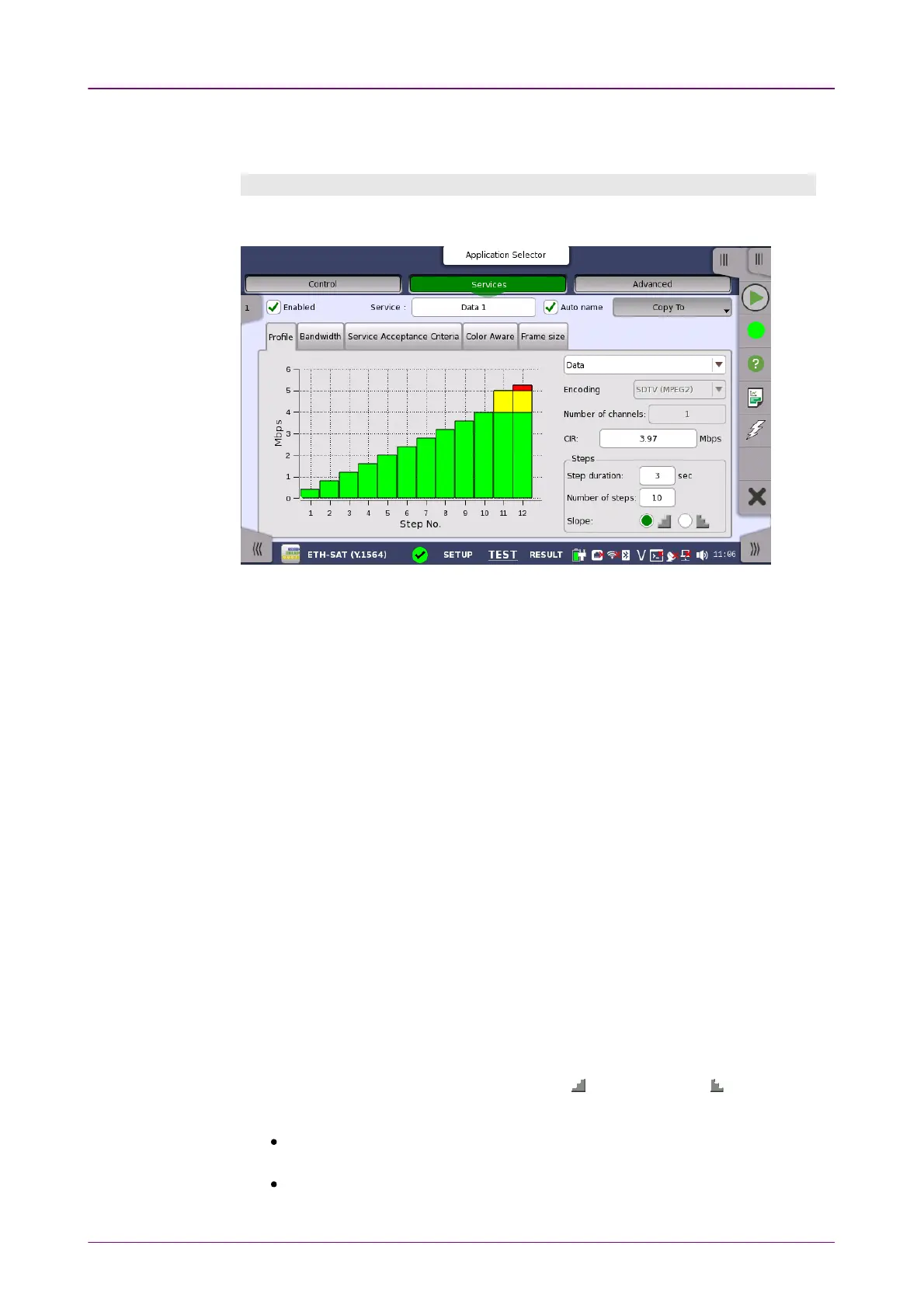
ProfileProfile
StepsSteps
To define a new service, select the relevant stream, specify a name in the
ServiceService field and then configure the service using the tabs.
Profile tabProfile tab
The ProfileProfile tab contains the following parameters:
In case of Round-Trip Test mode, the drop-down menu at the top allows you to
select the service profile as either DataData, VideoVideo or VoiceVoice.
EncodingEncoding
Open the drop-down menu to select the relevant encoding type. The available
values depend on the selected profile type.
Number of channelsNumber of channels
Specify the number of channels.
CIRCIR
Allows you to specify the Committed Information Rate (CIR). When set to zero,
the CIR test is excluded. If color awareness is enabled, this is the bit rate for
green frames.
Step durationStep duration
Allows you to specify the test step duration. Valid setting is from 1 to 60
seconds.
Number of stepsNumber of steps
Allows you to specify the number of steps in the CIR test. Valid setting is from
1 to 10 steps.
SlopeSlope
Use the radio buttons to select an ascending ( ) or descending ( ) test slope
for the CIR test.
If the descending test slope is selected in Round-Trip TestRound-Trip Test mode, all
remaining CIR steps are skipped when a CIR step passes.
In One-Way TestOne-Way Test mode, all CIR steps are always performed.



 To Next Page