Battery operation is available when all of the following conditions are met.
Two batteries with the same model are installed.
Refer to Rechargable Battery.
When the model of the installed batteries is G0423A, the charge rate of each
battery is 10% or more.
When the model of the installed batteries is G0413A, the charge rate of each
battery is 5% or more.
The difference between the charge rates of the two batteries is less than 25%.
Only one transport module is installed.
In other cases, pressing the power button will shut down the Network Master, so connect
the AC adapter to use it.
Switching power OFFSwitching power OFF
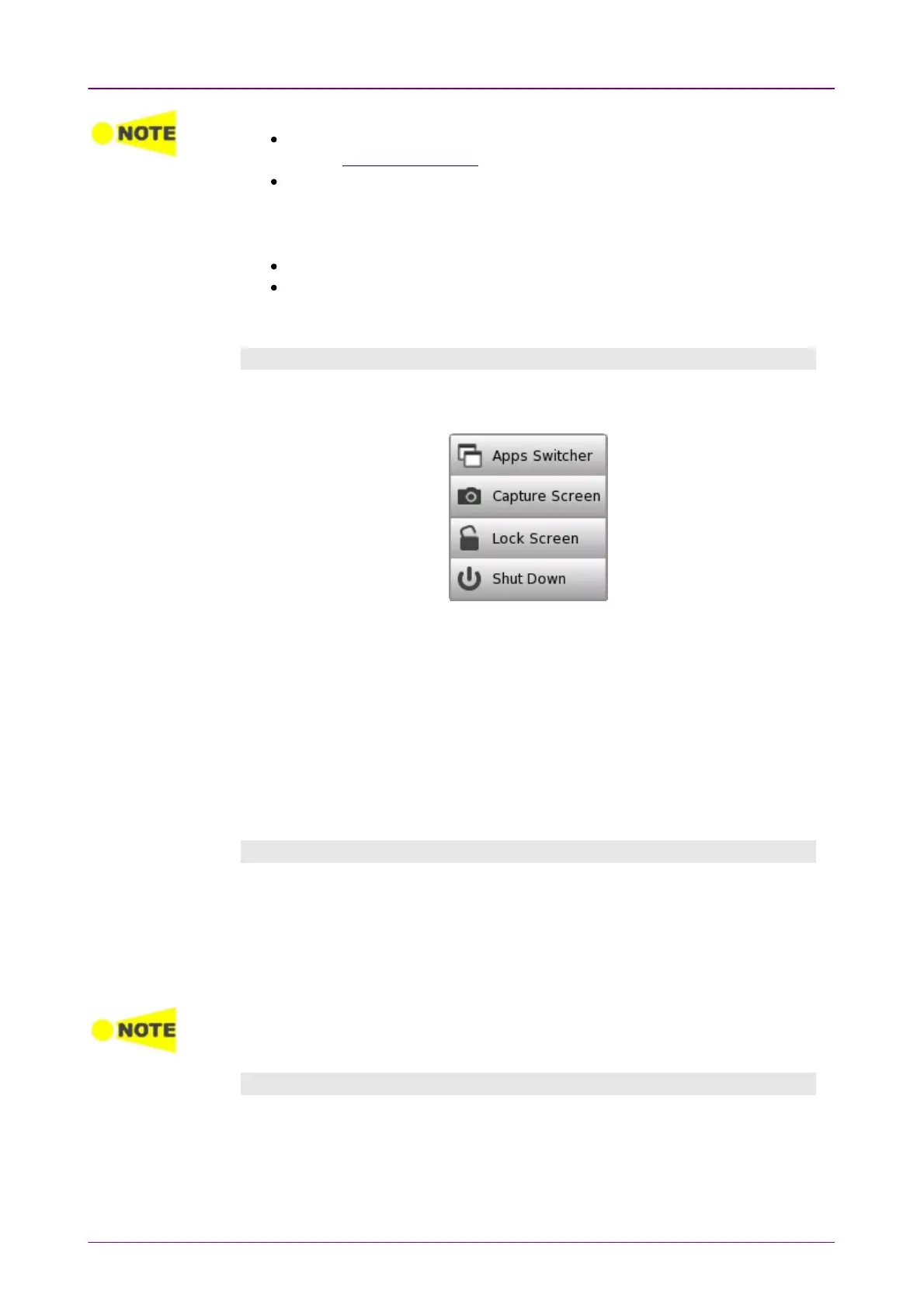
When you press the Power button, a pop-up menu containing Shut DownShut Down will
appear.
Touch Shut DownShut Down and then confirm by touching YesYes in a dialog box.
AC OperationAC Operation
After you shut the Network Master down, the Network Master goes back to
Stand by or Charging state.
The Network Master stays Stand by or Charging state until you disconnect the
AC adapter.
Battery OperationBattery Operation
After you shut the Network Master down, the power goes off.
Forcing power OFFForcing power OFF
If it is not possible to power down the Network Master using the power button
menu, the following procedure can be used to make an emergency power
down.
1. Disconnect AC adapter if it is connected.
2. Hold the Power button depressed for a couple of seconds.
Forcibly turning off the power may cause loss of measurement data or file corruption.
It is not recommended to force a power-off except in emergencies.
Additional options in power button menuAdditional options in power button menu
Apps SwitcherApps Switcher
Shows all currently activated applications and allows you to switch among
them.
Capture ScreenCapture Screen



 To Next Page