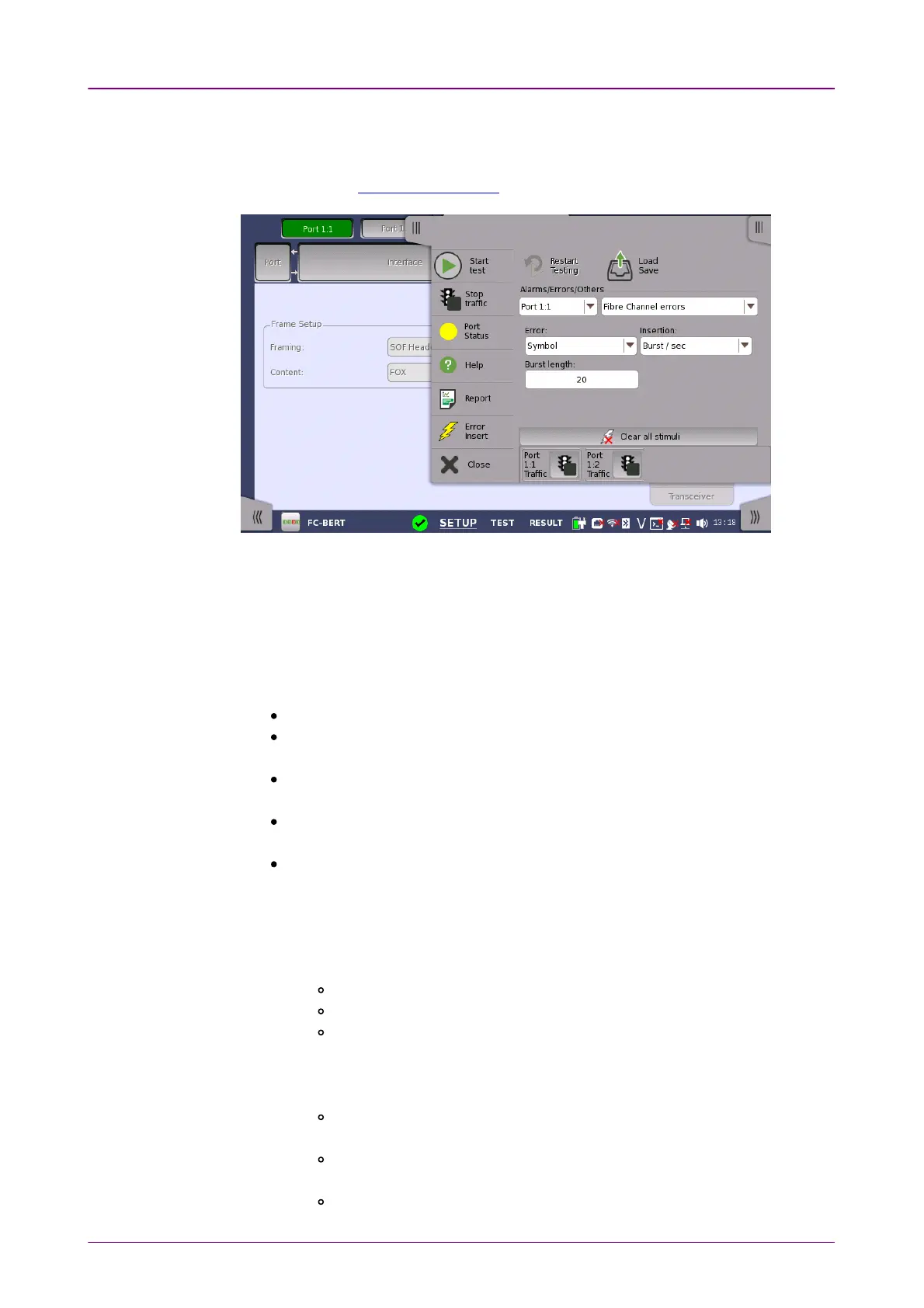
Alarms/Errors/Alarms/Errors/
OthersOthers
99..11..44 Alarms/Errors InsertionAlarms/Errors Insertion
This section describes the errors and alarms insertion for the Fibre Channel
interface on the Application toolbar.
Select the port to insert errors, and the stimuli type. The settings items vary
depending on the selected stimulus type.
99..11..44..11 Fibre Channel alarmsFibre Channel alarms
Select an alarm option in the drop-down menu.
Alarms will be inserted continuously.
NoneNone: Does not insert alarms.
Link resetLink reset: Inserts Link_Reset primitive sequences.
Ordered Set: K28.5 - D9.2 - D31.5 - D9.2
Link reset responseLink reset response: Inserts Link_Reset_Response primitive sequences.
Ordered Set: K28.5 - D21.1 - D31.5 - D9.2
Not optionalNot optional: Inserts Not_Operational primitive sequences.
Ordered Set: K28.5 - D21.2 - D31.5 - D5.2
OfflineOffline: Inserts Offline primitive sequences.
Ordered Set: K28.5 - D21.1 - D10.4 - D21.2
99..11..44..22 Fibre Channel errorsFibre Channel errors
1. Select an error option in the ErrorError drop-down menu.
NoneNone: Does not insert errors.
BitBit: Inserts a bit error into the content part of FC frames.
SymbolSymbol: Inserts a symbol of 10 bit pattern which makes a 10b/8b
conversion error.
When Port mode is set to FC1200FC1200, or FC1600FC1600, this option does not
appear.
R_RDYR_RDY:Inserts a Receiver_Ready primitive signal.
Ordered Set: K28.5 - D21.4 - D10.2 - D10.2
CRCCRC: Inserts a bit error into CRC part of FC frames.
When Framing is set to SOF:Header:EOFSOF:Header:EOF, this option does not appear.
BlockBlock: Inserts an error block of 64b/66b transmission word.



 To Next Page