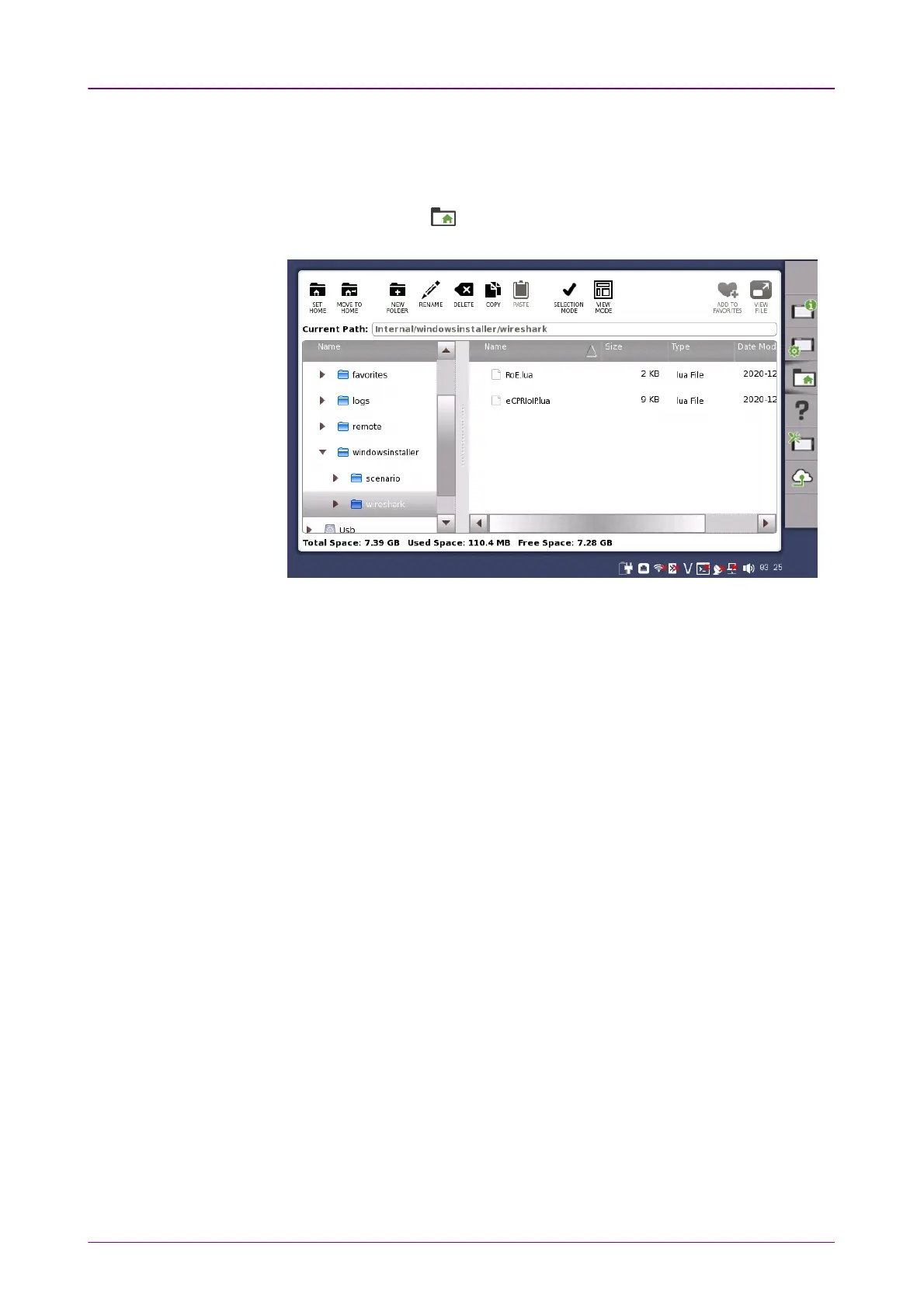
To analyze eCPRI packets and IEEE 1914.3 packets on PCTo analyze eCPRI packets and IEEE 1914.3 packets on PC
To analyze eCPRI packets and IEEE 1914.3 packets using Wireshark installed
on the PC, copy lua files to PC following the procedure below.
1. Connect USB flash drive to the Network Master.
2. Touch File Manager ( ) on Instrument toolbar.
3. Open /Internal/windowsinstaller/wireshark folder.
4. Copy RoE.lua and eCPRIoIP.lua to USB flash drive.
5. Remove USB flash drive from the Network Master and connect it to PC.
6. Copy RoE.lua and eCPRIoIP.lua to the following folder.
C:\Program Files\Wireshark\plugins\(Version number)
Example: C:\Program Files\Wireshark\plugins\2.4.4



 To Next Page