33..1010..22..33 MU100090B OperationMU100090B Operation
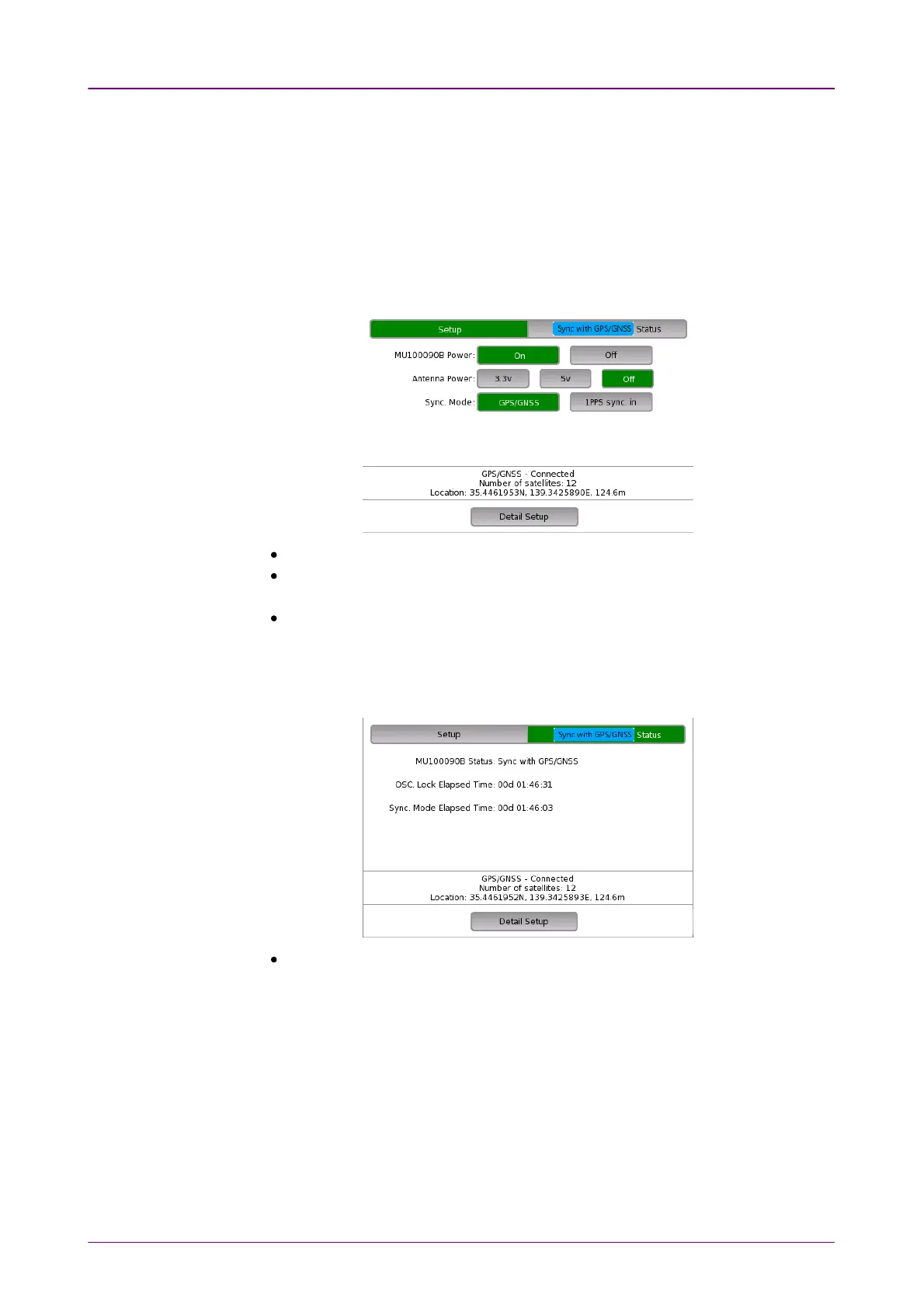
When the MU100090B is installed, a dialog box is displayed with buttons and
elapsed time as follows.
When the MU100090B is connected to the GPS or GNSS, the number of
captured satellites, and the latitude, longitude, and altitude (ellipsoidal height)
of the GNSS antenna position are also displayed.
SetupSetup
MU100090B PowerMU100090B Power: Turn on and off the MU100090B power.
Antenna PowerAntenna Power: Select the power supply voltage fed to the antenna.
J1886A GNSS Antenna accepts both voltages.
Sync ModeSync Mode: Select the reference signal to which the built-in Rubidium
Oscillator synchronizes.
StatusStatus
To view the MU100090B status, touch StatusStatus.
MU100090B StatusMU100090B Status: Displays the status information of the MU100090B. This
information is also displayed on the StatusStatus button.



 To Next Page