GNSS SelectGNSS Select: Select at least one type of satellite from which receive signals.
GLONASS, Galileo, and BeiDou are displayed when the MU100090B-002 is
installed.
The Multi bandMulti band box is displayed when the MU100090B-001 is installed. To
receive the signal from the satellite in multi-bands, select the check box.
Elevation MaskElevation Mask: A value can be set when at least one of MU100090B-001 and
MU100090B-002 is installed.
Set the lower limit for the elevation. Signals from satellites with lower
elevation angles than this value are used with lower priority.
When no options are installed, the value is fixed to 5 degree.
Fixed PositionFixed Position: Appears when the MU100090B-001 is installed. Select the
check box to make settings effective.
Location NameLocation Name: Select a registered location from the list.
LatitudeLatitude: Displays the latitude of the antenna position.
LongitudeLongitude: Displays the longitude of the antenna position.
AltitudeAltitude: Displays the altitude (ellipsoidal height) of the antenna
position.
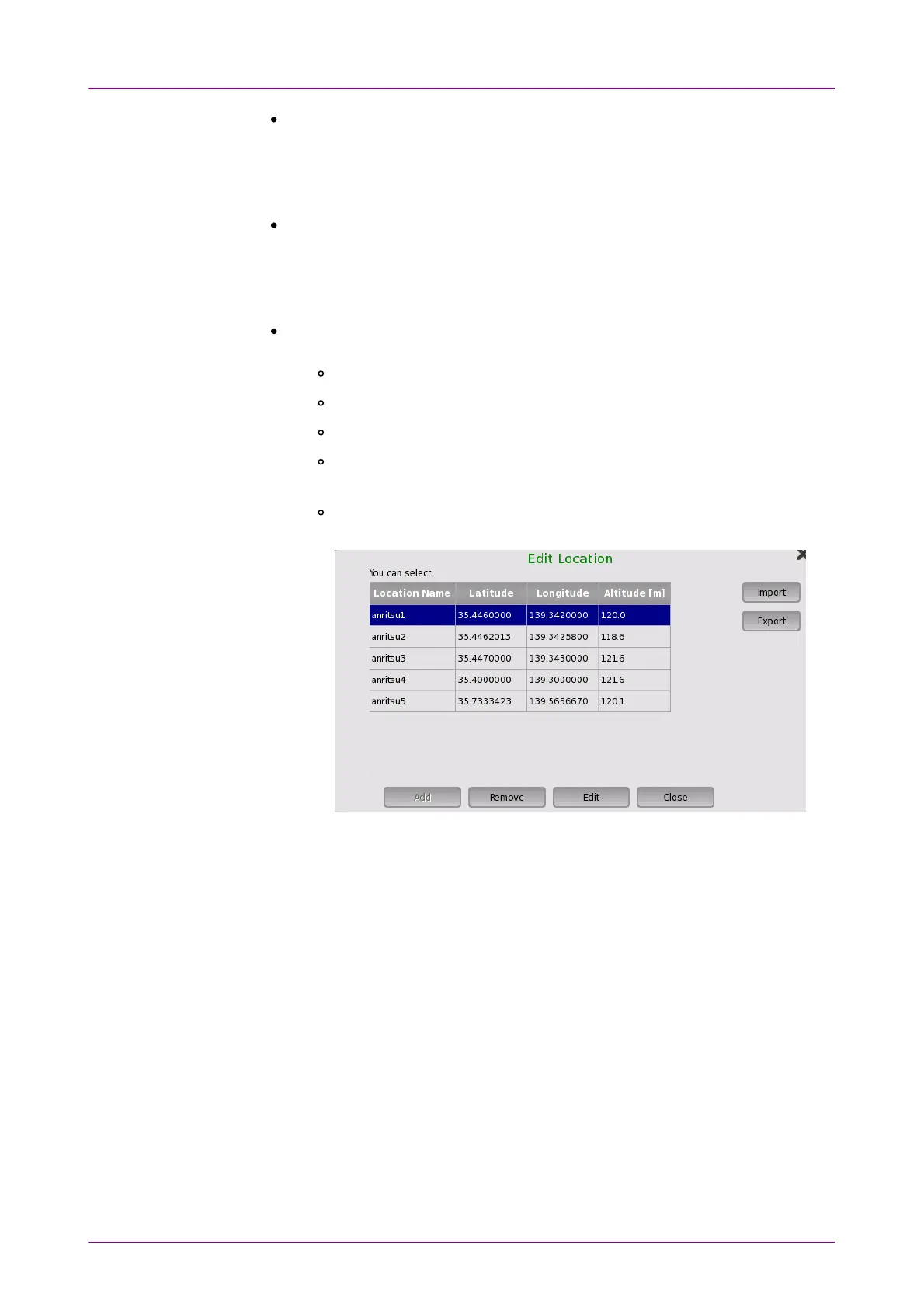
Edit LocationEdit Location: Displays the dialog box, where you can edit the fixed
position settings.
AddAdd: Adds the location of fixed position while receiving GNSS signal.
Up to 32 positions can be added.
RemoveRemove: Deletes the selected location. The deleted location cannot be
restored.
EditEdit: Edits the selected location.
CloseClose: Closes the dialog box.
ImportImport: Loads the location information of fixed positions from a file.
ExportExport: Saves the location information of fixed positions to a file.



 To Next Page