17
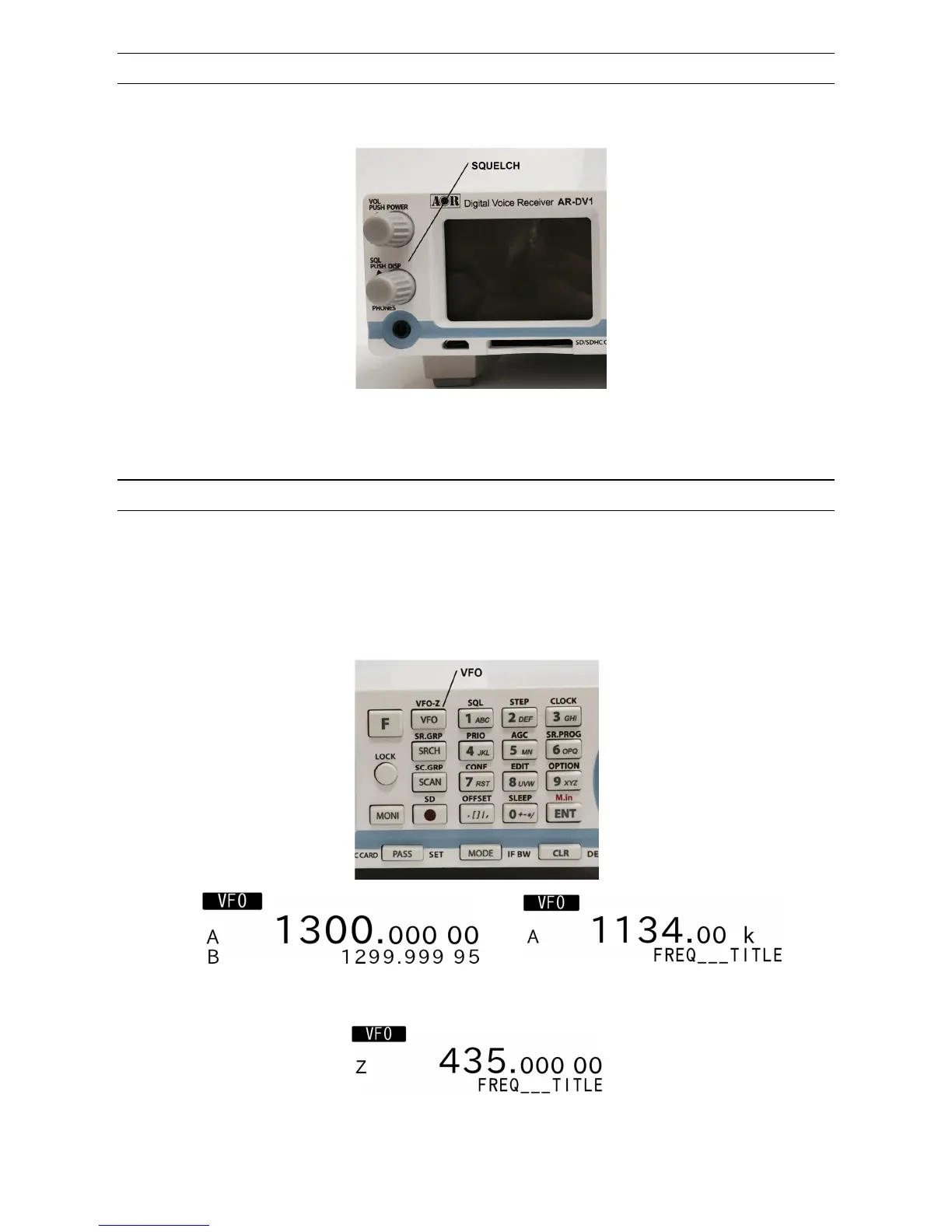
3-4 SQUELCH CONTROL
To change the squelch level, rotate the squelch control knob clockwise to increase, and counterclockwise
to decrease. The squelch level will be indicated on the LCD.
After setting the squelch level, the LCD will return to its original display.
While squelch opens, “B” (busy) will appear in reverse contrast on the middle left of the LCD.
3-5 VFO SELECTION
The AR-DV1 has three (3) VFOs identified as “VFO-A”, “VFO-B” and “VFO-Z” on the middle left of the
LCD.
The term VFO means ‘Variable Frequency Oscillator’, which today refers to a tunable data storage
which contains frequency, step, step-adjust, attenuator etc. Pressing the [VFO] key each time will toggle
between VFO-A and VFO-B. Note VFO-Z will be used for a different purpose.
(VFO screen) (VFO screen with frequency database)
(VFO-Z always displays frequency database)



 To Next Page