55
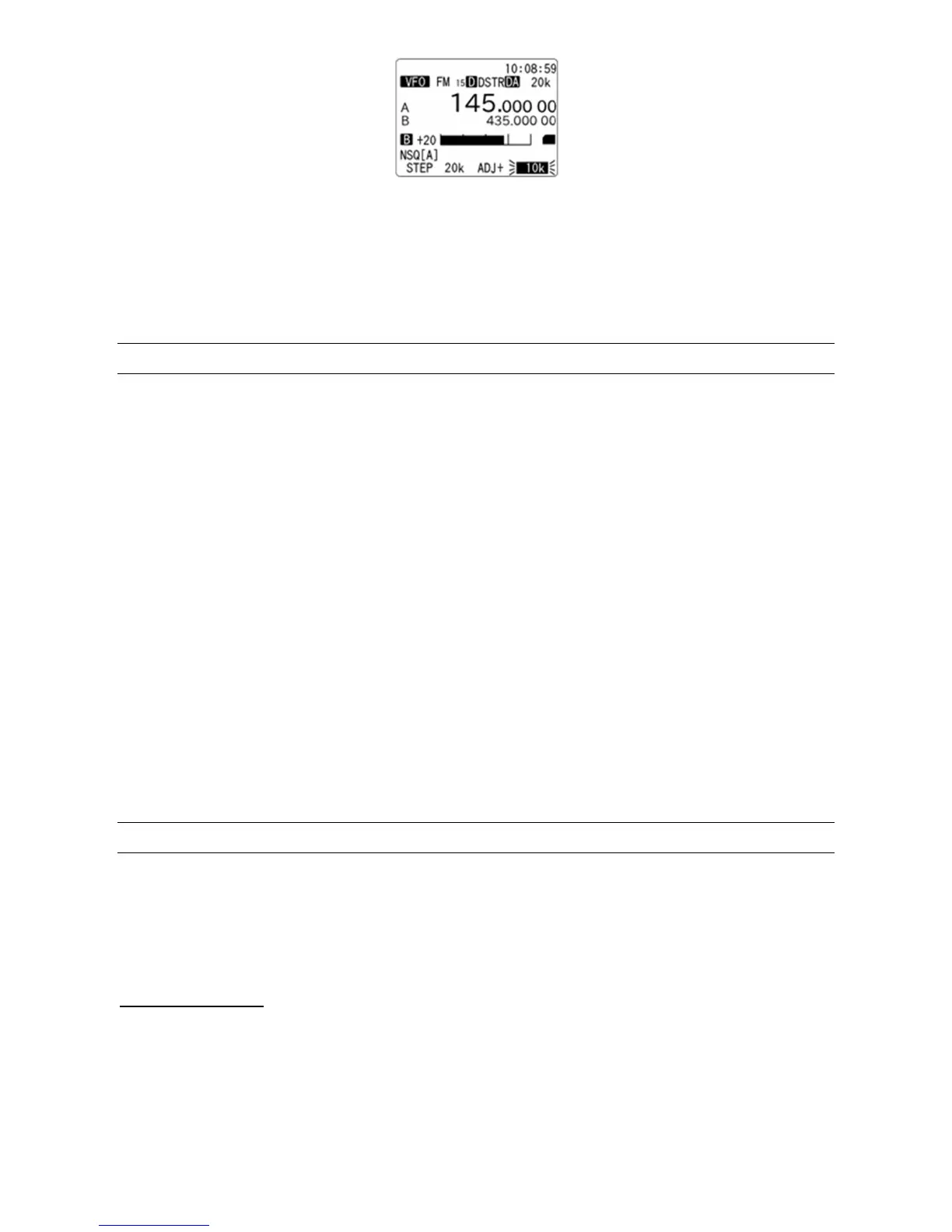
3. Rotate the dial knob to select the preset step adjust frequency. In above sample frequency setting,
a half of the current frequency step (i.e. 10kHz) will be initially selected. Note that the step adjust can
be selected only less than a half of current frequency.
(Note: The step frequency must be higher than 0.1kHz to use this function.)
4. Press the [ENT] key to confirm entry or press the [CLR] key to abort entry.
11-2 DIAL KNOB SETTING
In normal conditions, the dial knob increments or decrements the frequency by STEP SIZE currently set,
for each “click” when the dial is turned.
To check the current step size:
1. Press the [F] key and then the [2] key.
2. Current step frequency will be displayed at the bottom left of the LCD in reverse contrast.
3. Rotate the dial knob to select another step if needed.
4. Press the [ENT] key to accept the entry and return to standard display.
There is the possibility to temporarily multiply that step size by a factor of ten, at which the frequency is
changed.
To select the multiplying function: press the [F] key, then rotate the dial to change the frequency.
Press [F] again to return to normal speed.
The step size multiplication function does also work for the [▼] key and [▲] tuning keys above the dial
knob.
11-3 CLOCK / TIMER
The AR-DV1 is equipped with a real time clock capable of 24 H format displaying hours, minutes, and
seconds.
(Caution: To use the clock function, power MUST be connected all the time. Disconnecting power will
erase clock and timer settings)
11-3-1 INITIAL SET
To access the clock set menu, perform the following steps:
11-3-1-1 TIME SETTING
1. Press the [F] key and then the [3] key. Below screen will appear on the LCD.



 To Next Page