29
5 MANAGING A SD CARD
The AR-DV1 has a built-in SD memory card interface used for voice recording and/or memory
management. To access the menu to manage the SD card, perform the following steps:
1. Insert a SD memory card with a printed label facing upward into the slot on the front panel until you
hear a click.
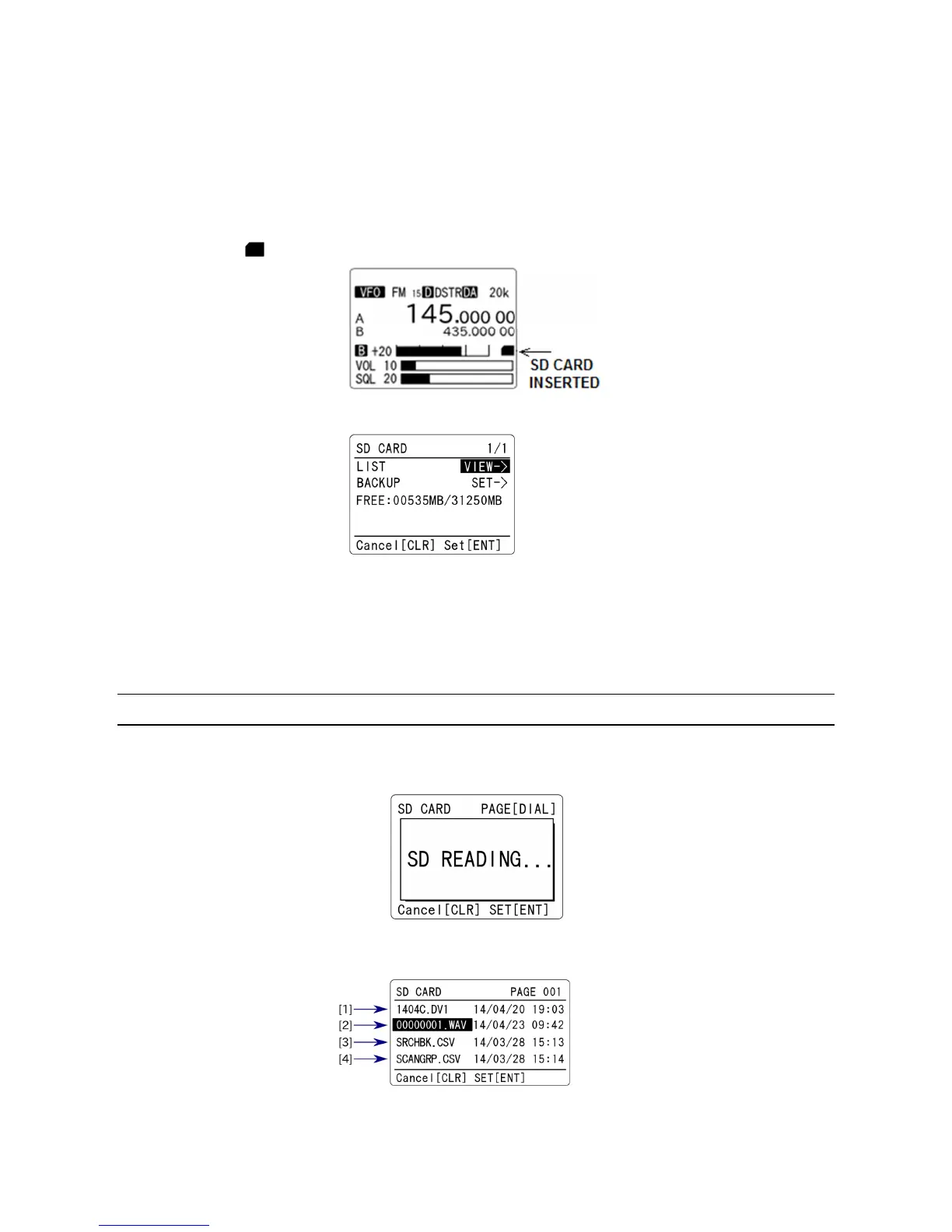
2. Wait until “ ” icon appears on the right middle of the LCD.
3. Press the [F] key and then the [●] (SD) key. The following screen will appear.
(Example)
FREE: 00535MB/31250MB
000535MB --- Space free, 31250MB ----- Total size
(
Note: If the SD card is not properly inserted into the slot, above screen will not appear.)
5-1 SD CARD INFORMATION
After performing above steps, press the [ENT] key while “VIEW->” is selected in reverse contrast.
While reading from the SD card, the following screen will appear.
The file list of the SD card will appear.
(1) Firmware version



 To Next Page