56
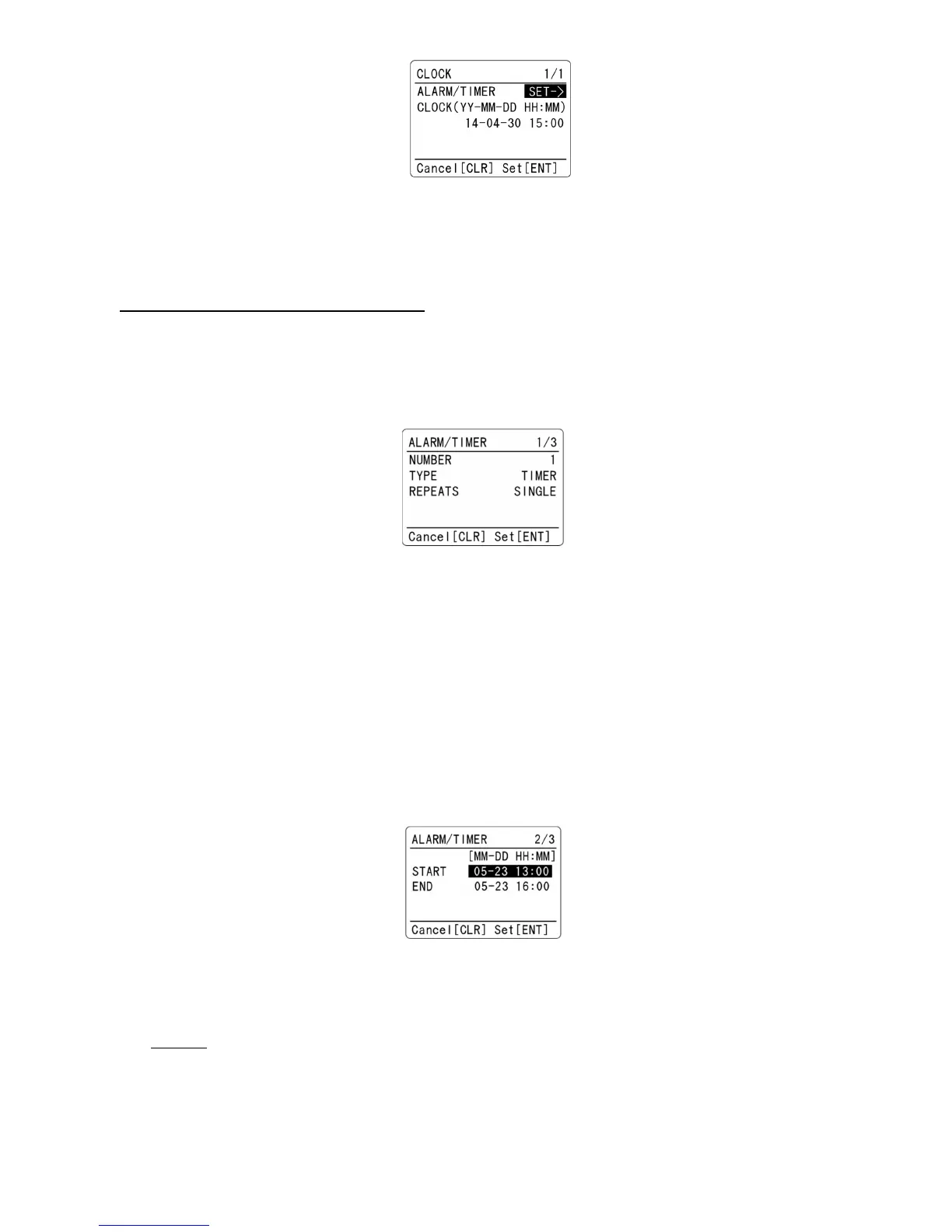
2. Press the [▼] key to select “CLOCK” parameter in reverse format.
3. Using the numeric keypad, enter the current time in YY-MM-MM HH:MM format.
4. Press the [ENT] key to accept entry. Alternatively, press the [CLR] key to abort entry.
11-3-2 ALARM / TIMER CONFIGURATION
To access the ALARM/TIMER menu, perform the following steps:
1. Press the [F] key and then the [3] key.
2. While ALARM/TIMER parameter (SET->) is selected in reverse contrast, press the [ENT] key.
3. Following screen will appear.
4. Press the [▼] key to select “NUMBER” in reverse contrast.
5. The AR-DV1 is equipped with three independent alarm/timer functions. Rotate the dial knob to
select the number (from 1 ~ 3) to set ALARM/TIMER.
6. Press the [▼] key to select “TYPE” parameter in reverse contrast.
7. Rotate the dial knob to select from “ALARM”, “TIMER” or “OFF”. If “OFF” is selected,
ALARM/TIMER will not function. (Default: OFF)
8. Press the [▼] key to select “REPEATS” in reverse contrast.
9. Rotate the dial knob to select either “SINGLE” or “WEEKLY”. (Default: SINGLE)
10. Press the [▼] key to move to the next configuration menu.
11. Following screen will appear.
11-3-2-1 ALARM
When “ALARM” is selected on the above configuration menu, go to these next steps:
“SINGLE” event: The alarm function will operate one time only.
1. Using the numeric keypad, enter the start time in MM-DD HH:MM format.
2. Press the [▼] key to move cursor download.
3. Using the numeric keypad, enter the end time in MM-DD HH:MM format.



 To Next Page