57
4. Press the [ENT] key to confirm entry. Alternatively, press the [CLR] key to abort entry.
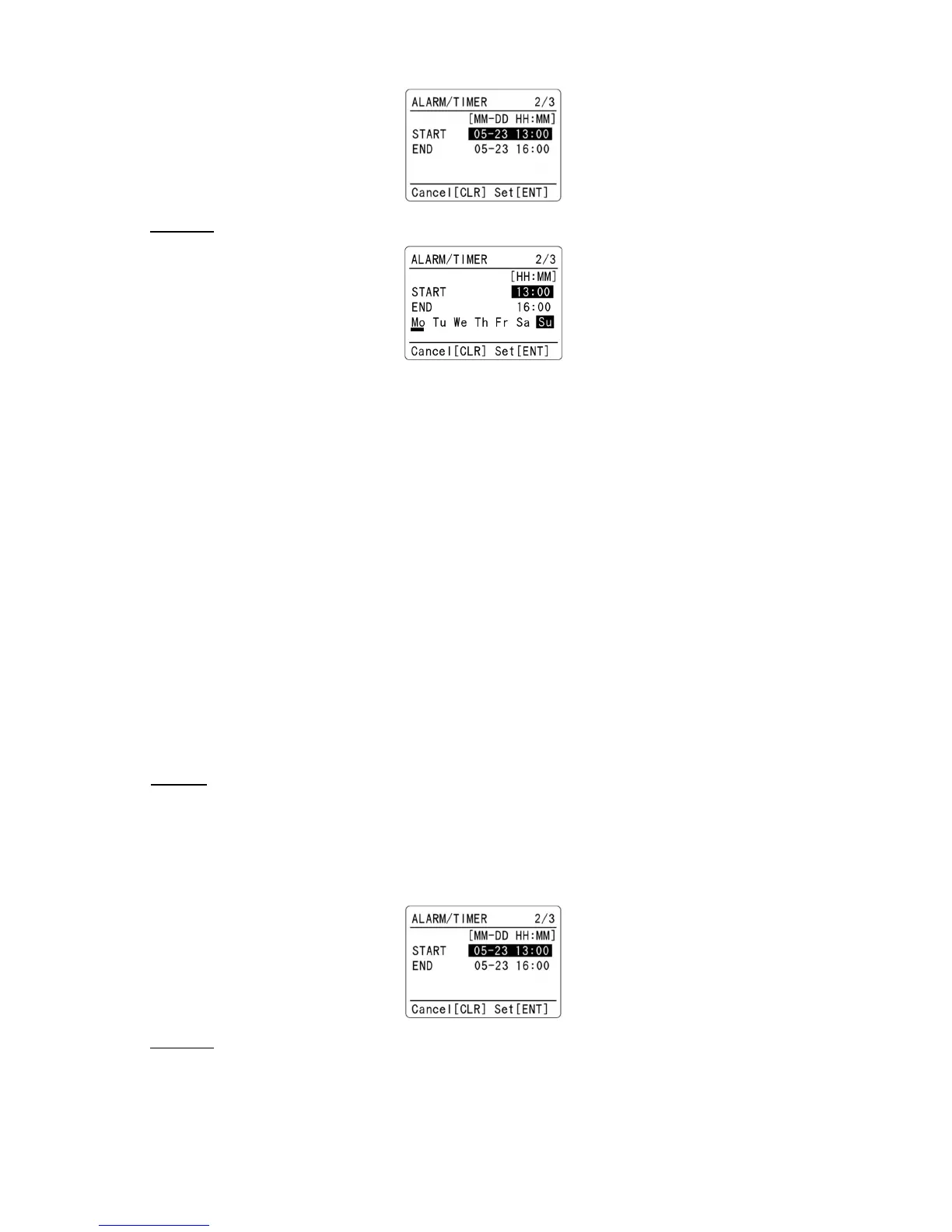
“WEEKLY” events: The alarm function will operate repeatedly on selected day of the week.
1. Using the numeric keypad, enter the start time in MM-DD HH:MM format.
2. Press the [▼] key to move cursor download.
3. Using the numeric keypad, enter the end time in MM-DD HH:MM format.
4. Press the [▼] key to move cursor download.
5. Rotate the dial knob to select the day of the week.
6. Press the [PASS] key to select/deselect the day. When selected, the underscore will appear on the
bottom of the selected day.
7. Repeat above step as needed.
8. Press the [ENT] key to confirm entry. Alternatively, press the [CLR] key to abort entry.
11-3-2-2 TIMER
The timer function is designed to record the voice signal on SD card automatically at preset time.
When “TIMER” is selected on the above configuration menu, go to these next steps:
“SINGLE” event: The alarm function will operate one time only.
1. Using the numeric keypad, enter the start time in MM-DD HH:MM format.
2. Press the [▼] key to move cursor download.
3. Using the numeric keypad, enter the end time in MM-DD HH:MM format.
4. Press the [ENT] key to confirm entry. Alternatively, press the [CLR] key to abort entry.
“WEEKLY” events: The alarm function will operate repeatedly on selected day of the week.



 To Next Page