38
taking action or transmissions may be missed.
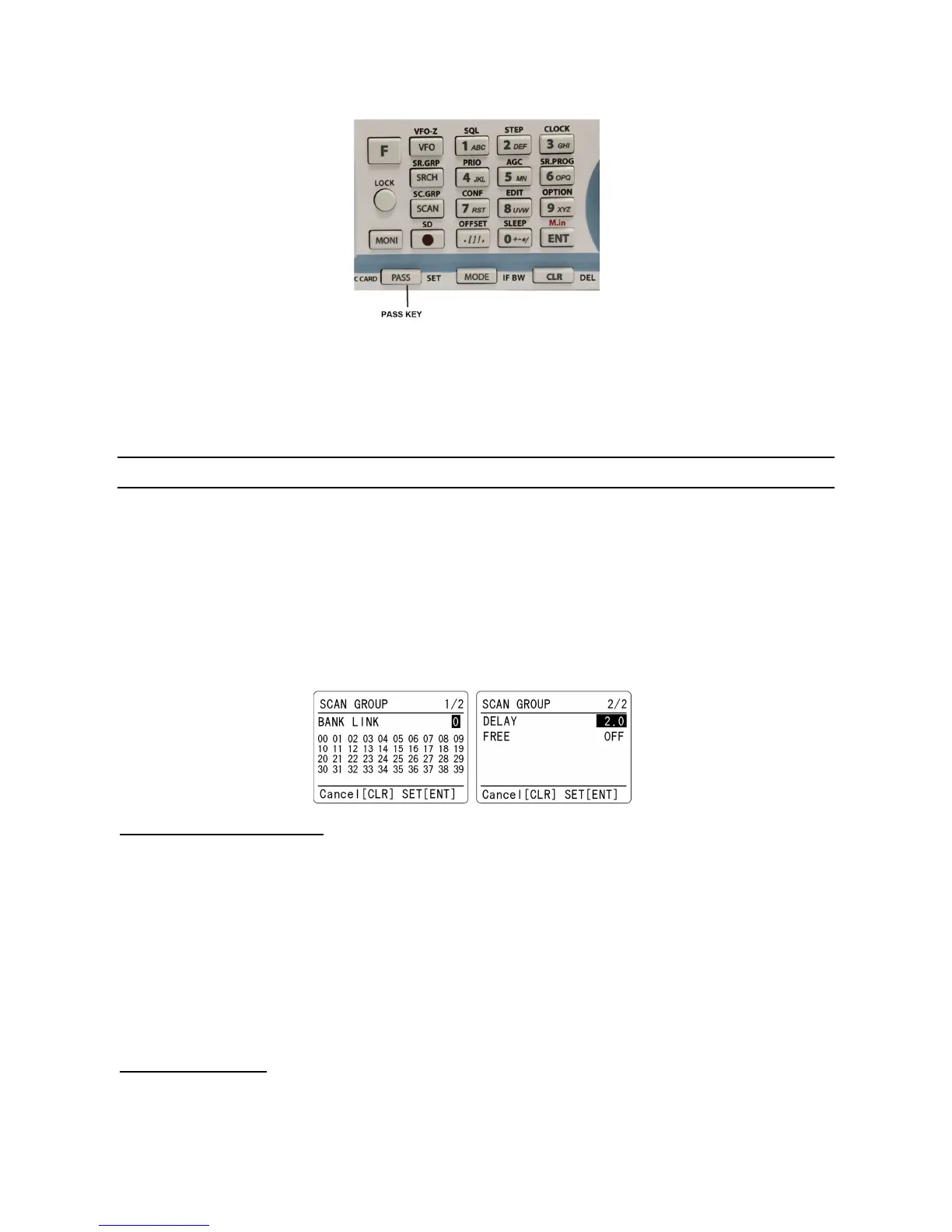
In memory read mode or while stopped on an unwanted frequency, press the [PASS] key.
Pressing the [PASS] key again on the same memory channel will de-select pass channel.
The scan process will resume. It will appear that all channels are still scanned, however, locked
out channels will be ‘skipped’, the scan will not stop on locked out channels.
7-5 SCAN GROUP
The AR-DV1 has 20 scan groups to be used with the bank link function and other functions.
The following parameters can be registered for each of the scan groups.
• Bank link setting
• Scan pause
• Scan delay
To set up scan group, press the [F] key and then the [SCAN] key.
7-5-1 BANK LINK SETTING
1. There are 10 scan groups and the group number can be selected between 0 ~ 9.
Rotate the dial knob to select the scan group. Then press the [▼] key to go to the bank select menu.
You can also use the numeric keypad to select the scan group.
To return to scan group selection menu, press the [▲] key.
2. Rotate the dial knob to select the bank link group. Pressing the [PASS] key will toggle the link on and
off.
3. Press the [ENT] key to complete setting or press the [CLR] key to abort entry.
7-5-2 SCAN DELAY
The scan delay parameter affects the time the AR-DV1 will remain on an active channel in the scan
mode once the received signal has disappeared and the squelch is closed. This is particularly useful



 To Next Page