8
2 CONTROLS AND FUNCTIONS
2-1 FRONT PANEL
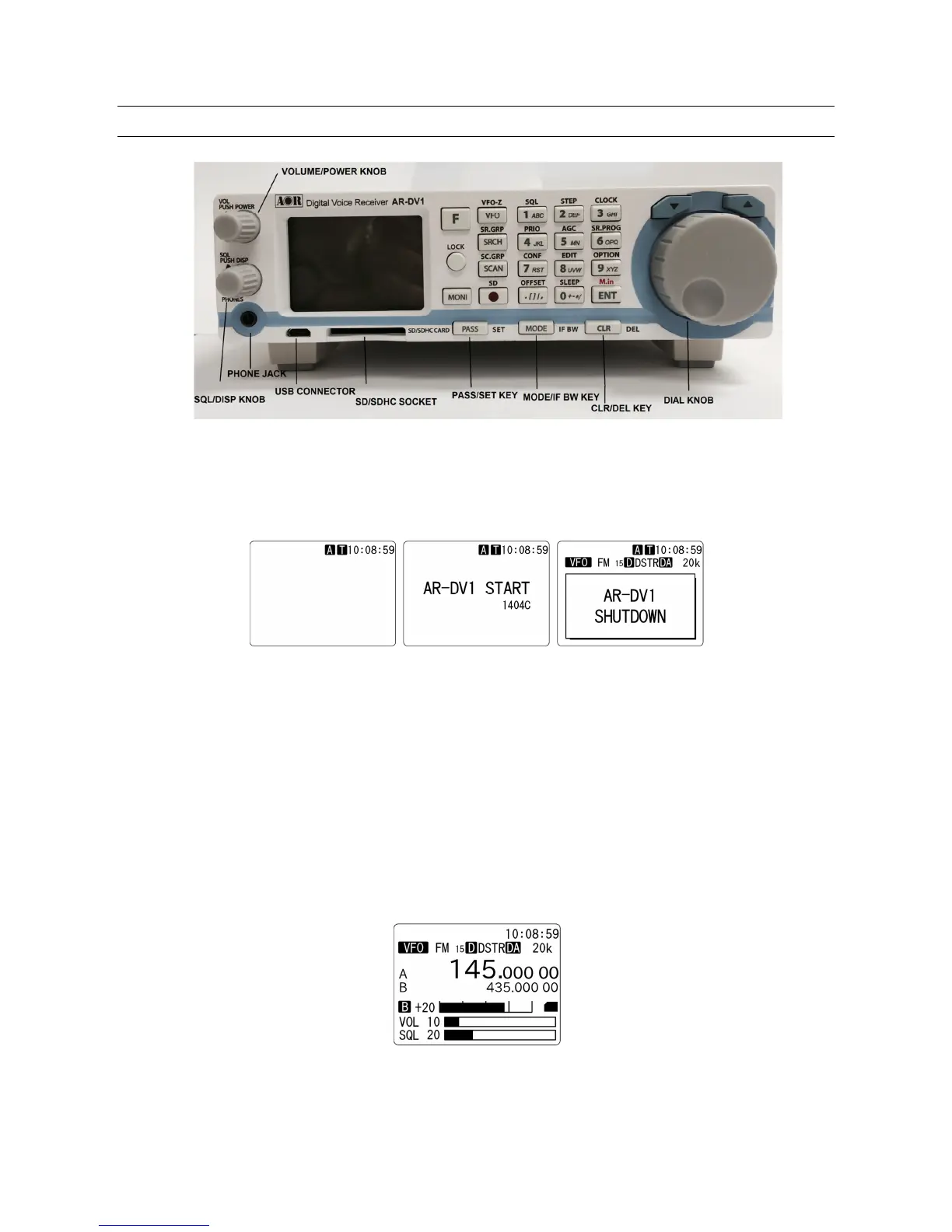
VOL/POWER KNOB
When power is connected to the receiver, the backlit LCD display changes to show the clock function
on the screen. (Fig. 1-A)
Fig. 1-A (Standby) Fig. 1-B Power on Fig. 1-C Power off
To turn on the receiver, push the volume knob. The start screen will appear on the display. (Fig. 1-B)
Wait about eight seconds for the main screen to appear before beginning operation.
To turn off the receiver, push the volume knob until the shutdown screen appears on the display.
(Fig. 1-C)
To change the volume level, turn the knob clockwise to increase, and counterclockwise to decrease.
The volume level bar will be indicated on the screen.



 To Next Page