60
11-4 PRIORITY FUNCTION
The priority function enables you to carry on scanning, searching or monitoring while the AR-DV1
checks a selected frequency for activity (taken from one of the 2,000 memory channels periodically).
The priority checking is accomplished by momentarily tuning the receive circuit to the priority frequency
to see if it is active. If activity is found, the AR-DV1 will remain on the active frequency until
the signal disappears. If no activity is detected, the receiver returns to the VFO frequency, scan channel
or search bank from where it originated.
The priority function has a large number of applications and is particularly useful for keeping an eye on
a distress frequency while scanning or searching another frequency band.
Note: Depending upon the frequency and mode stored as priority, an audible click may be heard when
the priority function is in operation. This is quite normal and is caused by the internal switching of circuitry
necessary to accomplish the frequency change.
11-4-1 CONFIGURING PRIORITY CHANNEL
Once activated, the frequency is periodically checked for activity based on the preset period set by
the configuration menu.
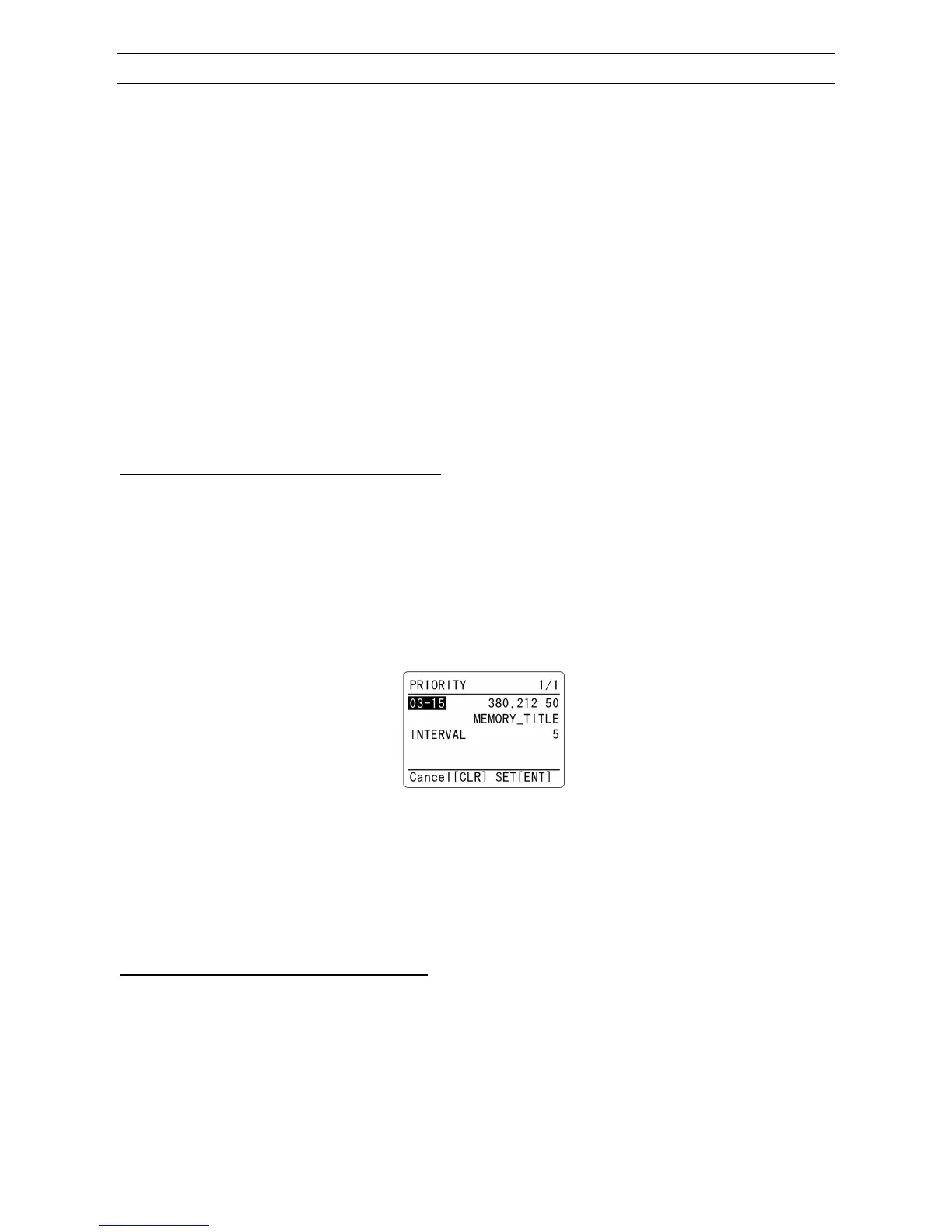
To configure the priority function, perform the following steps:
(Example): Select memory bank 1, memory channel 30, priority sampling interval 10 seconds
1. Press the [F] key. Then press and hold the [4] key for two seconds.
The priority channel configuration menu appears.
2. Use the numeric keypad or rotate the dial knob to select the memory bank and memory channel.
3. Press the [▼] key to select “INTERVAL” parameter in reverse contrast.
4. Rotate the dial knob to select the desired time from the range of 1 ~ 99 seconds.
5. Press the [ENT] key to accept the entry and return to a standard display.
Alternatively, press the [CLR] key to abort entry.
11-4-2 ACTIVATING PRIORITY FUNCTION
To activate the priority function, press the [F] key and then the [4] key.
“PRI” will be displayed on the bottom left of the LCD.
To de-activate the function, repeat above steps.


 To Next Page