63
11-8 DATA ENTRY
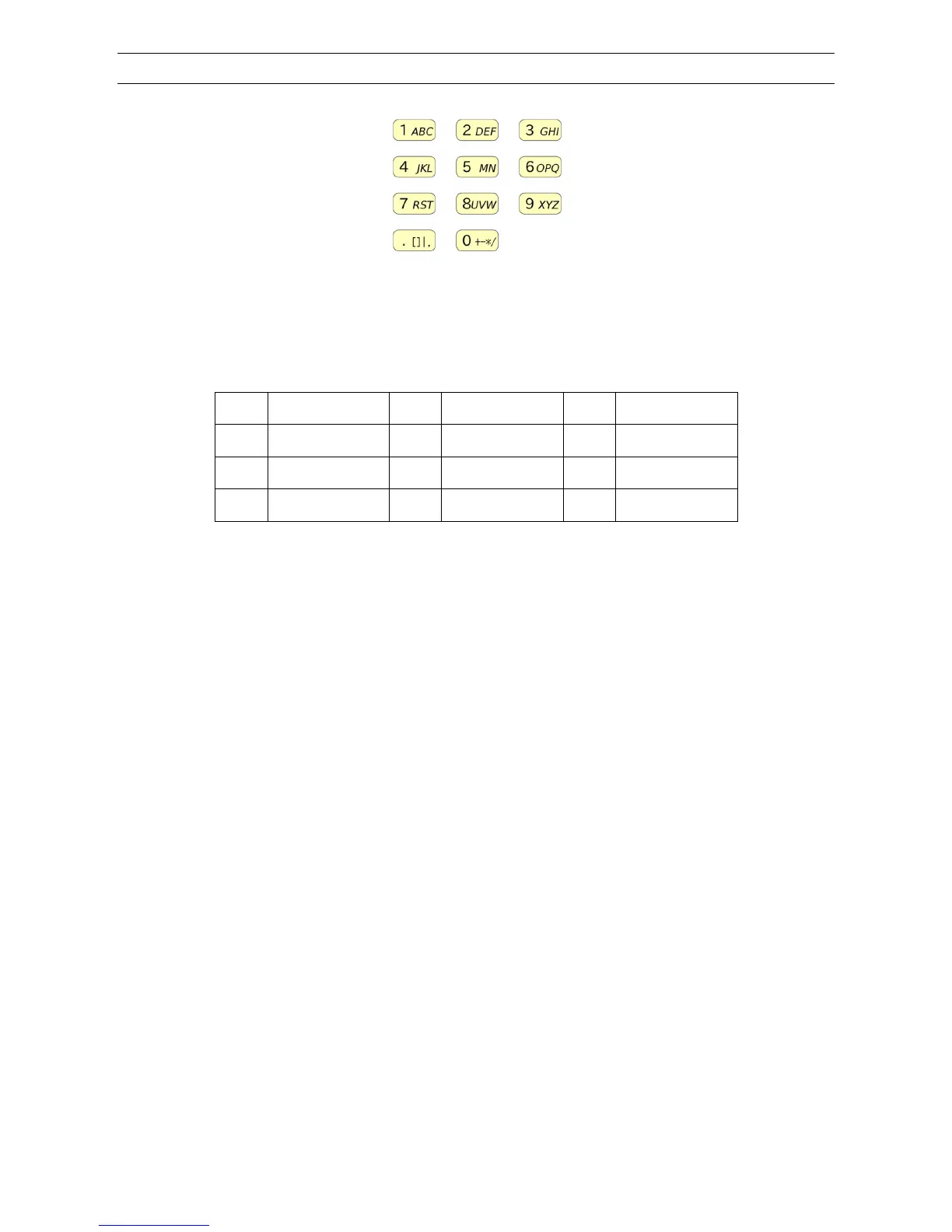
Data entry can be made by the numeric keypad.
Following characters are available for data entry:
A ~ Z, 0 ~ 9, [, ], _, |, ,, . , +, -, *, /, [SPACE]
Below characters/numbers are assigned to respective keypad:
1 -> A B C 1 2 -> D E F 2 3 -> G H I 3
4 -> J K L 4 5 -> M N 5 6 -> O P Q 6
7 -> R S T 7 8 -> U V W 8 9 -> X Y Z 9
. [ ] _ | , . 0 -> + - * / SPACE 0
Pressing the respective key will toggle between assigned characters.
(Example: 1 key -> A-> B-> C-> 1-> A-> )
Press the [CLR] key to display characters in reverse order. (A-> B-> C-> 1-> A-> )
To delete one character, press the [▲] key.
To delete entire entry, press and hold the [▲] key for two seconds.
To change the position, rotate the dial knob. Rotating clockwise will move the cursor to the right and
rotating the dial knob counterclockwise will move the cursor to the left.



 To Next Page