43
8-1-2-8 DELETING PASS FREQUENCIES
To delete pass frequencies, perform the following steps:
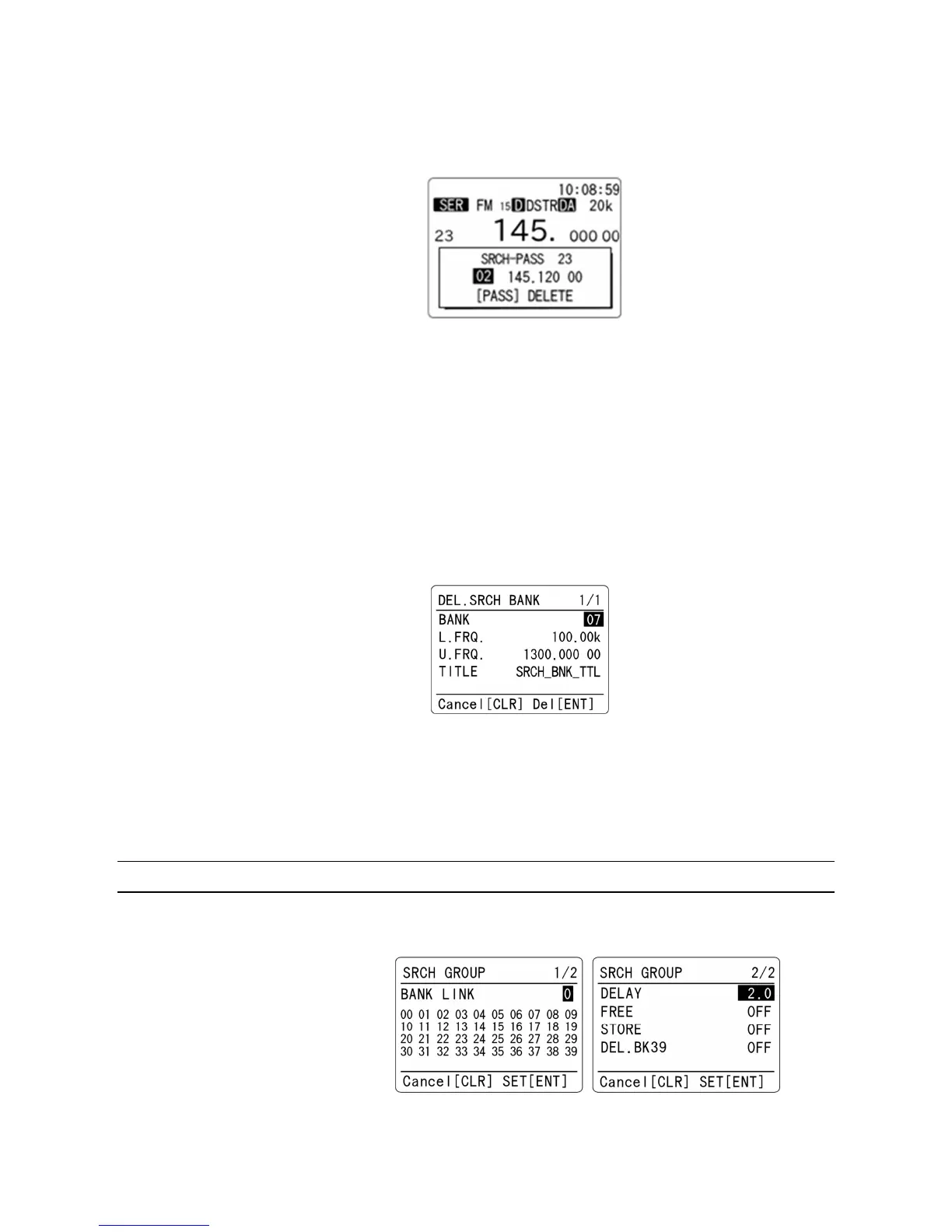
1. While stopped on unwanted frequency, press and hold the [PASS] key for two seconds.
The following screen will appear.
2. Above screen displays the last selected search bank. Rotate the dial knob to select the
desired search bank that contains the frequency to be deleted.
3. Press the [▼] key and then the [PASS] key to delete pass frequency.
4. To delete all pass frequencies in the current search bank, press the [F] key and then the
[PASS] key.
8-1-2-9 DELETING SEARCH BANK
To delete search bank, perform the following steps:
1. While on program search receive mode, press the [F] key and then the [CLR] key.
The following screen will appear
.
2. Rotate the dial knob to select the desired search bank to be deleted.
3. Press the [ENT] key. Alternatively, press the [CLR] key to cancel entry.
After deleting the search bank, it will return to VFO-A mode.
8-2 SEARCH GROUP
The AR-DV1 has 20 search groups to be used with the bank link function and other functions.
The following parameters can be registered for each of the search groups.
• Bank link setting
• Search pause
• Search delay



 To Next Page