50
9-11 CONFIGURE FIRM VER (FIRMWARE VERSION)
To display the current firmware version of the AR-DV1, perform the following steps:
1. Press the [F] key and then the [7] key.
2. Press the [▼] key to select “FIRM VER”. The current firmware version of the AR-DV1 will be displayed.
Press the [ENT] key to return to a standard display. Alternatively, press the [CLR] key to abort entry.
Or, press the [▼] key to move to the next item on the configuration menu.
9-12 CONFIGURE SYS.UPDATE (SYSTEM UPDATE)
This menu is to update the firmware of the AR-DV1. The new firmware may be updated using the firmware
file downloaded onto a SD card.
New firmware versions will be available at http://www.aorusa.com/receivers/ar-dv1.html
To update the firmware, perform the following steps:
1. Insert the SD card with the new firmware file into the card slot on the front panel of the AR-DV1 receiver.
2. Press the [F] key and then the [7] key.
3. Press the [▼] key to select “SYS.UPDATE”and validate with the [ENT] key.
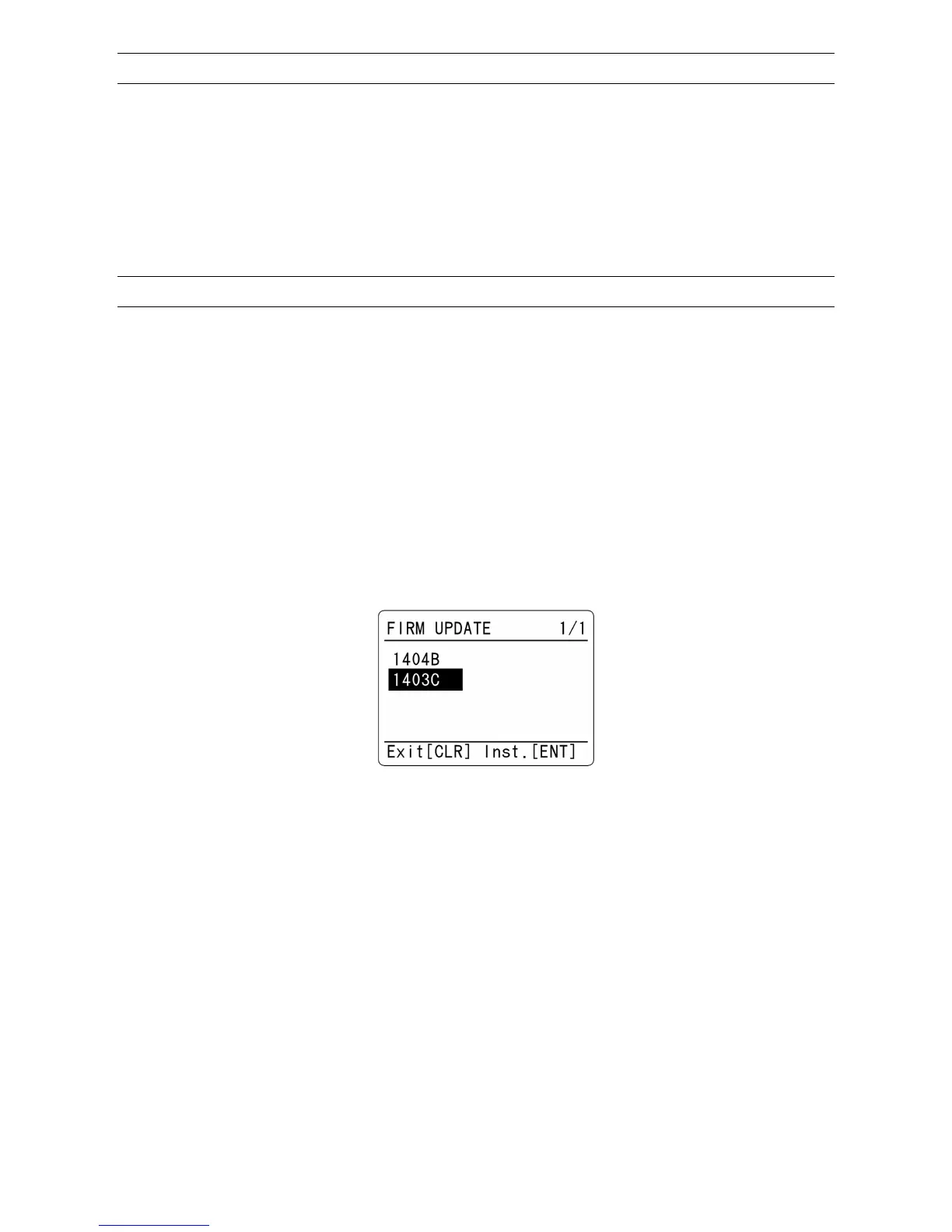
4. The firmware file will be displayed as shown here.
Example of the firmware files
5. Using the [▼] key or [▲] key, select the desired firmware file from the list (if there is more than one
version in the SD card).
6. Press the [ENT] key. Update process will start.
7. The update procedure takes 1 or 2 minutes. Once complete, disconnect the power (just switching the
receiver off is not sufficient).
8. After 30 seconds, reconnect the power and turn the receiver on.
(Note: The update process will re-initialize all receiver settings but memory banks content remains
unchanged)



 To Next Page