36
6-3 MEMORY READ
Once frequency and mode data have been stored into a memory location, retrieval is quick and simple.
While in VFO mode, press the [SCAN] key.
There are 40 banks (#00 ~ 39), 50 channels per bank with the AR-DV1.
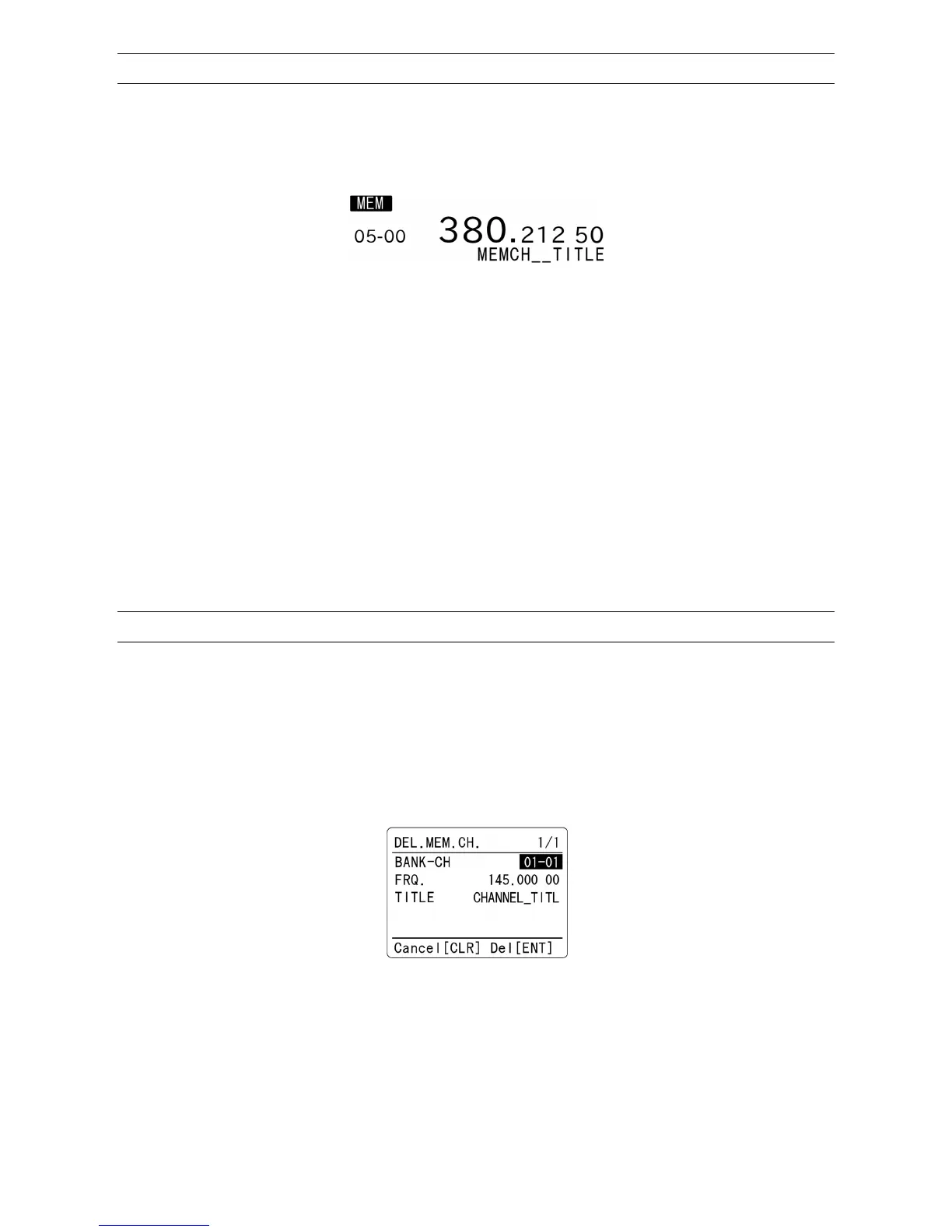
(Sample of memory read screen)
1. If you already know the memory bank and memory channel, using the numeric keyad, enter the
memory bank number (two digits) and memory channel number (two digits). Then press the [ENT]
key.
(Above screen shows memory bank #05 and memory channel #00.)
2. The AR-DV1 will monitor whatever memory channel you enter into memory read.
3. While in memory read, changing the receive mode or frequency steps, etc. will automatically update the
memory contents.
4. If you don’t want to make changes, set memory protect to ON to avoid overwriting the contents.
5. To return to VFO mode, press the [VFO] key.
6-4 DELETE MEMORY CHANNEL
To delete memory channels, perform the following steps:
1. In the memory read mode, press the [F] key and then the [CLR] key.
2. Following screen will appear.
3. To delete the selected memory channel, press the [ENT] key. Alternatively, press the [CLR] key to
cancel entry.
4. After deleting the memory channel, it will return to VFO mode.
(Note: If the memory channel is write protected, it will not be deleted.)



 To Next Page