SW Version 2.04 30-January-2009 Page 96 of 128
is the multicast port number.
Descr the assigned descrambler module. The notation is <X:Y> where X is the
slot position of the descrambler module and Y is the Common Interface
(CI) slot on the descrambler module
Scramble the assigned Scrambler ECM
ECM the defined scrambling group
Monitor the monitor module used for monitoring the service
5.1.2 Hardware View
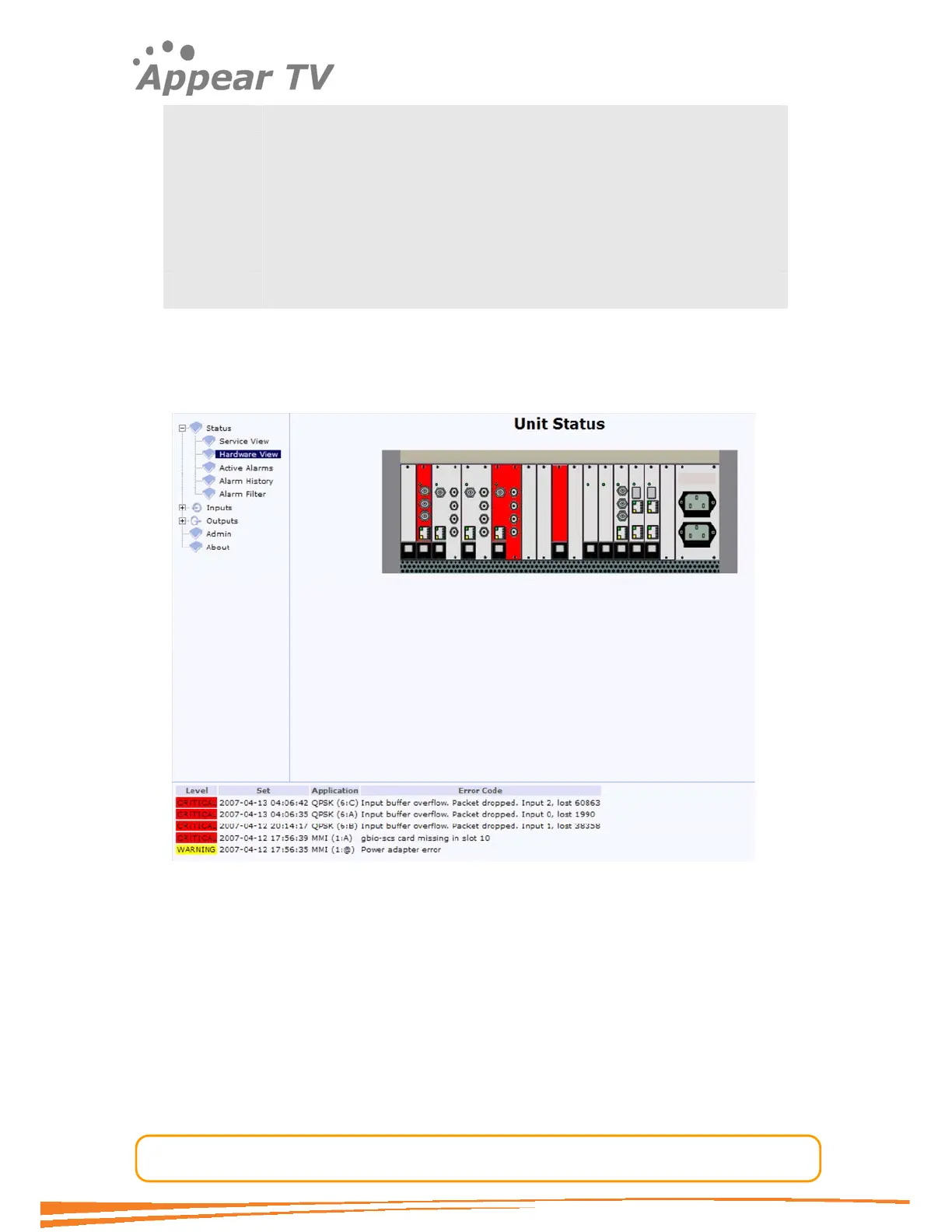
The hardware view shows graphically the unit’s status. In the below figure there are 3
modules with an associated critical alarm status, shown in red. A description of the
alarm status is shown in the status pane at the bottom of the screen.
Figure 67 - Hardware view
5.1.3 Active Alarms
Expand the Status folder in the navigation pane and click the Active Alarms icon. All
active alarms will be displayed as shown in Figure 68. Please note that all active
alarms will also be displayed in the bottom pane. See the table below for information
about the colour coding.



 To Next Page