SW Version 2.04 30-January-2009 Page 70 of 128
The total switch time depends on the configuration of the boards - It is 10 seconds
from the switch to the return of the sound on the radio receiver.
4.7 Configuring Transport Stream Outputs
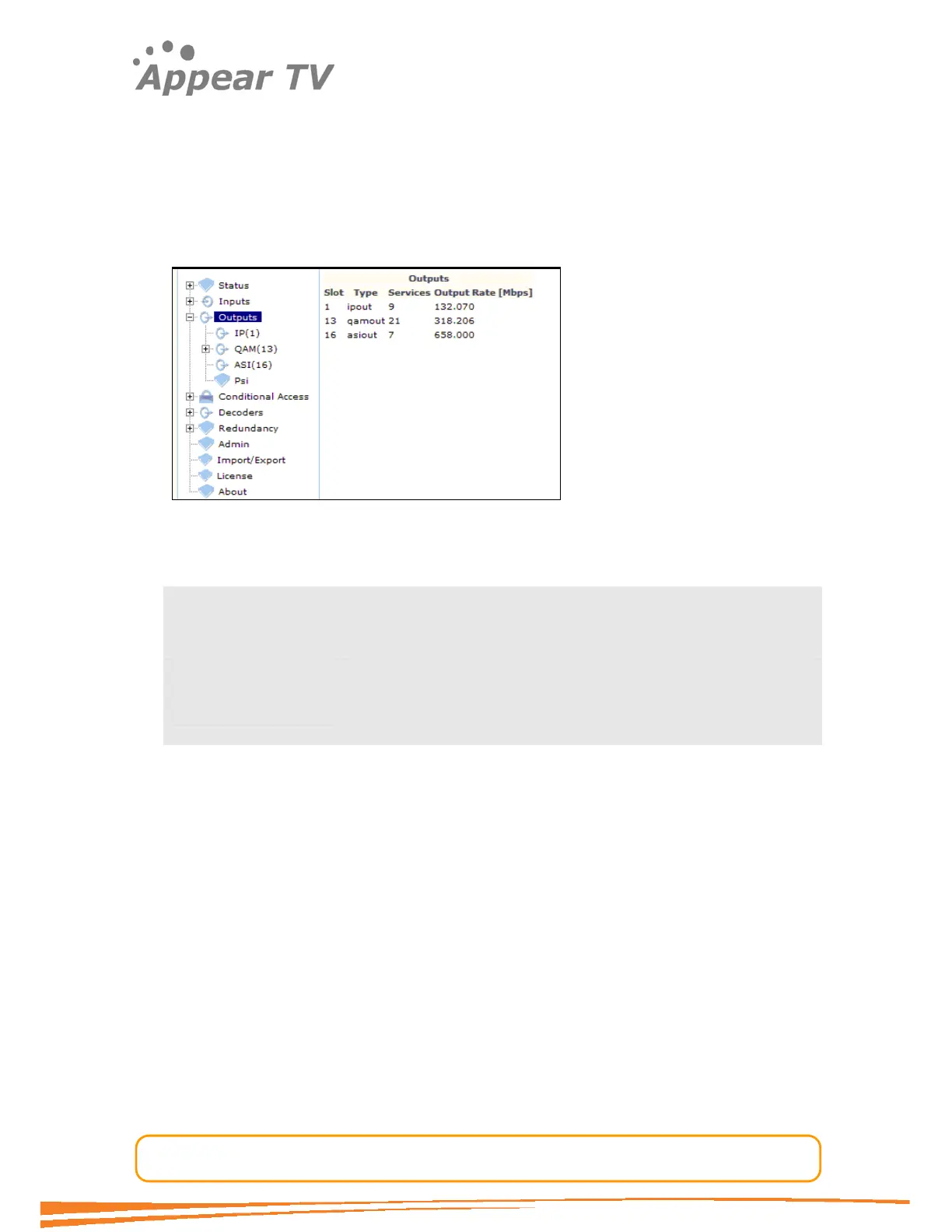
The unit can be configured to host a number of different output modules. Select the
Outputs folder from the navigation pane to view all available output modules
showing key information about the current configuration for each card.
Figure 57 - Outputs view
The following information is available from the Outputs view:
Slot slot position in the chassis
Type type of output module
Services the number of services assigned to the output module
Output Rate [Mbps] the total data rate of all configured services. The rate shown
includes all overhead data such as IP headers.
The creation of an output transport stream is easily done from the outputs
configuration view present for each output card. Before an output can be created, the
input card(s) must be configured correctly such that the list of input services is
present. Then adding a service to an output is done via drag-and-drop from the list of
available inputs.
The unit supports two types of output streams, SPTS and MPTS. The difference
between the two is that the MPTS streams are always CBR streams while the SPTS
streams are the same as the input. Additionally the MPTS output has a better support
for PSI/SI compared to the SPTS output.
A configuration of an output will automatically cause the system to generate PSI/SI as
well as adding the service related PIDs to the output. The next paragraph gives a
detailed description of which PSI/SI tables are supported.
4.7.1 PSI Base Value Settings / Defaults
This equipment offers PSI/SI support. The tables shown below are supported by the
streamer. Other tables, as defined by the DVB standard, that are not shown below,
are not currently supported.



 To Next Page