SW Version 2.04 30-January-2009 Page 21 of 128
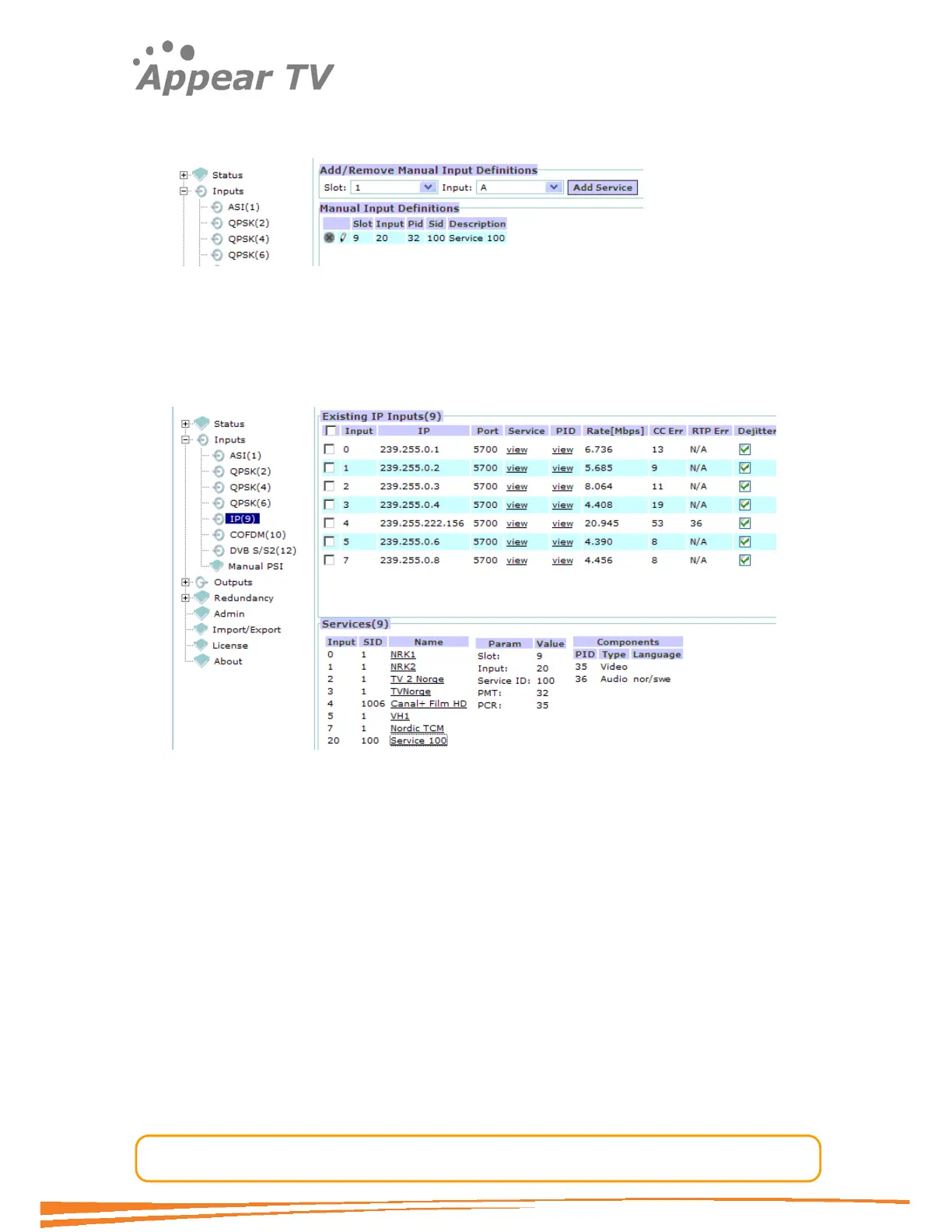
And the result is listed in the GUI. This entry may then be edited later or deleted by
pressing the appropriate icons to the left in the list.
MPTS Support: If multiple services are defined for one input it effectively represents
a MPTS.
To check that the manually defined input has entered the systems correctly go to the
inputs view and check that the service information is present. In the below example
input 20 is represented with PSI even if the input is not yet added into the system.
Note:
If manual PSI is defined for an input port, then all the incoming services must
be defined. It is not possible to define one service manually, and use the
incoming PSI to represent the rest.
4.3.3 QPSK Input
Each QPSK module can receive up to 4 individual QPSK input streams. To configure
the module, please:
Open the Inputs folder in the navigation pane, open (click on) the QPSK tab and the
QPSK module configuration window will be displayed (see Figure 11). The services
available on all 4 QPSK input ports will be listed in the same view by default.



 To Next Page