SW Version 2.04 30-January-2009 Page 79 of 128
4.7.3.2 Port Settings
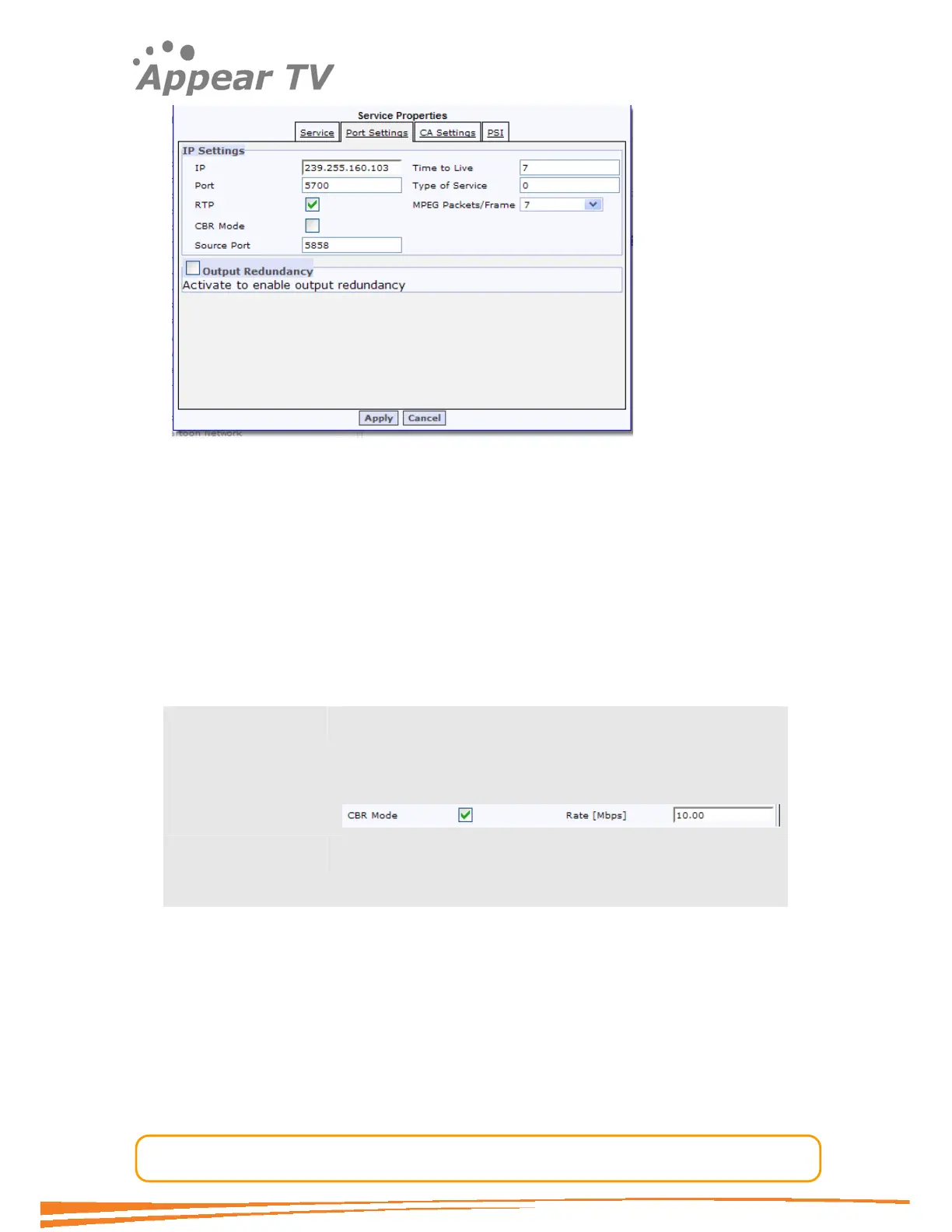
The Port Settings tab is used to change the IP specific parameters. The Output
Redundancy fields are to be used in a system configuration where two IP cards are
configured in a redundancy scenario. Please refer to “IP output redundancy chapter”
for details.
Default values for Rate, RTP, Source Port, Time to Live, Type of Service, MPEG
packets/Frame?
In addition to the port parameters explained for the default configuration explaned
above the following parameters may be configured for each output port.
CBR Mode The Constant-Bit-Rate option enables an SPTS output to be
sent with constant bit rate. The user will need to provide the
desired output rate. If the service exceeds this rate, then the
system will report an output-buffer overflow alarm and drop
packets.
Source Port The IP Source port of the output multicast. In a output
redundancy configuration this value will be replaced with the
virtual source address.
4.7.3.3 Port Settings - IP FEC Support
A new generation IP output card will support IP FEC. Except for a Larger FPGA chip
this card is identical to the standard IP output cards. Given this option is available the
Port configuration page will include the IP FEC configuration parameters.



 To Next Page