SW Version 2.04 30-January-2009 Page 74 of 128
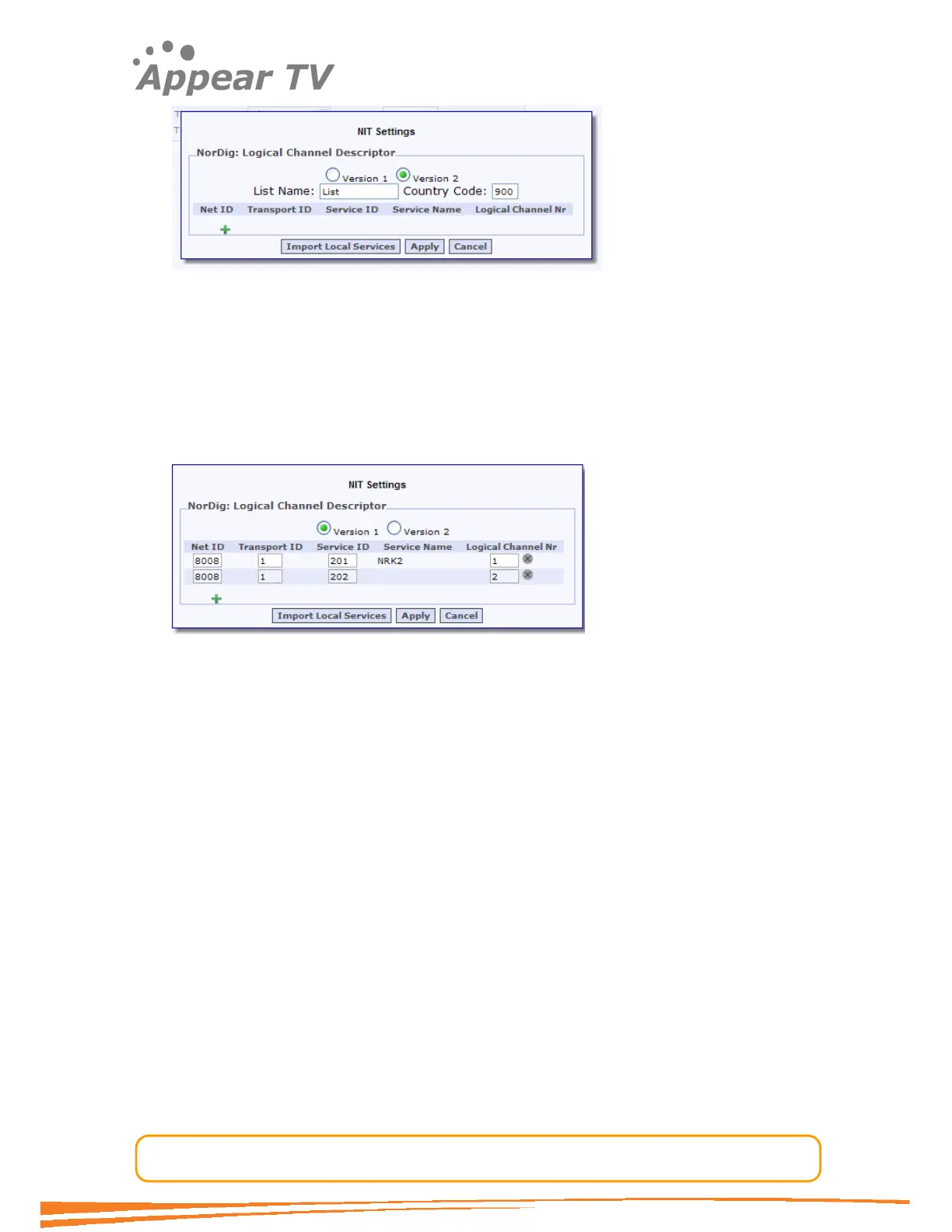
For version 2 the SC2000 supports a single list only. For more details on the usage of
list please refer to the NorDig standard.
To add channel assignments it is possible to import all the outgoing services
automatically by pressing the “Import Local Services” button. Then all the services will
be listed and it is possible to edit the channel numbers directly. Alternatively it is
possible to press the Green “+” and insert manual all the required data for each
service. The annual insertion is required in order to include services generated in
other units.
The dialog shows a LCN with two services, the first one was detected via the “Import
Local Services” button while the other was added manually. The Service name is not
part of the LCN but is displayed for local services for convenience only.
To change an existing setup just change the channel number and press apply.
To remove an existing channel number entry, press the x symbol to the right of the
entry and press apply.
4.7.2 PSI Settings for Individual Outputs
In some scenarios, it is necessary to configure individual table settings. To configure
the individual settings, open the Enter Multiplex dialog. This is achieved by clicking
Outputs Æ IPAddÆMPTS. The dialog is shown below.



 To Next Page