SW Version 2.04 30-January-2009 Page 23 of 128
To analyze the input please see the general input analysis description in the start of
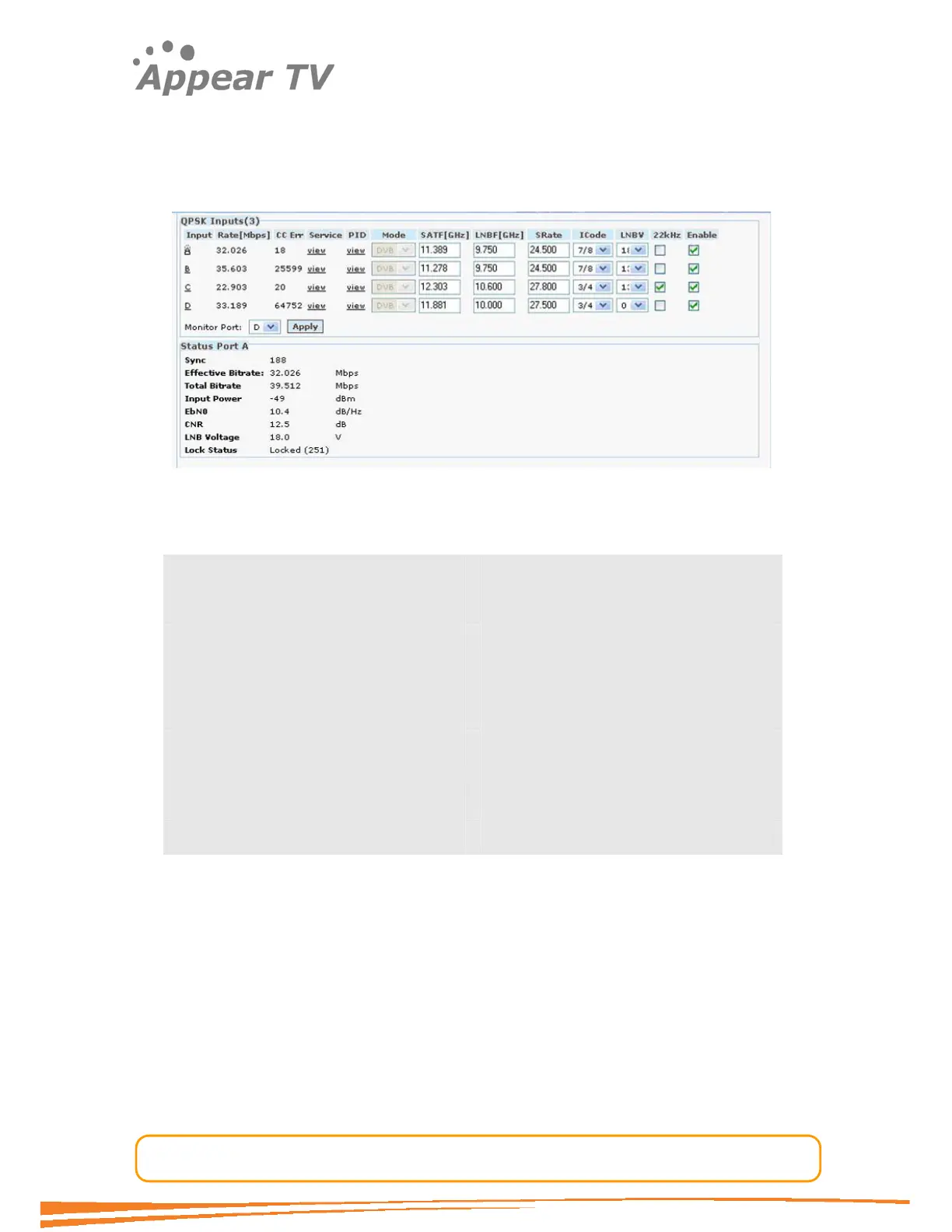
this chapter. Additionally the status parameters for the QPSK module are shown in
figure below. Clicking on the letter representing the Input channel (A, B, C or D) will
display the status parameters for the specific input port. The resulting display is
shown in Figure below.
Figure 12 - QPSK status view
The following information is displayed:
Sync MPEG sync. No, 188 or 204
Effective Bitrate The effective bitrate of the input stream
Total Bitrate The total bitrate of the input stream
Input Power Input Power for the QPSK signal in dBm.
EbNo Energy per bit / (Noise per 1 Hz BW)
CNR / SNR Channel to Noise Ratio / Signal to Noise
Ratio
LNB Voltage Actual LNB voltage
Lock Status Lock status of the tuner.
The status parameters EbN0 and CNR will be 0 when the tuner is not locked.
4.3.4 DVBS2 Input
The DVBS2 module supports both QPSK and DVBS2 inputs. The DVBS2 functionality
is licensed and will only be visible in the GUI when a correct license is installed for the
unit.
Each DVBS2 module can receive up to 4 individual QPSK input streams. To configure
the module, please:
Open the Inputs folder in the navigation pane, open (click on) the DVBS2 tab and
the QPSK module configuration window will be displayed (see Figure 11). The services
available on all 4 QPSK input ports will be listed in the same view by default.



 To Next Page