SW Version 2.04 30-January-2009 Page 50 of 128
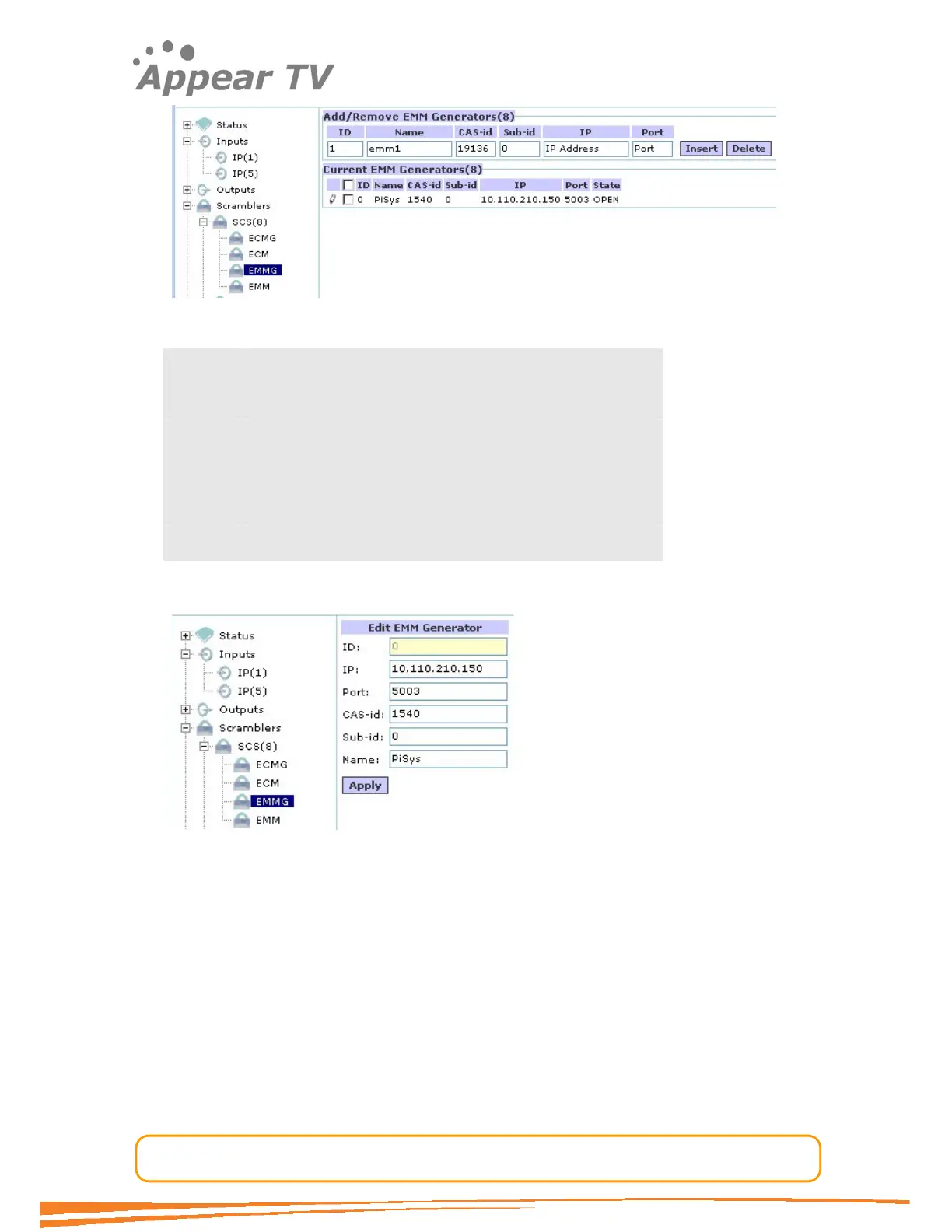
Figure 39 - Adding an EMM generator
ID The Simulcrypt Channel ID used towards the CA system
Name Used for reference in the GUI only
CAS-id CA Vendor specific ID
Sub-id CA Vendor specific sub-id
IP IP Address of EMM Generator
Port TCP/UDP port of EMM generator
To change an EMMG channel connection click on the EMMG tab in the navigation tree,
enter the new configuration and click the “apply” button.
Figure 40 - Editing EMM generator
4.4.3.7 Configure an EMM Stream
The definition of an EMM is done from the EMM tab in the navigation tree. The EMM
links a particular EMM to an EMM generator.



 To Next Page