SW Version 2.04 30-January-2009 Page 29 of 128
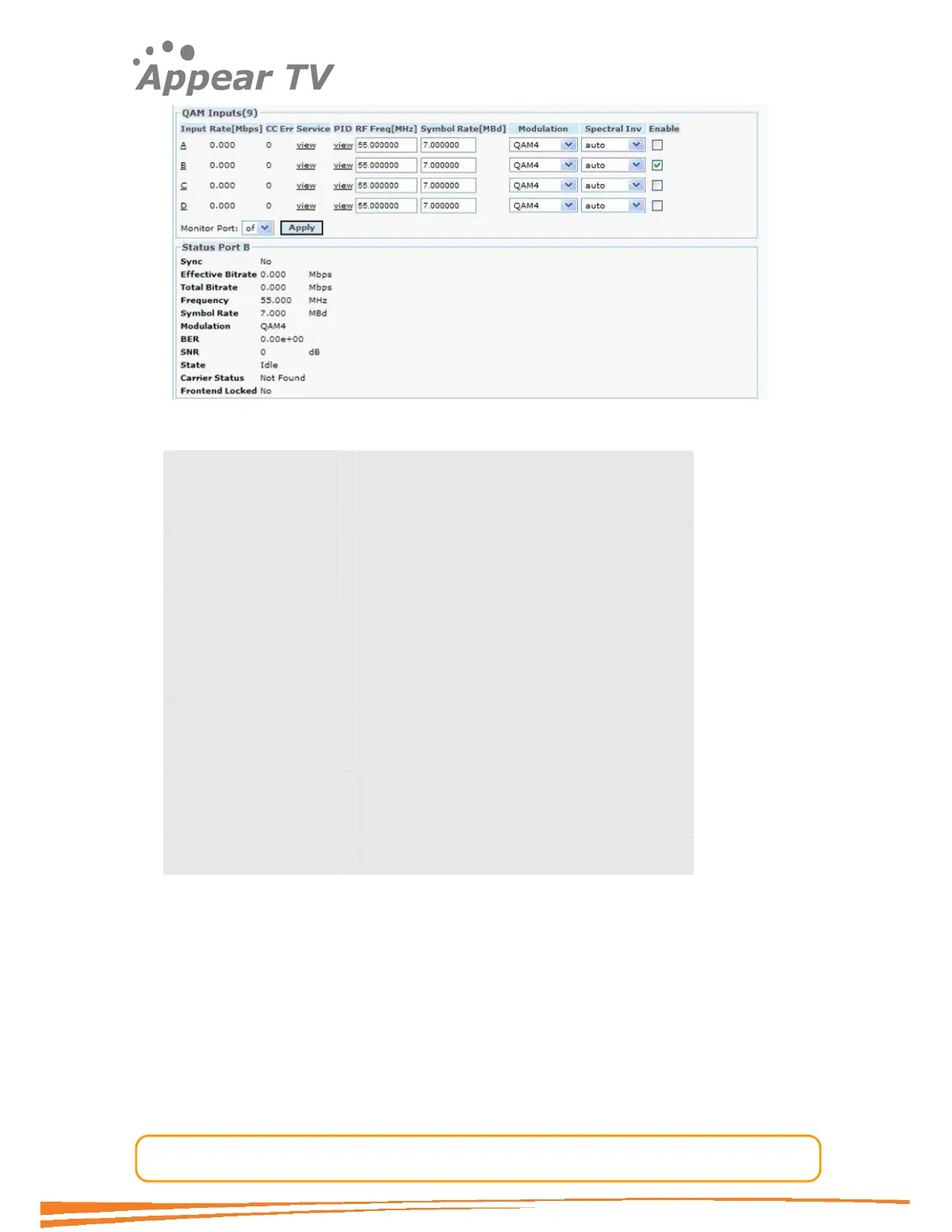
Figure 18 - QAM status view
Sync MPEG sync. No, 188 or 204
Effective Bitrate The effective bitrate of the input
Total Bitrate The total bitrate of the input
Frequency The currently tuned frequency in MHz
Bandwidth The bandwidth of the currently tuned channel
Modulation Current modulation of the tuned channel
BER Bit Error Rate
SNR Signal to Noise Ratio
Power Level Power Level of the COFDM input signal
State Current State
Carrier Status Status of the tuning process
Front End Locked Current Tuner lock status: Yes or No
4.3.7 COFDM Input
The COFDM input module can receive up to 4 individual COFDM frequencies. The
number of COFDM frequencies can be increased by adding more modules to the
chassis. Please follow the procedure below to configure the module.
Open the Inputs folder in the navigation pane, click on the COFDM module you want
to configure and the window as shown in Figure 19 will be displayed. The services
available on all 4 COFDM input frequencies will be listed in the same view by default.
(the top part of the main display area).



 To Next Page